Zoom 1:1
Vytištěno z: CAD Fórum
Kategorie: Autodesk - stavebnictví, strojírenství, CAD/GIS
Název fóra: Inventor
Popis fóra: Otázky k programům Autodesk Inventor Professional, Product Design & Manufacturing Collection, Factory Design; digitální prototypy
URL: https://www.cadforum.cz/forum/forum_posts.asp?TID=34636
Datum vytištění: 16.říj.2026 v 08:16
Téma: Zoom 1:1
Odeslal: peterka256
Předmět: Zoom 1:1
Datum odeslání: 03.říj.2023 v 19:36
|
Da se nejakym zpusobem nastavit zoom pri tvorbe nacrtu na 1:1 (zobrazeni na monitoru vuci skutecnosti)? Pripadne jde nekam ulozit nastavene priblizeni, kdyz si to pracne najdu manualne a pak nejak rychle obnovit? Nechce se mi verit ze to Inventor neumi, kdyz tohle zvladal i predpotopni CAD ktery jsem pouzival v dobach kdy Inventor jeste ani neexistoval. Proste se v parametrech nastavila sirka a vyska monitoru a jedinym klikem bylo vyreseno. Jde mi o to, ze casto kreslim veci ktere je nejrychlejsi obtahnout podle predmetu prilozeneho k obrazovce a to trefovani meritka je opravdu opruz. Kdyz potrebuji udelat napriklad drzak na krimplovaci kleste, tak je jejich skemovani, foceni na profilprojektoru apod. naprosta ztrata casu. Proste je prilozim k monitoru, obkreslim a je bleskove hotovo s dostatecnou presnosti pro takovy ucel.
|
Odpovědi:
Odeslal: Vladimír Michl
Datum odeslání: 03.říj.2023 v 20:57
|
Pro AutoCAD jsme na to dělali utilitu VIEW11 - https://www.cadforum.cz/cz/cad-model-na-obrazovce-1-1-ve-skutecnych-rozmerech-mm-tip8793 - https://www.cadforum.cz/cz/cad-model-na-obrazovce-1-1-ve-skutecnych-rozmerech-mm-tip8793 - asi by šlo něco podobného i pro Inventor, ale je to hodně nepřesná metoda, takový spíš vtípek, asi není použitelné pro vážnější projekt. To spíš vzít šupleru a parametry zadat do náčrtů. ------------- Vladimír Michl https://CADs.cz - CADs.cz , https://www.linkedin.com/in/vmichl/ - LinkedIn Autodesk Expert Elite |
Odeslal: peterka256
Datum odeslání: 03.říj.2023 v 22:41
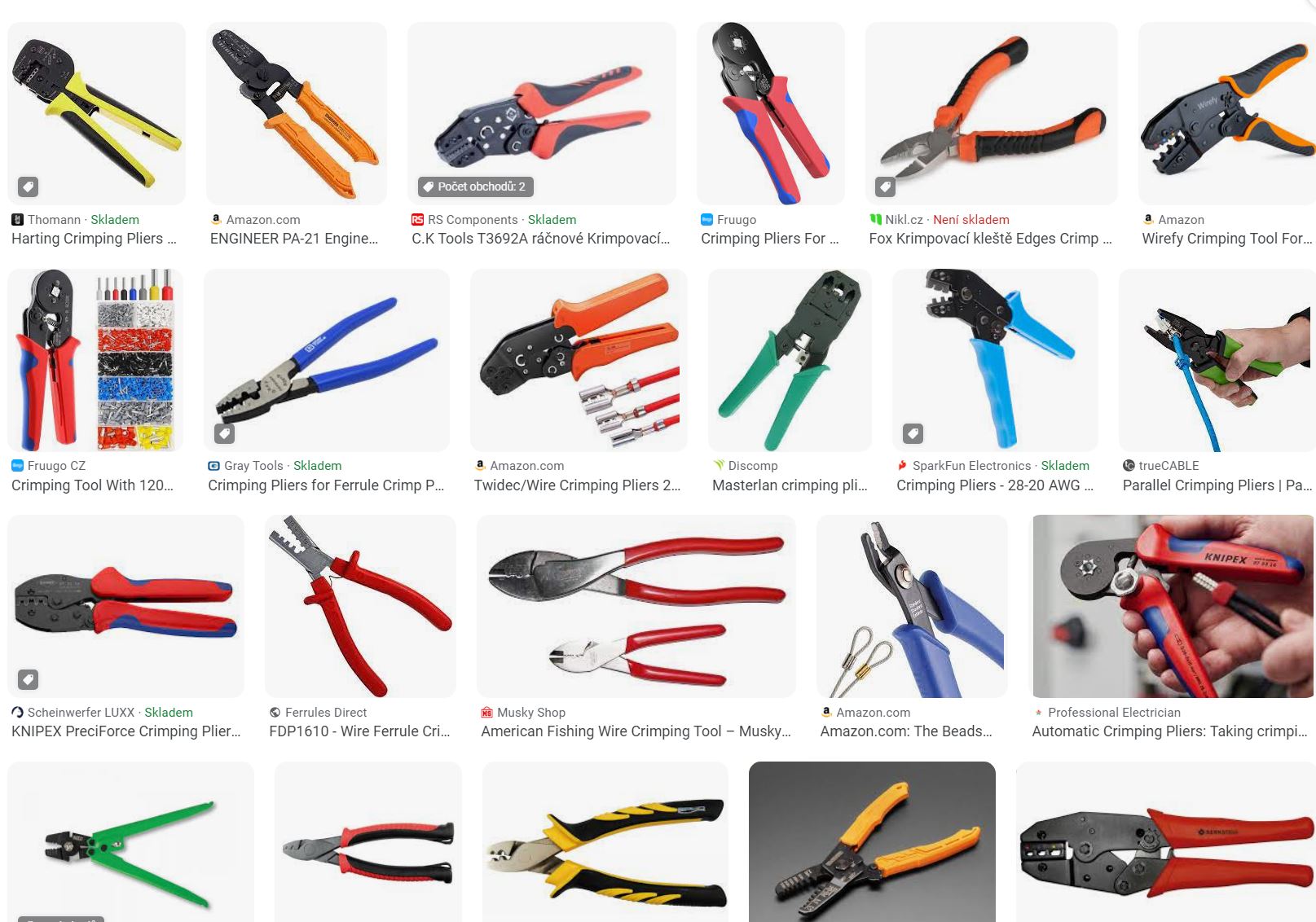 Pokud je to nejaky normalni tvar, tak je urcite rychlejsi to odmerit, ale treba ted delam futral na nejruznejsi elektrikarske kleste ktere maji ruzne zaoblene tvary, nahodile uhly apod a to se odmeruje dost spatne a nespolehlive. Tady neni milimetr zadna mira, dulezite je ale dodrzet celkovou geometrii. Proste prilozim kleste na monitor, mysi je carami obkreslim a hned je hotovo. Pokud je to nejaky normalni tvar, tak je urcite rychlejsi to odmerit, ale treba ted delam futral na nejruznejsi elektrikarske kleste ktere maji ruzne zaoblene tvary, nahodile uhly apod a to se odmeruje dost spatne a nespolehlive. Tady neni milimetr zadna mira, dulezite je ale dodrzet celkovou geometrii. Proste prilozim kleste na monitor, mysi je carami obkreslim a hned je hotovo. |
Odeslal: pavelstyl
Datum odeslání: 04.říj.2023 v 07:04
|
Na tohle ani není potřeba to měřítko 1:1. Prostě to obkreslím, změřím jednu referenční kótu (délka kleští), tu samou kótu sám do skici a pak to celé nazvětšuji v poměru těch kót. Pavel Štyl
|
Odeslal: peterka256
Datum odeslání: 30.čer.2024 v 15:20
|
Vcera jsem pri reseni cehosi jineho zjistil roztomilou vec, ze v inventoru je implementovan vba (nesmejte se, ja s tim nijak zvlast moc nekreslim :-) ) Tak jsem z nedelni nudy zkusil vyresit tuhle zalezitost se zoomovanim 1:1 na monitoru. po zevrubnem prozkoumani jak funguje system zoomovani a vlastne celeho zobrazovani v inventoru jsem zjistil ze je to delane tak, ze je kolem modelu umistena kamera a zmenou jeji vzdalenosti, uhlu atp. se nastavuje to co vidime na monitoru, takze by nemel byt problem funkci zoom 1:1 napsat. Celou vec trochu komplikuje fakt ze v ortogonalnim zobrazeni muzu z principu kameru priblizovat k modelu jak chci, ale zadne zoomovani se konat nebude. Musim menit velikost zorneho pole. Jsou tam dalsi zadrhele typu ze tohle se meni i pri zmene velikosti pracovni plochy apod. ale to uz by nemel byt problem spocitat. Z legrace jsem tohle zkusil predhodid GPT, jak se s tim popere. Zpocatku placal kraviny, jako ze to nejde apod, ale kdyz jsem ho nakopnul at pouzije .SetExtents zacal se trochu chytat. Po asi hodince presvedcovani, hanrkovani a hromade nefunkcnich pokusu z nej vypadl nize uvedeny kod, ktery zda se dela presne to co ma - muzete to dukladneji otestovat. Opravdu cely kod tak jak je vypotil GPT (ta zadarmo verze), vcetne tech komentaru, ja v tom zadne zmeny ani opravy nedelal, jen jsem pro prehlednost pesoupl promenne desiredModelScreenWidth a screenDPI na zacatek kodu. Jejich hodnotou si trefite zobrazeni tak, aby velikost modelu odpovidala realite podle toho jaky mate monitor apod. Jsou to cisla typu double, takze by nemel byt problem to jemne doladit. Schopnosti tehle AI mne opravdu mile prekvapily. V kodu je nejspis spousta zbytecnosti, ale zda se ze funguje jak ma, tak jsem se v tom dal nestoural a ani nezkoumal jak to pracuje (mozna az bude cas)
|