Orthographic To Isometric
Printed From: CAD Forum
Category: EN
Forum Name: AutoCAD
Forum Description: Discussion about AutoCAD and AutoCAD LT, viewers, DWG and DXF formats, Design Review, AutoCAD web, Drive, add-ons
URL: https://www.cadforum.cz/forum_en/forum_posts.asp?TID=10168
Printed Date: 21.Oct.2026 at 08:46
Topic: Orthographic To Isometric
Posted By: curtie
Subject: Orthographic To Isometric
Date Posted: 25.Mar.2014 at 19:35
|
Hi Guys I'm struggling to draw the top part of this drawing, the part that is just above the circle. Please help uploads/380818/Orthographicsmallpdf.com.pdf" rel="nofollow - uploads/380818/Orthographicsmallpdf.com.pdf ------------- sean |
Replies:
Posted By: philippe JOSEPH
Date Posted: 25.Mar.2014 at 20:33
|
Hello curtie, I suppose that your problem is with 3D, not 2D. Please note that your 3 2D views are located in the european projection. I don't find the width of the embossment R35/R30.  If we suppose that the little embossment 42x28+hole Ă 12 length 67 is on the middle of the unknown width embossment then that embossment width could be 10+28+10 = 48. |
Posted By: John Connor
Date Posted: 25.Mar.2014 at 21:45
|
The OP is looking to draw an isometric view of the object in 2D. If you want to take the easy way construct the object in 3D then use the BASEVIEW or VIEWBASE command (depending on how you access it) to create the top, front, side and one isometric views in 2D. That method makes the most sense. Be advised that the 2D views will be created in a layout and not in model space. If you want model space 2D views use FLATSHOT. ------------- "Humans have a strength that cannot be measured. This is John Connor. If you are reading this, you are the resistance." <<AutoCAD 2015>> |
Posted By: philippe JOSEPH
Date Posted: 27.Mar.2014 at 13:01
| Hello curtie anf John, some of you answers are in the DWG file loaded today : ORTHO-TO-ISO_01_A.dwg that you will find in the CAD Blocks library. |
Posted By: John Connor
Date Posted: 27.Mar.2014 at 13:33
|
Nice work Philippe. ------------- "Humans have a strength that cannot be measured. This is John Connor. If you are reading this, you are the resistance." <<AutoCAD 2015>> |
Posted By: philippe JOSEPH
Date Posted: 27.Mar.2014 at 13:50
|
Hello John, I've tried to compile all the information necessary to do the iso view by the "old way" but I've done it with a flatshot of the 3D object.
Incredilbly, when I take a look at the numbers of my files downloaded from the Cad Blocks library in the site, the uggly file that I've done for a cad discussion about isometric drawing is N° 2 ( and the number 1 is only a compile of shakles from The CROSBY GROUP that I have arranged in 1 file with dimensions and texts ).
I have noticed that maybe 10% of us are working with AutoCAD 3D ( with the number of my 3D files downloaded ).
I'm not making developpment on 3D drawing to "fabricate" parts ( my job is methods ) but I find very interresting functions in AutoCAD 3D ( for my job ) including topo survey, masses and COG, etc...
|
Posted By: John Connor
Date Posted: 27.Mar.2014 at 14:05
|
I understand why a student might need to know how 2D isometric drawings were done previous to the introduction of CAD but nowadays teachers of AutoCAD should be instructing their students in how to create 3D models then deriving the 2D views from the model. It makes more sense. ------------- "Humans have a strength that cannot be measured. This is John Connor. If you are reading this, you are the resistance." <<AutoCAD 2015>> |
Posted By: curtie
Date Posted: 28.Mar.2014 at 09:21
 ------------- sean |
Posted By: curtie
Date Posted: 28.Mar.2014 at 09:25
|
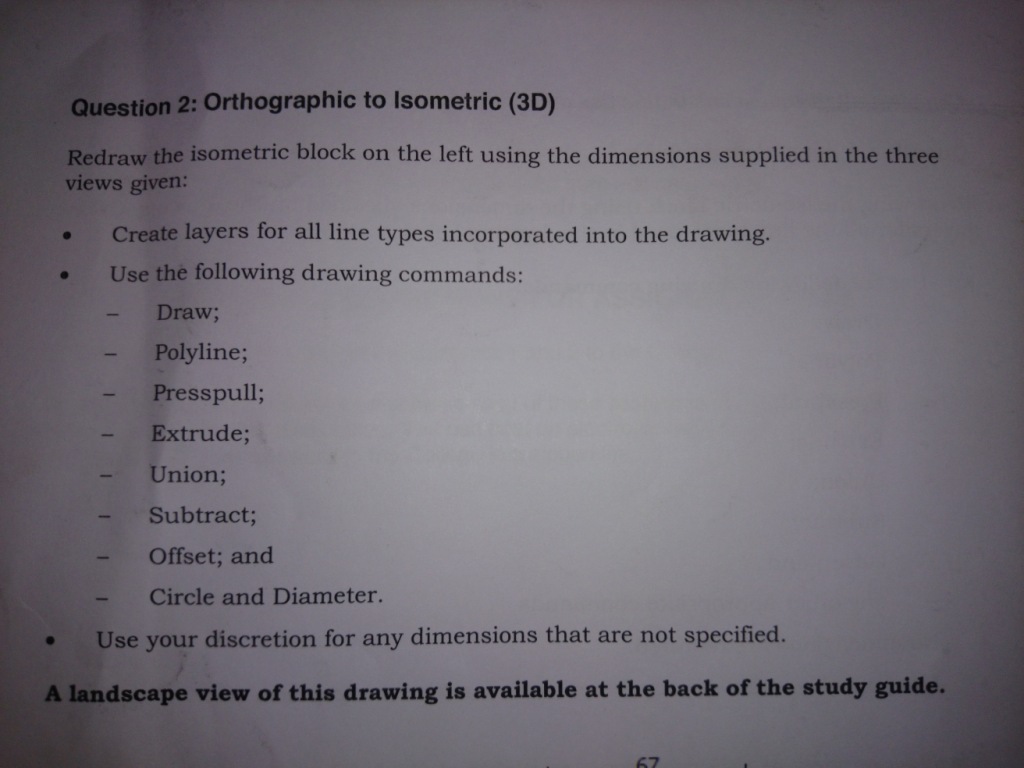
Hi Guys Thanks for all the replies. that is the question I have posted. The snap has to be set to isometric cause I noticed that that's the only time I can use the extrusion tool. ------------- sean |
Posted By: philippe JOSEPH
Date Posted: 28.Mar.2014 at 10:32
|
Hello curtie, so you had to do the 3D object and show it in a 3D isometric view. That includes the knowledge of 3D views and use of UCS. Now it would be fun ( joke ) to try and do some dimensionning on the 3D object. Please let us see your 3D object and eventually the presentation that you made of it in a viewport ( if you choose a scale you can have a "scalable" result within the isometrics rules. In the DWG file that I have uploaded I choose to redraw 3 blocks showing the 3 2D views, did you do this or directly made your 3D object ?
|
Posted By: John Connor
Date Posted: 28.Mar.2014 at 10:34
|
Extrude and PressPull can both be used without having osnaps enabled. I know because I've done many drawings that included 3D models. ------------- "Humans have a strength that cannot be measured. This is John Connor. If you are reading this, you are the resistance." <<AutoCAD 2015>> |
Posted By: curtie
Date Posted: 28.Mar.2014 at 11:22
|
I have done the drawing using mostly extrusion ------------- sean |
Posted By: curtie
Date Posted: 28.Mar.2014 at 11:27
|
I have done it in 3 parts. I done the base 1st I did the leg separate and added then I done the circle can't seem to do the top part ------------- sean |
Posted By: curtie
Date Posted: 28.Mar.2014 at 11:29
|
Hi Sean Mark ( 10011601264 )Congratulations! You passed assignment I10055365-B ! You obtained 84 %! (sms@intec.edu.za) Hi Sean Mark ( 10011601264 )Congratulations! You passed assignment I10055365-A ! You obtained 92 %! (sms@intec.edu.za) ------------- sean |
Posted By: John Connor
Date Posted: 28.Mar.2014 at 12:14
|
Congrats on passing both of your assignments. ------------- "Humans have a strength that cannot be measured. This is John Connor. If you are reading this, you are the resistance." <<AutoCAD 2015>> |
Posted By: curtie
Date Posted: 28.Mar.2014 at 12:31
|
Thank you just 1 to go ------------- sean |