Ribbon can not show close,minimize button
Printed From: CAD Forum
Category: EN
Forum Name: AutoCAD
Forum Description: Discussion about AutoCAD and AutoCAD LT, viewers, DWG and DXF formats, Design Review, AutoCAD web, Drive, add-ons
URL: https://www.cadforum.cz/forum_en/forum_posts.asp?TID=10200
Printed Date: 05.Sep.2026 at 06:41
Topic: Ribbon can not show close,minimize button
Posted By: kh_ansari
Subject: Ribbon can not show close,minimize button
Date Posted: 07.Apr.2014 at 04:19
I am using AUTOCAD ARCHITECTURE 2012. The Ribbon bar doesn't show the close,minimize and restore size button. can anyone help me with this problem?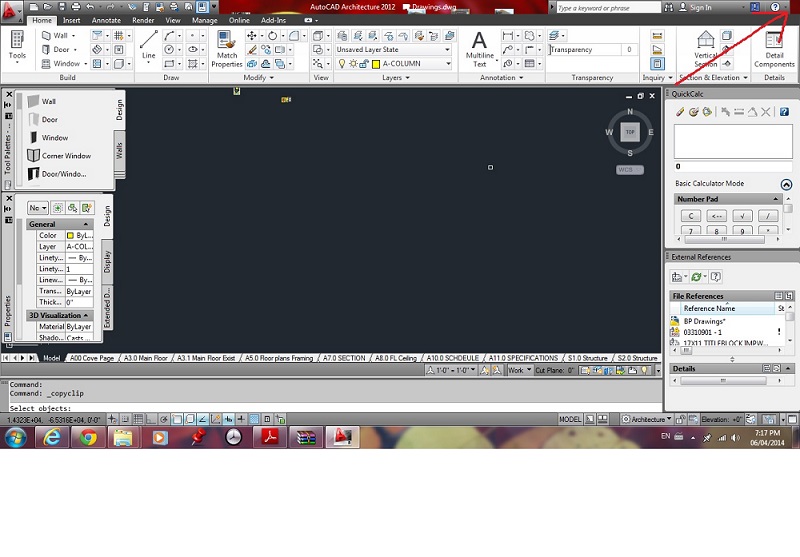
|
Replies:
Posted By: John Connor
Date Posted: 07.Apr.2014 at 11:32
|
First try resetting your Profile. ------------- "Humans have a strength that cannot be measured. This is John Connor. If you are reading this, you are the resistance." <<AutoCAD 2015>> |
Posted By: kh_ansari
Date Posted: 08.Apr.2014 at 20:32
|
Thanks for the help, It works. |
Posted By: John Connor
Date Posted: 08.Apr.2014 at 23:48
|
Ahhhhhhhhhhhhhhhhhhhhhhhhhhh.....another lucky guess. Good to hear. ------------- "Humans have a strength that cannot be measured. This is John Connor. If you are reading this, you are the resistance." <<AutoCAD 2015>> |