Printing to PDF
Printed From: CAD Forum
Category: EN
Forum Name: AutoCAD
Forum Description: Discussion about AutoCAD and AutoCAD LT, viewers, DWG and DXF formats, Design Review, AutoCAD web, Drive, add-ons
URL: https://www.cadforum.cz/forum_en/forum_posts.asp?TID=10323
Printed Date: 02.Nov.2026 at 08:04
Topic: Printing to PDF
Posted By: 5liice
Subject: Printing to PDF
Date Posted: 23.May.2014 at 12:29
|
hi guys i was wondering if you can help me out? I have forgotten what text to add to the paperspace tab so when printing to a pdf document the default name given ignores it. 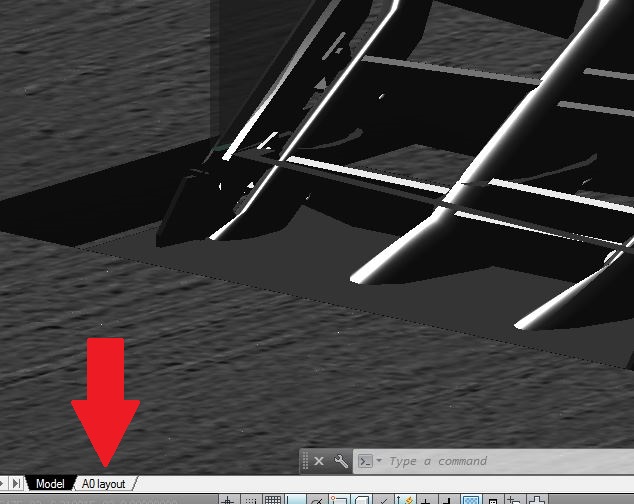 Thanks in advanced. |
Replies:
Posted By: John Connor
Date Posted: 23.May.2014 at 13:45
|
I did not think such a thing was possible. So, you don't want to see something like this? MyDrawing-A0 layout.pdf ------------- "Humans have a strength that cannot be measured. This is John Connor. If you are reading this, you are the resistance." <<AutoCAD 2015>> |
Posted By: 5liice
Date Posted: 23.May.2014 at 14:37
| correct buddy i want to say this; MyDrawing.pdf |
Posted By: John Connor
Date Posted: 23.May.2014 at 14:43
|
The best I can do is MyDrawing..pdf Note the extra dot? I'll put it another way. As far as I know the user cannot have a blank layout tab. A dot, dash or underscore would be the least obnoxious looking. ------------- "Humans have a strength that cannot be measured. This is John Connor. If you are reading this, you are the resistance." <<AutoCAD 2015>> |