DWG to PDF
Printed From: CAD Forum
Category: EN
Forum Name: AutoCAD
Forum Description: Discussion about AutoCAD and AutoCAD LT, viewers, DWG and DXF formats, Design Review, AutoCAD web, Drive, add-ons
URL: https://www.cadforum.cz/forum_en/forum_posts.asp?TID=10325
Printed Date: 17.Jul.2026 at 10:31
Topic: DWG to PDF
Posted By: kanishkagupta
Subject: DWG to PDF
Date Posted: 23.May.2014 at 14:00
| how do we take print on scale, both imperial and metric scales in AutoCAD? |
Replies:
Posted By: John Connor
Date Posted: 23.May.2014 at 14:15
|
What do you mean "take on scale"? Do you want to print a drawing "to scale"? Are you printing from model space or from a layout that utilizes at least one viewport? ------------- "Humans have a strength that cannot be measured. This is John Connor. If you are reading this, you are the resistance." <<AutoCAD 2015>> |
Posted By: teslaoutsourcing
Date Posted: 26.May.2014 at 14:49
|
Hi
Kanishka, at first select the paper size according to the size of your drawing.
In the â€Print’ dialog box select the appropriate scale that you need for your
drawing. After that select PDF option. For metric scale: 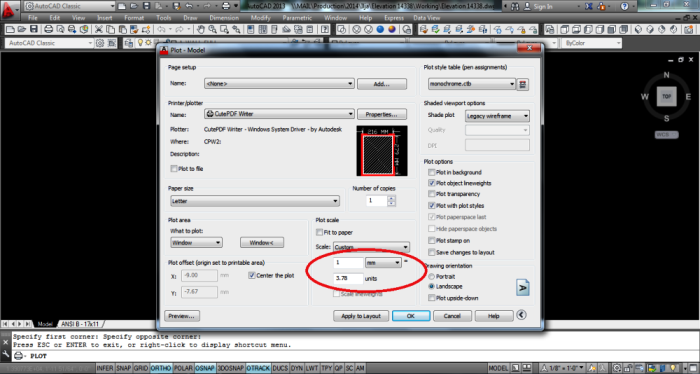 For imperial scale: 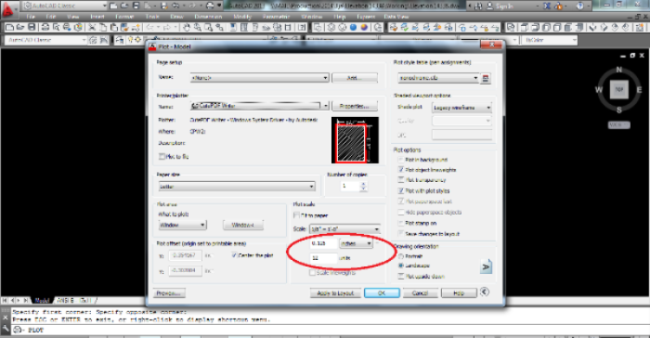 |