How to join 2 lines without change the length?
Printed From: CAD Forum
Category: EN
Forum Name: AutoCAD
Forum Description: Discussion about AutoCAD and AutoCAD LT, viewers, DWG and DXF formats, Design Review, AutoCAD web, Drive, add-ons
URL: https://www.cadforum.cz/forum_en/forum_posts.asp?TID=10401
Printed Date: 04.Sep.2026 at 20:37
Topic: How to join 2 lines without change the length?
Posted By: Ardyman
Subject: How to join 2 lines without change the length?
Date Posted: 23.Jun.2014 at 11:46
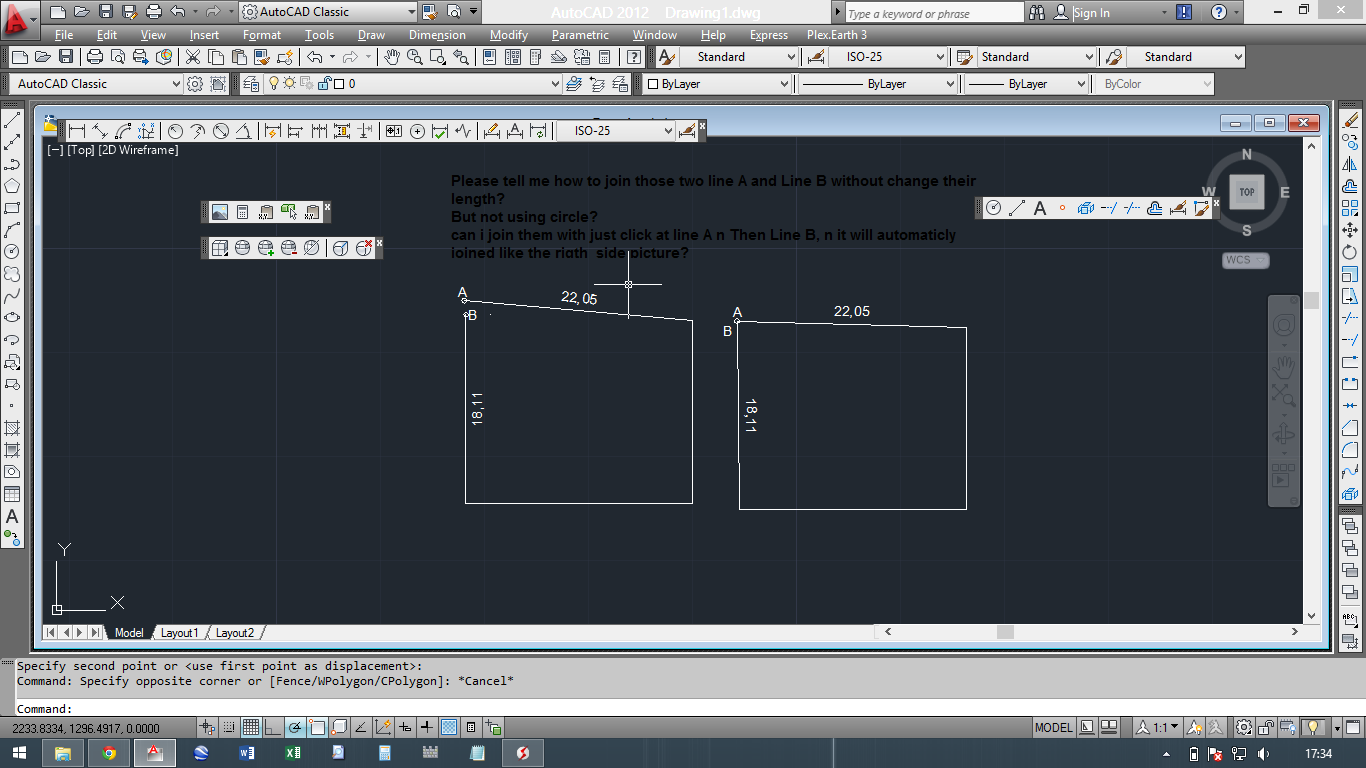
------------- Pls Help n thanks before |
Replies:
Posted By: philippe JOSEPH
Date Posted: 23.Jun.2014 at 12:54
|
http://www.cadforum.cz/forum_en/uploads/175428/JOIN_THE_LINES_01.dwg" rel="nofollow - uploads/175428/JOIN_THE_LINES_01.dwg
Ardyman, this is not difficult, it's basic geometry.
Tell us if it's a homework or ...
|
Posted By: Kent Cooper
Date Posted: 23.Jun.2014 at 15:49
|
Brute-force method:
Draw a Circle whose center is at the upper right and whose radius is defined by point A, and another whose center is at the lower left and whose radius is defined by point B. Select the Polyline and drag the grips at points A and B to the nearer intersection of those two Circles. Erase the Circles.
If you want the resulting Polyline to be closed (in entity-data terms, not just visually), use Pedit and its Edit Vertex option to Break off one of the end segments, move the other end only to that intersection of Circles, and then have the Polyline closed in the Properties box, which will put back the segment you Broke off but adjusted appropriately.
It could probably also be done with an AutoLISP Routine that would require only selecting the Polyline, if the same kind of situation arises often enough.
|
Posted By: dilibere
Date Posted: 24.Jun.2014 at 16:23
| use the move command |
Posted By: John Connor
Date Posted: 24.Jun.2014 at 18:01
That wouldn't work in this case. Moving either line would mean the opposite end would no longer be in the proper position. ------------- "Humans have a strength that cannot be measured. This is John Connor. If you are reading this, you are the resistance." <<AutoCAD 2015>> |
 dilibere wrote:
Posted By: Kent Cooper
Date Posted: 26.Jun.2014 at 16:21
| [... I should have said select the Lines that have A and B on their ends, if that's what they are, rather than the Polyline ....] |
Posted By: agguloy
Date Posted: 27.Jun.2014 at 01:47
|
hello guys, its not so easy for me to do so..connecting those two ends without changing its dimension but all i have to do is to rotate the two lines using their axis. rotating used reference, repeating the command until they met. tnx..
------------- jaRIZ_raisa |
Posted By: philippe JOSEPH
Date Posted: 27.Jun.2014 at 08:12
| Hello agguloy, you have AutoCAD 2012 full so that you can use the ALIGN command for this with the help of the circles drawn in my file loaded previously : JOIN_THE_LINES_01.dwg |
Posted By: teslaoutsourcing
Date Posted: 27.Jun.2014 at 15:20
Hi Kent Cooper, I agree your reply.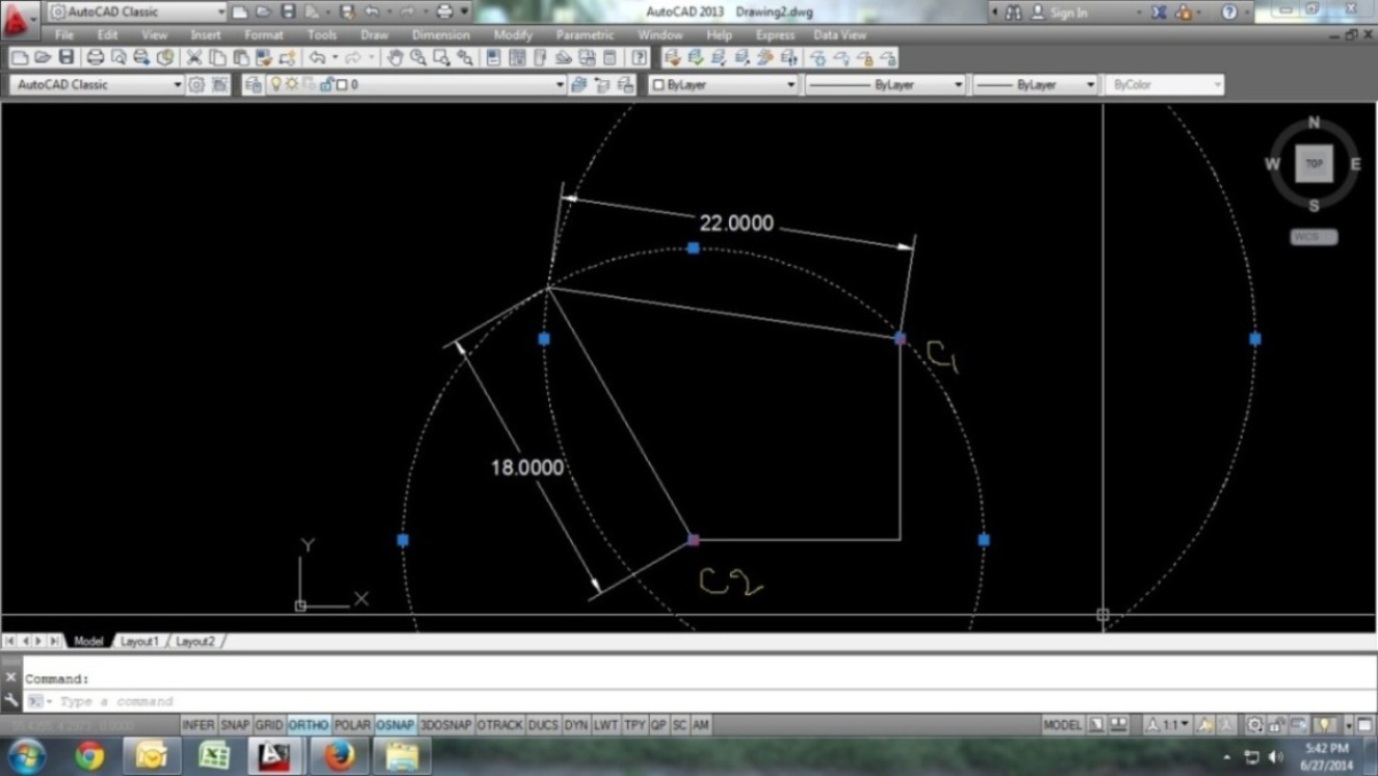 |