AecArchBase60
Printed From: CAD Forum
Category: EN
Forum Name: AutoCAD
Forum Description: Discussion about AutoCAD and AutoCAD LT, viewers, DWG and DXF formats, Design Review, AutoCAD web, Drive, add-ons
URL: https://www.cadforum.cz/forum_en/forum_posts.asp?TID=10412
Printed Date: 05.Sep.2026 at 04:16
Topic: AecArchBase60
Posted By: evanchannel
Subject: AecArchBase60
Date Posted: 25.Jun.2014 at 05:26
|
Hi there, Problem: I created a file with AutoCAD Architecture 2012. Use Aec object for doors, walls and windows, etc, then my engineer worked on the file with his AutoCAD Architecture 2014, saved it back to 2010/2012 version, but when I opened the same file, all doors are gone and only shows boxes with AecDbDoor (AecArchBase60) for doors, and AecDbWall (AecArchBase60) for walls. AutoCAD 2014 open the file again with no problem, but only CAD 2012 has the problem after he saved. HELP HELP HELP, THANK YOU VERY MUCH...... Is there anyway to fix this? My engineer and I works closely together and we exchange files frequently, thanks and see the image for the problem.. 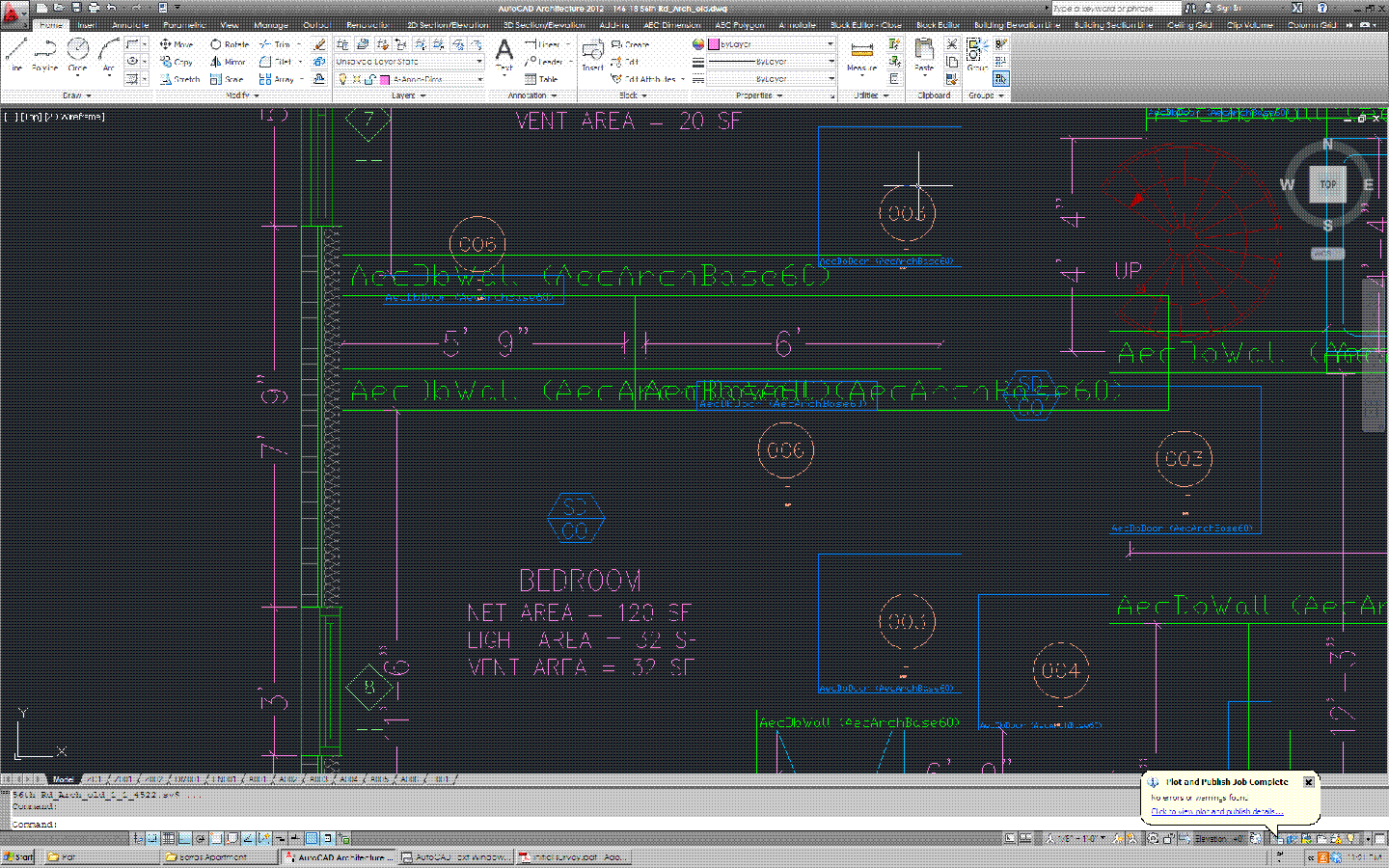 . . |
Replies:
Posted By: John Connor
Date Posted: 25.Jun.2014 at 11:47
|
If it wasn't for the fact that you are both using the same program albeit different releases I'd say you would need an object enabler. Why aren't you on the same version? ------------- "Humans have a strength that cannot be measured. This is John Connor. If you are reading this, you are the resistance." <<AutoCAD 2015>> |
Posted By: evanchannel
Date Posted: 25.Jun.2014 at 15:01
|
Thanks John, Where can I find the object enabler? I will have to upgrade my version eventually, just want to find out why and what exactly is the problem and solve it before I have the new version. Thanks anyway |
Posted By: John Connor
Date Posted: 25.Jun.2014 at 15:13
|
Object enablers are available at the AutoDesk website but again, you are both using the same program so I wouldn't think one would be necessary. It is not like you are using plain AutoCAD and are sharing files back and forth with someone using a vertical product. There has to be another reason why the objects are not displaying? Have you checked all the usual suspects? You can try this trick.... http://cadpanacea.com/node/346 ------------- "Humans have a strength that cannot be measured. This is John Connor. If you are reading this, you are the resistance." <<AutoCAD 2015>> |
Posted By: evanchannel
Date Posted: 25.Jun.2014 at 15:32
|
John, it doesn't work, but thanks for the tricks. It's cool.. Both CAD are running as usual, The settings are pretty much the same and everything else shows correctly, so I think it's an issue on the Aec objects? Thank you.
|
Posted By: John Connor
Date Posted: 25.Jun.2014 at 18:04
|
Sorry, I don't know enough about AEC objects to give you a sound answer. ------------- "Humans have a strength that cannot be measured. This is John Connor. If you are reading this, you are the resistance." <<AutoCAD 2015>> |
Posted By: evanchannel
Date Posted: 25.Jun.2014 at 23:25
No problem John, thanks a lot!!! 
|