Missing Hatch Patterns
Printed From: CAD Forum
Category: EN
Forum Name: AutoCAD
Forum Description: Discussion about AutoCAD and AutoCAD LT, viewers, DWG and DXF formats, Design Review, AutoCAD web, Drive, add-ons
URL: https://www.cadforum.cz/forum_en/forum_posts.asp?TID=11078
Printed Date: 05.Sep.2026 at 22:35
Topic: Missing Hatch Patterns
Posted By: Ejas
Subject: Missing Hatch Patterns
Date Posted: 31.Mar.2015 at 06:14
|
Hi guys, All the hatch patterns are missing from the hatch library. How can I recover them? Below are snap shots of the Hatch and Gradient pop-up window after running the command "Hatch". 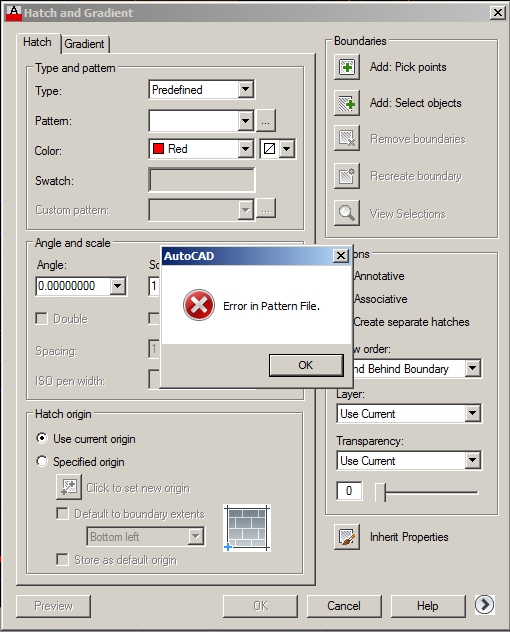 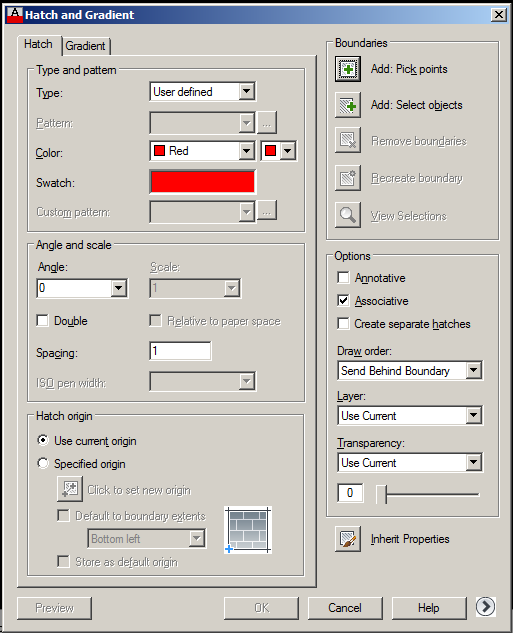 Hope this is enough information. Thanks in advance. |
Replies:
Posted By: ktahameed
Date Posted: 31.Mar.2015 at 06:35
|
Hey Brother, ------------- ABUASHIKA |
Posted By: Ejas
Date Posted: 31.Mar.2015 at 06:52
|
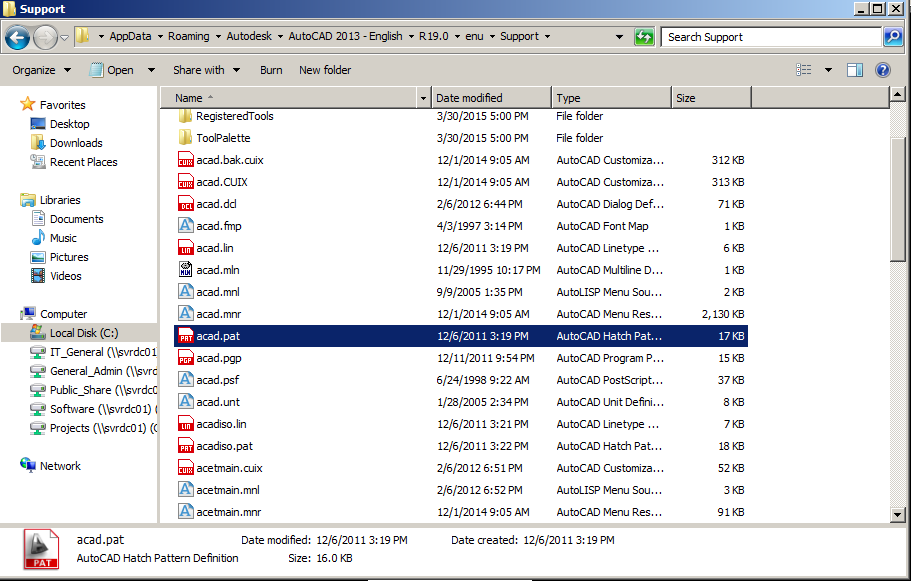
Hi thanks for your quick response. I have checked the default file location and still find that the "acad.pat" is still present. I am confused as to why the autocad program acted this way.
|
Posted By: ktahameed
Date Posted: 31.Mar.2015 at 07:22
|
ya sometimes the .pat files are blocking itself. please try Unblock the PAT file by right-clicking it in Windows, choose Properties, click "Unblock" and then click OK. ------------- ABUASHIKA |
Posted By: John Connor
Date Posted: 31.Mar.2015 at 12:03
|
How would AutoCAD hatch patterns block themselves? It's not like they woke up this morning and decided "Hey, let's block ourselves just to give the CAD tech a headache." Any "blocking" would have had to be dilberate on the part of the user. I don't know of any user that would do that on purpose or even why they would do it.
Ejas: Given that the message is "Error in hatch pattern" it leads me to believe that someone tried editing the acad.pat file. Was that you? Note that AutoCAD did not say "Unknown command" or "File not found." Tell us, if you type the following at the command line what does AutoCAD return as a response? Type it exactly as follows. Exactly. (findfile"acad.pat") Then press the Enter key. ------------- "Humans have a strength that cannot be measured. This is John Connor. If you are reading this, you are the resistance." <<AutoCAD 2015>> |
Posted By: ktahameed
Date Posted: 31.Mar.2015 at 14:42
|
Hey JO i am sorry, Actually I find this solution from my Friend which he find from this site http://knowledge.autodesk.com/support/autocad/troubleshooting/caas/sfdcarticles/sfdcarticles/Custom-hatch-patterns-not-available-in-AutoCAD-based-products.html. ------------- ABUASHIKA |
Posted By: John Connor
Date Posted: 31.Mar.2015 at 14:51
|
I could not access that link. ------------- "Humans have a strength that cannot be measured. This is John Connor. If you are reading this, you are the resistance." <<AutoCAD 2015>> |
Posted By: hugha
Date Posted: 31.Mar.2015 at 17:26
|
Try the link again without the trailing full stop (period) ------------- hth, Hugh Adamson www.hatchkit.com.au |
Posted By: Ejas
Date Posted: 31.Mar.2015 at 23:20
|
Hi, John I ran the command you advised and this was the result: Command: (findfile"acad.pat") "C:\\Users\\conrad\\appdata\\roaming\\autodesk\\autocad 2013 - english\\r19.0\\enu\\support\\acad.pat" the same location previously mentioned. I did not change anything regards to the hatch patterns as I have changed workstations from before. Perhaps the person using the computer prior to me may have made changes. |
Posted By: John Connor
Date Posted: 31.Mar.2015 at 23:43
|
At least it verified that you had the right file. Did you ask this other CAD person what they may have done? If you are still having a problem then run a REPAIR of the installation. Note that a REPAIR is NOT the same as an Uninstall / Reinstall. There is no need at this time to get that radical. ------------- "Humans have a strength that cannot be measured. This is John Connor. If you are reading this, you are the resistance." <<AutoCAD 2015>> |