RIBBON
Printed From: CAD Forum
Category: EN
Forum Name: AutoCAD
Forum Description: Discussion about AutoCAD and AutoCAD LT, viewers, DWG and DXF formats, Design Review, AutoCAD web, Drive, add-ons
URL: https://www.cadforum.cz/forum_en/forum_posts.asp?TID=11087
Printed Date: 20.Oct.2026 at 15:16
Topic: RIBBON
Posted By: MOFAD LTD LATVIA
Subject: RIBBON
Date Posted: 06.Apr.2015 at 14:43
|
How to change small ribbon icons to large as in picture below ??? Second how to add window where I can select the AutoCAD drawing type ??? 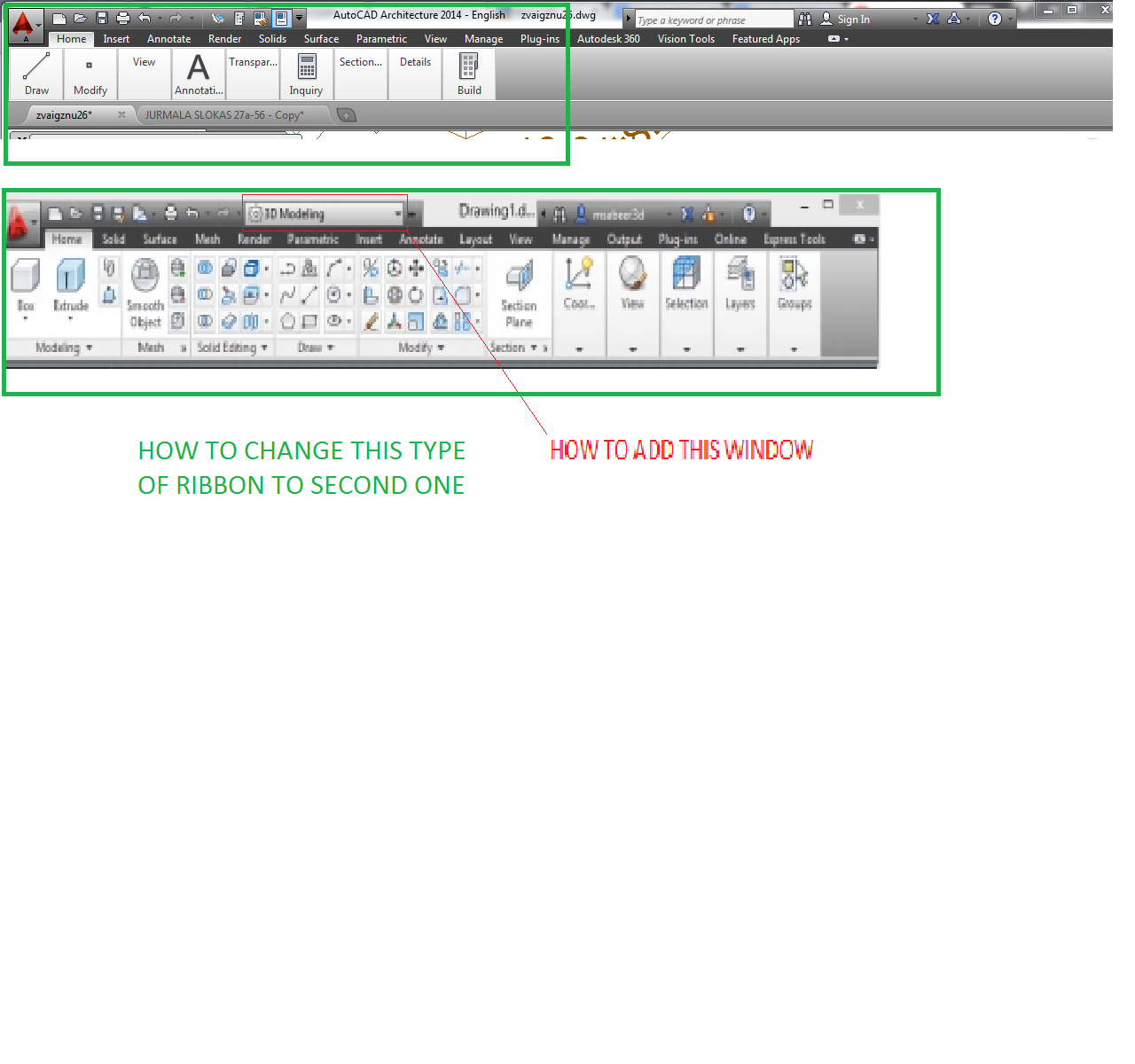 ------------- Guy's be happy !! Only hard work can made worker - it's quite heavy sentence in Latvia... |
Replies:
Posted By: ktahameed
Date Posted: 06.Apr.2015 at 15:16
|
"Use large buttons for Toolbars" under the Display tab in the Options dialog box. You can try resolving this problem by doing one of the following: Change the display text size in AutoCAD by reducing your monitor screen resolution. Adjust the font size in Windows. (This choice can cause text to no longer fit correctly in AutoCAD. The UI in AutoCAD is designed for 100% font size and may not scale well.) ------------- ABUASHIKA |
Posted By: ktahameed
Date Posted: 06.Apr.2015 at 15:18
|
2nd in quick action toolbar tick workspace ------------- ABUASHIKA |
Posted By: John Connor
Date Posted: 06.Apr.2015 at 15:21
|
I would not recommend reducing your screen resolution. Go with your manufacturer's recommended setting. Nor would I suggest changing the Windows text size setting. By the way, the option for changing the size of the icons applies to TOOLBARS not to the RIBBON. From the AutoCAD Help file re: changing size of icons on the Ribbon. The font size display in AutoCAD is governed by your screen resolution and the font size setting in the operating system. AutoCAD itself does not have a setting for this. The closest option would be "Use large buttons for Toolbars" under the Display tab in the Options dialog box. ------------- "Humans have a strength that cannot be measured. This is John Connor. If you are reading this, you are the resistance." <<AutoCAD 2015>> |