Pipeline and existing groung profile
Printed From: CAD Forum
Category: EN
Forum Name: AutoCAD
Forum Description: Discussion about AutoCAD and AutoCAD LT, viewers, DWG and DXF formats, Design Review, AutoCAD web, Drive, add-ons
URL: https://www.cadforum.cz/forum_en/forum_posts.asp?TID=11266
Printed Date: 17.Jul.2026 at 16:49
Topic: Pipeline and existing groung profile
Posted By: Antoniovalo
Subject: Pipeline and existing groung profile
Date Posted: 15.Jul.2015 at 16:02
|
I made a pipeline design by the following steps: •Draw a line in plant with the pipeline path in the existing grund •Create an alignment •Generated the existing grownd profile •Then, using the alignment creation tools I made a line which matches to the pipeline profile The elevations exceeds my sheet layout part reserved to the profile, then I made a profile split. But when I make this it hides some part of my profile, or my pipeline profile or my existing ground profile, it depends what I select to "split at" in profiles (I can't select over than one option).  I need to make a profile split which whows the pipeline profile and the existing groud profile, how can I do this?  The following picture shows the profile before the splitting: 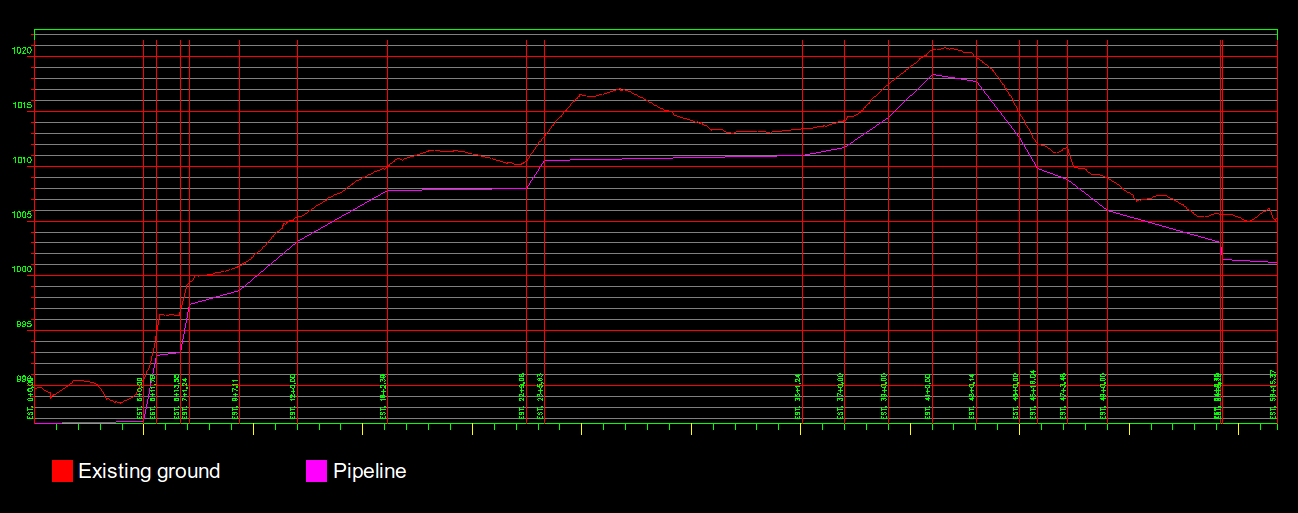 --//-- And the following picture shows the profile after the splitting: 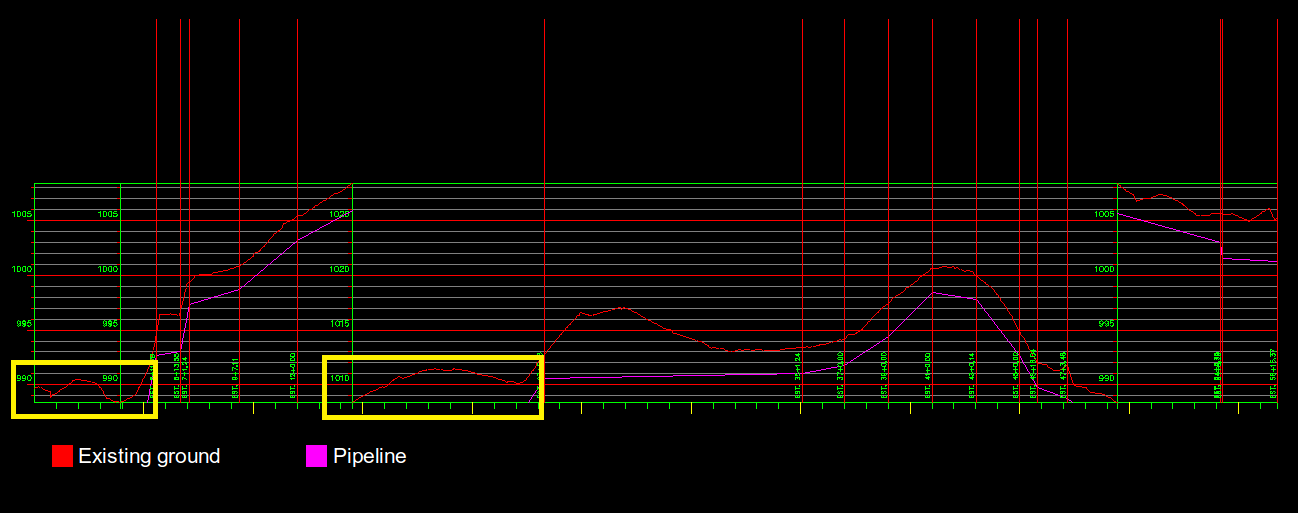 |
Replies:
Posted By: John Connor
Date Posted: 15.Jul.2015 at 16:31
|
What are you using for horizontal and vertical scales? ------------- "Humans have a strength that cannot be measured. This is John Connor. If you are reading this, you are the resistance." <<AutoCAD 2015>> |
Posted By: Antoniovalo
Date Posted: 15.Jul.2015 at 18:24
|
I am using: Vertical scale 1:200 Current horizontal scale: 2000 Vertial exaggeration: 10.000 Custom scale: 200.000
|
Posted By: John Connor
Date Posted: 15.Jul.2015 at 18:26
|
Have you considered changing the vertical scale? ------------- "Humans have a strength that cannot be measured. This is John Connor. If you are reading this, you are the resistance." <<AutoCAD 2015>> |
Posted By: Antoniovalo
Date Posted: 15.Jul.2015 at 18:37
| Well, I can't change it, because I must to keep the project standards, because when plot, it need to keep the same graph scale |
Posted By: John Connor
Date Posted: 15.Jul.2015 at 18:41
|
Well the only other option I can think of is to split the sheet into two or more sheets. ------------- "Humans have a strength that cannot be measured. This is John Connor. If you are reading this, you are the resistance." <<AutoCAD 2015>> |
Posted By: Antoniovalo
Date Posted: 15.Jul.2015 at 19:14
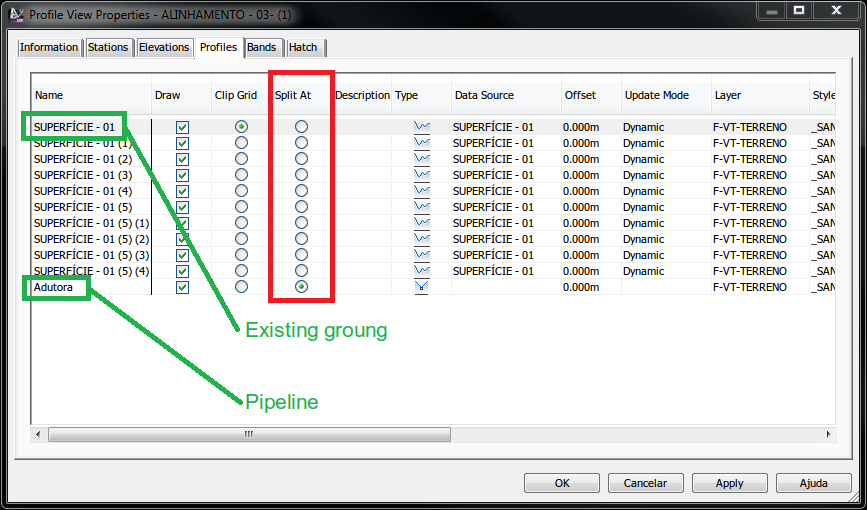 Look at these two cases: First one I select to slplit at pipeline, in this case it hides a part of existing ground 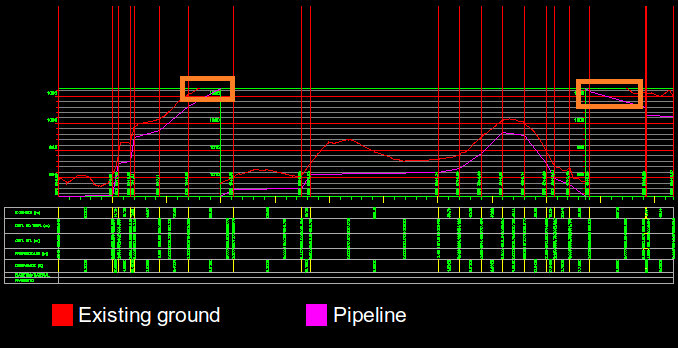 Second one I selected to slplit at the existing groung, in this case it hides a part of the pipeline 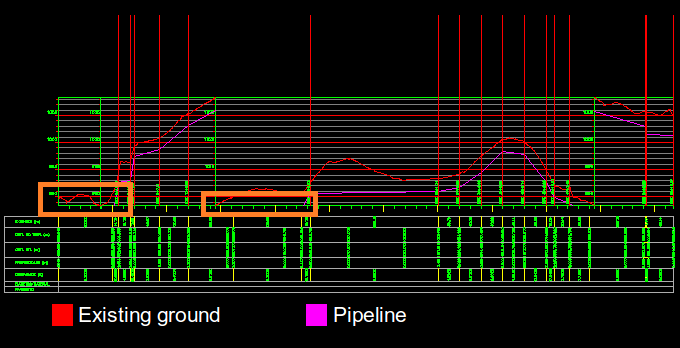 I can't hide parts of existing grounf nor pipeline, "split at" don't gives me the option to select them two, I thought about define a minimum height manually, but I even don't know the way to do this
|
Posted By: John Connor
Date Posted: 15.Jul.2015 at 19:47
|
I don't recall asking you to hide anything. If the length of the pipe run exceeds that which can be shown on one sheet then there must be a way to divide that run across two or more sheets just like they did back in the good old days of manual drafting which means you'd have a Match Line. Someone in the company you work for must know how to do this. Didn't you take a training class? Or, at the very least, buy a book or go through some tutorials before attempting this task? ------------- "Humans have a strength that cannot be measured. This is John Connor. If you are reading this, you are the resistance." <<AutoCAD 2015>> |
Posted By: Antoniovalo
Date Posted: 15.Jul.2015 at 20:12
|
This profile will be divided in two sheets, in each range the elevation can't exceed 35 meters, this one exceeds, then we need to split in 33 meters to show a lower range, but I get into a trouble, even I split, I can't hide anything. Yes, I have a video training in my company, but who record it are not in the company anymore, and the just part it don't cover is this one, my work is almost done, just this part I need to solve
|