Need Urgent Help.. plz How to fix this
Printed From: CAD Forum
Category: EN
Forum Name: AutoCAD
Forum Description: Discussion about AutoCAD and AutoCAD LT, viewers, DWG and DXF formats, Design Review, AutoCAD web, Drive, add-ons
URL: https://www.cadforum.cz/forum_en/forum_posts.asp?TID=11653
Printed Date: 05.Sep.2026 at 09:56
Topic: Need Urgent Help.. plz How to fix this
Posted By: MrCheema
Subject: Need Urgent Help.. plz How to fix this
Date Posted: 21.Feb.2016 at 18:21
I am using Autocad 2013 in these two files in Block Refrence text is going out of box (check pic in Black background) but in my laptop same file same version and same fonts it is ok. Why this problem is coming in my desktop. My Diplay resolutin is 100% all fonts are also copied in fonts folder like as in my laptop. 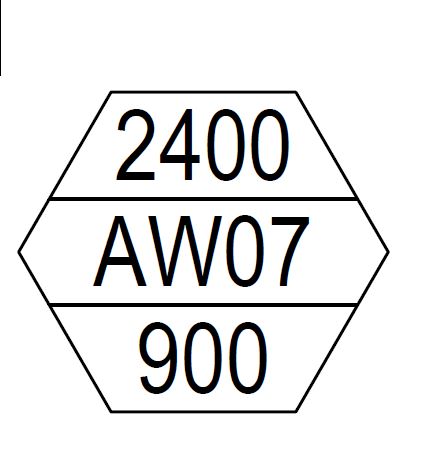 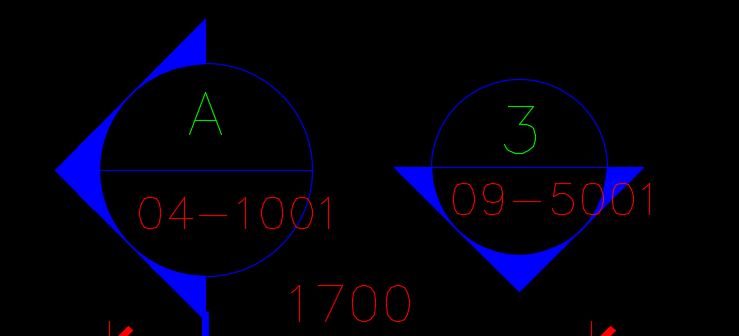 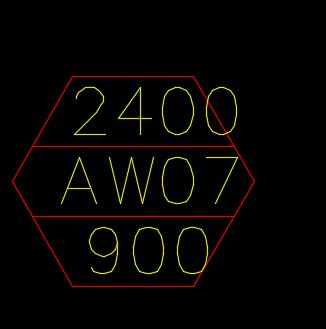 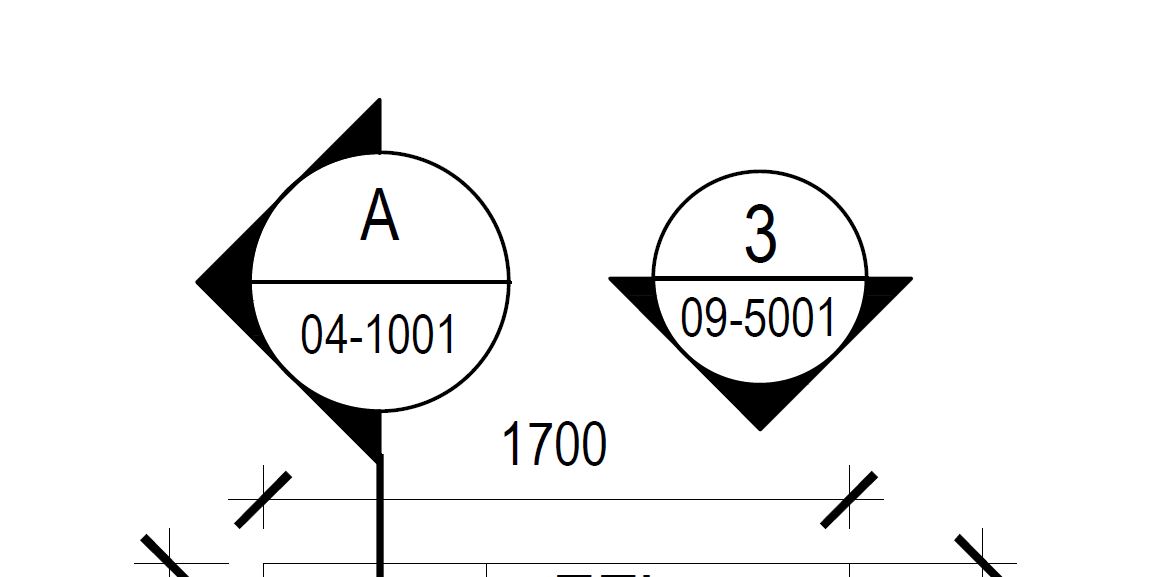
|
Replies:
Posted By: Jerzy
Date Posted: 23.Feb.2016 at 16:04
|
Have you tried typing the command attsync? Maybe the block on your laptop is slightly different..
|
Posted By: antoj2904@gmail.com
Date Posted: 24.Feb.2016 at 07:20
|
CHECK YOUR WIDTH FACTOR OF THAT TEXT, MAY BOTH ARE NOT SAME ------------- ANTONY DASS J |
Posted By: mitesh1402
Date Posted: 24.Feb.2016 at 07:56
|
check your text width factor ------------- MPANCHAL |
Posted By: John Connor
Date Posted: 24.Feb.2016 at 11:31
|
Two answers basically the same and suspicious too. I guess there must be an echo in here. ------------- "Humans have a strength that cannot be measured. This is John Connor. If you are reading this, you are the resistance." <<AutoCAD 2015>> |