Need Help.?? Coordinate or UCS prob.
Printed From: CAD Forum
Category: EN
Forum Name: AutoCAD
Forum Description: Discussion about AutoCAD and AutoCAD LT, viewers, DWG and DXF formats, Design Review, AutoCAD web, Drive, add-ons
URL: https://www.cadforum.cz/forum_en/forum_posts.asp?TID=11801
Printed Date: 28.Oct.2026 at 17:45
Topic: Need Help.?? Coordinate or UCS prob.
Posted By: azwaah
Subject: Need Help.?? Coordinate or UCS prob.
Date Posted: 06.May.2016 at 13:34
|
Hi Team, Hope YOu all are ok. yesterday when i open my site drawing and picked some coordinates that were coming longer than already labeled coordinates in drawing. i thought its my laptop or autocad/lisp prob. but when when i opened my last project drawing and picked coordinates there was no prob?? so please can you tell me where is mistake ?? i used same lisp file for coordinates. iam also attaching the images. Waiting for good responses from Experts. Thank You. 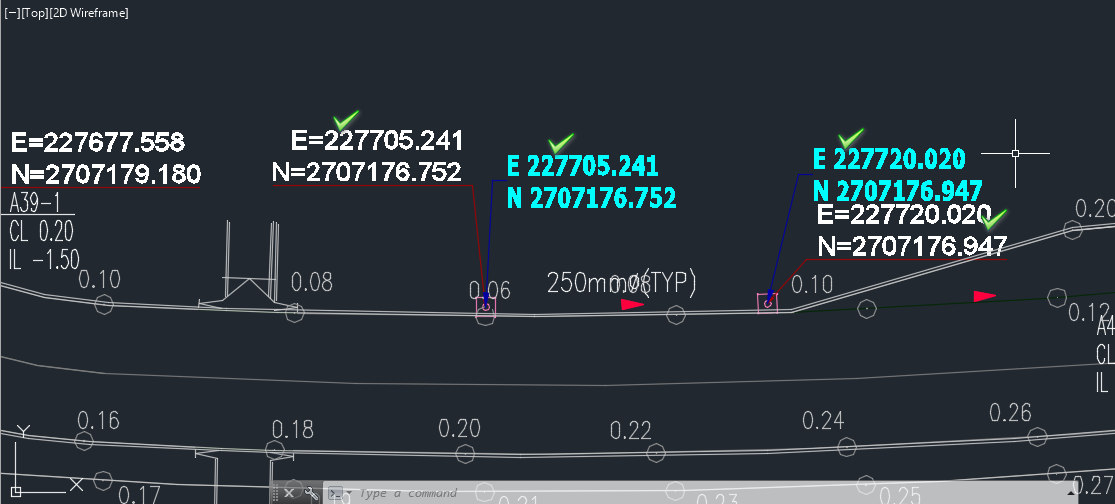 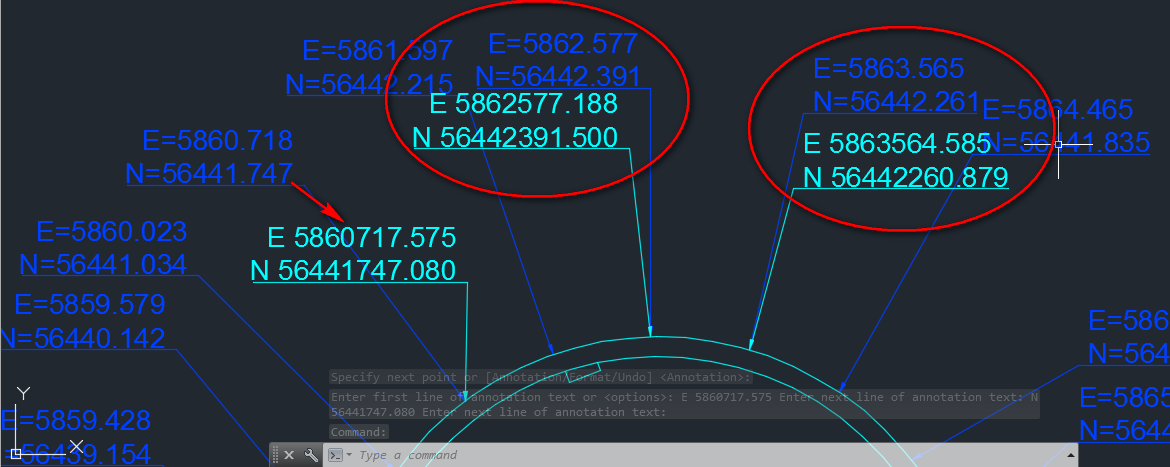 ------------- ****** StUdEnT ***** |
Replies:
Posted By: John Connor
Date Posted: 06.May.2016 at 13:57
|
I'm assuming both drawings are done in metric units. One of the drawings might be in millimeters. ------------- "Humans have a strength that cannot be measured. This is John Connor. If you are reading this, you are the resistance." <<AutoCAD 2015>> |
Posted By: azwaah
Date Posted: 06.May.2016 at 14:33
|
yes both were created in metric but i checked with meter and milimeter result coming same??? Any other help??? ------------- ****** StUdEnT ***** |
Posted By: John Connor
Date Posted: 06.May.2016 at 14:47
|
I'm pretty sure you have the units in one of the drawings set incorrectly. However, if that is not the case then perhaps it is a problem with the lisp routine you are using. Where did you get it from and did you revise it at all? AutoCAD did not decide all on its own to change the distances. Did you copy geometry from one drawing and insert it in another? Have you purged and audited the drawing? Did you try to WBlock out the geometry to a new drawing? What other troubleshooting steps did you take to solve the problem on your own before posting here? Any other drawings exhibiting the same strange behavior? What is the source of the drawing that you are having a problem with? Have you opened the drawing on a different computer? As you see there can be a myriad of things that one can try to ascertain the nature of the problem. ------------- "Humans have a strength that cannot be measured. This is John Connor. If you are reading this, you are the resistance." <<AutoCAD 2015>> |
Posted By: azwaah
Date Posted: 08.May.2016 at 17:33
|
Thanks John boss for your reply. problem solved  because when i checked dwg in my site computer the result was same. when i asked to coordinator he rep , client provided the dwg , may b they changed origin point. but i dont know why because when i checked dwg in my site computer the result was same. when i asked to coordinator he rep , client provided the dwg , may b they changed origin point. but i dont know why  ------------- ****** StUdEnT ***** |
Posted By: hamzasirri
Date Posted: 13.May.2016 at 11:47

------------- i Love to solve all autocad problems |