Dynamic blocks in content appears small
Printed From: CAD Forum
Category: EN
Forum Name: AutoCAD
Forum Description: Discussion about AutoCAD and AutoCAD LT, viewers, DWG and DXF formats, Design Review, AutoCAD web, Drive, add-ons
URL: https://www.cadforum.cz/forum_en/forum_posts.asp?TID=12221
Printed Date: 25.Oct.2026 at 20:50
Topic: Dynamic blocks in content appears small
Posted By: jdr
Subject: Dynamic blocks in content appears small
Date Posted: 18.Feb.2017 at 00:28
I have created some dynamic blocks that work just fine when inserted into a drawing. The problem develops when loading the dynamic block into content. The snapshot of the dynamic block appears real small instead of filling the block visible space. I can insert a block into content and it appears just fine. How do I get the dynamic block snap shot to appear full size like others.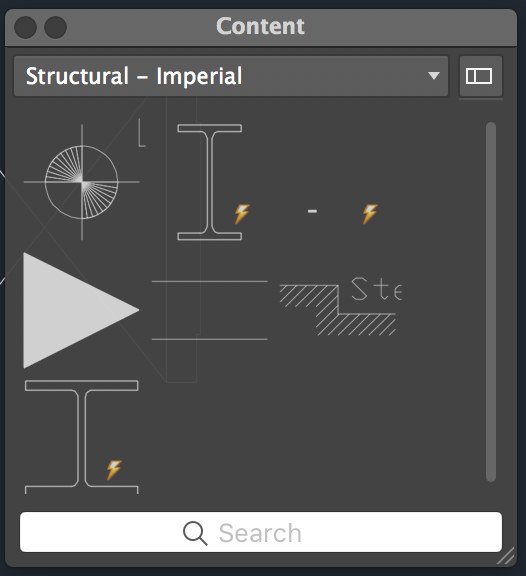
|
Replies:
Posted By: John Connor
Date Posted: 18.Feb.2017 at 13:00
|
Are you talking about the size of the image that appears on the Tool Palette? ------------- "Humans have a strength that cannot be measured. This is John Connor. If you are reading this, you are the resistance." <<AutoCAD 2015>> |
Posted By: jdr
Date Posted: 19.Feb.2017 at 16:34
| Yes I am. Quite frustrating. |
Posted By: jdr
Date Posted: 19.Feb.2017 at 16:35
| I am using Mac 2017 |