AutoCAD 2017
Printed From: CAD Forum
Category: EN
Forum Name: AutoCAD
Forum Description: Discussion about AutoCAD and AutoCAD LT, viewers, DWG and DXF formats, Design Review, AutoCAD web, Drive, add-ons
URL: https://www.cadforum.cz/forum_en/forum_posts.asp?TID=12252
Printed Date: 05.Sep.2026 at 16:29
Topic: AutoCAD 2017
Posted By: JuhaKo
Subject: AutoCAD 2017
Date Posted: 13.Mar.2017 at 09:13
|
Hi Just got new version of AutoCAD here at work. Is it possible to turn off that little box near crosshair crossing when selecting? It is really annoying. I have tried every tab in selection settings but have not found one. 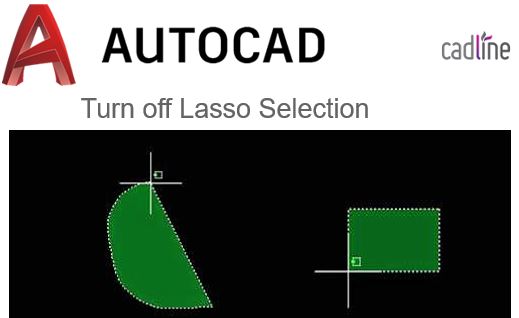 |
Replies:
Posted By: John Connor
Date Posted: 13.Mar.2017 at 10:37
|
---does not apply--- ------------- "Humans have a strength that cannot be measured. This is John Connor. If you are reading this, you are the resistance." <<AutoCAD 2015>> |
Posted By: JuhaKo
Date Posted: 13.Mar.2017 at 11:34
|
That does not help for problem. But i found the way. Command CURSORBADGE.
|