HELIX non perfect radius
Printed From: CAD Forum
Category: EN
Forum Name: AutoCAD
Forum Description: Discussion about AutoCAD and AutoCAD LT, viewers, DWG and DXF formats, Design Review, AutoCAD web, Drive, add-ons
URL: https://www.cadforum.cz/forum_en/forum_posts.asp?TID=12301
Printed Date: 04.Sep.2026 at 23:16
Topic: HELIX non perfect radius
Posted By: philippe JOSEPH
Subject: HELIX non perfect radius
Date Posted: 24.Apr.2017 at 11:39
|
uploads/175428/HELIX_01_A.dwg" rel="nofollow - uploads/175428/HELIX_01_A.dwg Hello everybody, I have this problem with HELIX. They are not "radius perfect" when looking at them in a plan view. In my drawing you will find the radius at elevation z=0 and the relative HELIX higher. I have an example with complete turns and partial turns but even the complete one is unperfected. Any help will be appreciated. |
Replies:
Posted By: John Connor
Date Posted: 24.Apr.2017 at 11:50
|
Maybe your UCS is off kilter. ------------- "Humans have a strength that cannot be measured. This is John Connor. If you are reading this, you are the resistance." <<AutoCAD 2015>> |
Posted By: philippe JOSEPH
Date Posted: 24.Apr.2017 at 12:58
|
hello John, I'd like it to be but my UCS is set on world as you can see in the lists of my arc and helix : RAYON G1 COMMANDE: LISTE CHOIX DES OBJETS: 1 TROUVE(S) CHOIX DES OBJETS: ARC CALQUE: "CC_EIXOS" ESPACE: ESPACE OBJET COULEUR: DUCALQUE TYPE DE LIGNE: "DGN STYLE 4" MAINTIEN = 6B6BC69C CENTRE POINT, X=22422.722 Y=206223.074 Z= 0.000 RAYON 85.000 DEPART ANGLE 97.60 FIN ANGLE 212.38 LONGUEUR 170.277   HELICE G1 COMMANDE: LISTE CHOIX DES OBJETS: 1 TROUVE(S) CHOIX DES OBJETS: HELIX CALQUE: "TEXTE" ESPACE: ESPACE OBJET MAINTIEN = 6B6BF8E0 POSITION: X = 22422.722, Y = 206223.074, Z = 163.668 LONGUEUR: 174.647 RAYON DE BASE: 85.000 RAYON SUPERIEUR: 85.000 TOURS: 0.319 DIST. PAS: 121.768 AXE: X = 0.000, Y = 0.000, Z = 1.000 |
Posted By: John Connor
Date Posted: 24.Apr.2017 at 14:04
|
That's just the way it is. I wouldn't worry about it. ------------- "Humans have a strength that cannot be measured. This is John Connor. If you are reading this, you are the resistance." <<AutoCAD 2015>> |
Posted By: philippe JOSEPH
Date Posted: 24.Apr.2017 at 15:23
|
OK John but I worry a lot because I have to place in the millimetre penstock tubes dia. 5.2 m length approx. 6 m along that helix and that particular helix drawn with all the precision that I can ( 0.00000000 m with AutoCAD ) is out by 0.3 m at the maximum when compared with the original radius of 85 m and 62 m that we can see in a plan view. I think that I will have to elevate "by hand" points from the radius up to the slopes to create a 3dpolyline. Anyone around the planet can give a hand ???
|
Posted By: John Connor
Date Posted: 24.Apr.2017 at 16:58
|
So after locating these points are you going to connect them with a spline? Have you tried constructing the helix in AutoDesk A360? ------------- "Humans have a strength that cannot be measured. This is John Connor. If you are reading this, you are the resistance." <<AutoCAD 2015>> |
Posted By: philippe JOSEPH
Date Posted: 25.Apr.2017 at 07:22
|
Hello John, I will eventually try and draw a "3D spline" if possible in 3D or I will draw a "3D polyline" that I known possible to do in 3D. For AutoDesk 360, I just don't known what it is. Eventually if someone could draw it and save it as .dwg........... The precision that I need is the millimeter ( the file unit is meter ) for the theoretical points at each "quadrant" of the pipes extremities for the workers on site job. The precision for the erection of it all ( apart the fact that the pipe are thin : thk 16 mm and thus more difficult to joint precisely ) is =/- 20 mm. N.B. I can see in the "related tips" here under that "helix" is also done in Inventor but I don't have it ( only AutoCAD Mechanical 2012 for both 2D and 3D), so.........
|
Posted By: scj.schulz
Date Posted: 27.Apr.2017 at 13:37
|
Bonjour Philippe, I tried to recreate the HELIX-programm with adjustable accuracy. Perhaps it will solve your problem.. Regards Jochen >> (defun C:HELIX_scj (/ aunits_old osmode_old acc height radius delta_ang delta_h) ;; approximation by a 3D-SPLINE with adjustable accuracy (setq alpha 0.0 h 0.0) (setq acc 10000) (setq height 100.0) (setq radius 100.0) (setq AUNITS_old (getvar "AUNITS") OSMODE_old (getvar "OSMODE")) (setvar "AUNITS" 3) (setvar "OSMODE" 0) (setq delta_ang (/ (* 2 pi) acc) delta_h (/ height acc)) (command "_SPLINE") (repeat (+ 1 acc) (progn (command (strcat (rtos radius) "<" (rtos alpha) "," (rtos h))) (setq alpha (+ alpha delta_ang) h (+ h delta_h)) ) ) (command "") (command "") (command "") (setvar "AUNITS" aunits_old) (setvar "OSMODE" osmode_old) ) >> |
Posted By: philippe JOSEPH
Date Posted: 28.Apr.2017 at 07:29
|
Hallo Jochen, vielen Dank fĂĽr ihr Program, aber mein Deutsch ist nicht sehr gut. And also my abilities in doing program is also virtually inexistent. I will try to understand the way to create the HELIX with this program and contact you back. Maybe this will not be possible until the next week, maybe Donnerstag. |
Posted By: scj.schulz
Date Posted: 28.Apr.2017 at 11:59
|
Hi Philippe, you can contact me via www.black-cad.de Sorry - no French, but German, English or Russian ;-) Regards Jochen |
Posted By: John Connor
Date Posted: 28.Apr.2017 at 12:35
|
Are you saying you don't know how to use the program provided by scj?
In my test of the program it appears to run on its own. I think the user can change the accuracy, height, and radius by editing these parameters found within the body of the code. (setq acc 10000) (setq height 100.0) (setq radius 100.0) Using the presets I got the following results (plan view / SE isometric view): 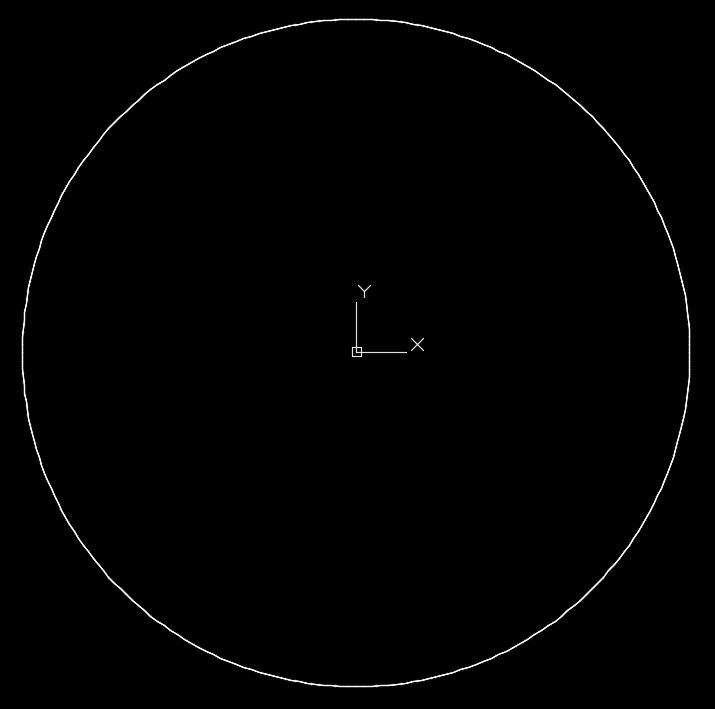 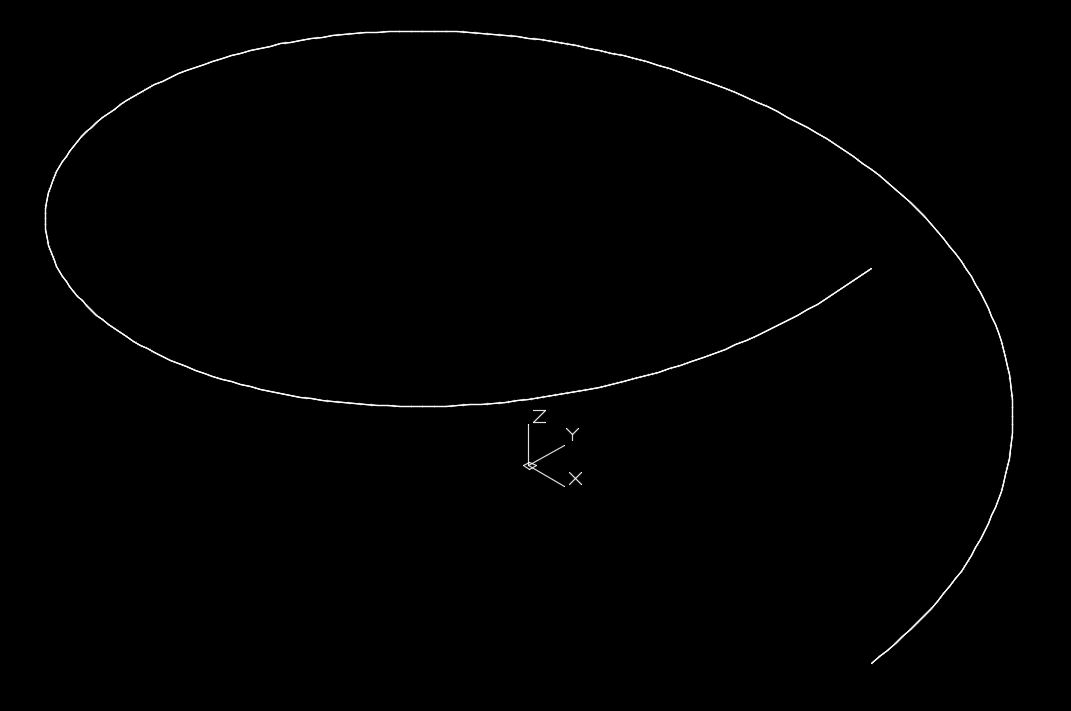 ------------- "Humans have a strength that cannot be measured. This is John Connor. If you are reading this, you are the resistance." <<AutoCAD 2015>> |
Posted By: philippe JOSEPH
Date Posted: 28.Apr.2017 at 12:53
| Yes John and Jochen, I don't know how to use the program. |
Posted By: John Connor
Date Posted: 28.Apr.2017 at 12:56
|
See my post that is just above yours.
You do know how to load a custom lisp program don't you? ------------- "Humans have a strength that cannot be measured. This is John Connor. If you are reading this, you are the resistance." <<AutoCAD 2015>> |
Posted By: philippe JOSEPH
Date Posted: 28.Apr.2017 at 13:51
|
OK John, I have seen the result and I don't know how to use the program ( and also how to make a lisp file but I use some that where given to me ). I'm a basic designer ( with some age and experience in my specific work ) but I don't know about programs. I have learned 3D on my own with the AutoCAD printed book ( R13 year 1995 ) and PDF books from AutoCAD 2006 to 2012. Jochen, I have some problems with the connection with the site http://www.black-cad.de" rel="nofollow - www.black-cad.de , maybe not allowed to reach here in my work. The datas of the 2 HELIX that I want are in my AutoCAD drawing : HELIX G1 : Radius 85 m , height of one complete turn : 121.76780370 m ( or 38.82315600 m for 114.77.858461° ) HELIX G2 : Radius 62 m , height of one complete turn : 91.54614061 m ( or 29.18488500 m for 114.76790316 ° ) In other words, could you do it for me in AutoCAD 2012 dwg file ? N.B. I understand set height 100 , set radius 100 but I don't understand what is acc(uracy) 10000 ( is it the number of points of the helix ? )
|
Posted By: John Connor
Date Posted: 28.Apr.2017 at 14:03
|
The first step is to copy and paste the lisp routine into a text file that is created using any ASCII text editor like Notepad which comes standard with Windows. Edit the code for the height and radius of your helix then save it as a .lsp file. You can name the lisp file anything you like but make it something that will be recognizable. You know how to do that right? ------------- "Humans have a strength that cannot be measured. This is John Connor. If you are reading this, you are the resistance." <<AutoCAD 2015>> |
Posted By: philippe JOSEPH
Date Posted: 28.Apr.2017 at 14:28
|
Yes John, now I will try and create that lisp file with a copy/paste of the text given by Jochen, thanks a lot. I use some lisp files but I didn't create them.
|
Posted By: scj.schulz
Date Posted: 28.Apr.2017 at 15:10
|
Hi Philippe can you send me your email-adress so I can do the HELIX-curves for you and explain the way how to use the LISP. And - yes : "acc" is the accuracy. This is the number for the points of the 3DSPLINE - i.e. a large number means a better approximation. Good luck Jochen scj.schulz(at)t-online.de |
Posted By: philippe JOSEPH
Date Posted: 28.Apr.2017 at 15:15
|
Hello again Jochen and John, Some friend here told me about his memory of AutoCAD 12 and how he did those lisp and now it works !!!!!!!!!!!!!!!!!!!!!!!!!!!!!!!!!!!!!!!!!!!!!!!!!!!!!!!!!!!!!!!!!!!!!!!!!!!!!!!!!!!!!!!!!!!!!!!!!!!!!!!!!!!!!!!!!!!!!!!!!!!!!!!!!!!!!!!!!!!!!!!!!!!!!!!!!! Thanks again for all.
|
Posted By: philippe JOSEPH
Date Posted: 28.Apr.2017 at 15:32
|
Here we are, also OK in the plan view. I would have eventually questions about "vecteur de tangente" DĂ©part et Finale but it's already a miracle. 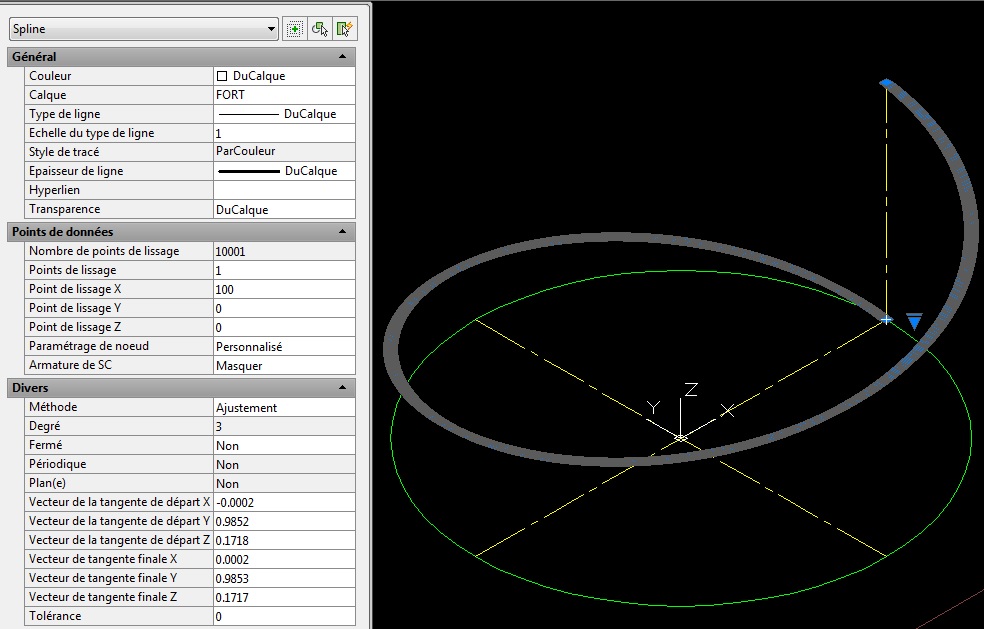
|
Posted By: John Connor
Date Posted: 28.Apr.2017 at 15:35
|
At least someone is happy today. ------------- "Humans have a strength that cannot be measured. This is John Connor. If you are reading this, you are the resistance." <<AutoCAD 2015>> |