Invalid Alignment Code
Printed From: CAD Forum
Category: EN
Forum Name: CAD - general
Forum Description: General discussion about CAD, formats, standards, management, licensing, networking, harware, other CAD applications
URL: https://www.cadforum.cz/forum_en/forum_posts.asp?TID=12455
Printed Date: 29.Sep.2026 at 09:23
Topic: Invalid Alignment Code
Posted By: cgwhitley
Subject: Invalid Alignment Code
Date Posted: 05.Sep.2017 at 21:38
I am having an issue today with AutoCAD 2014 that I have never had before. I open layer properties and click on "linetype", a window comes up, see below: It cycles through every linetype and hatch pattern in my system. It also doesn't give me the option of selecting acad.lin rather than acadiso.lin that is coming up automatically. In addition to that only part of my hatch patterns are showing up. Both acad.lin and acad.pat are in the support file. Any help would be much appreciated.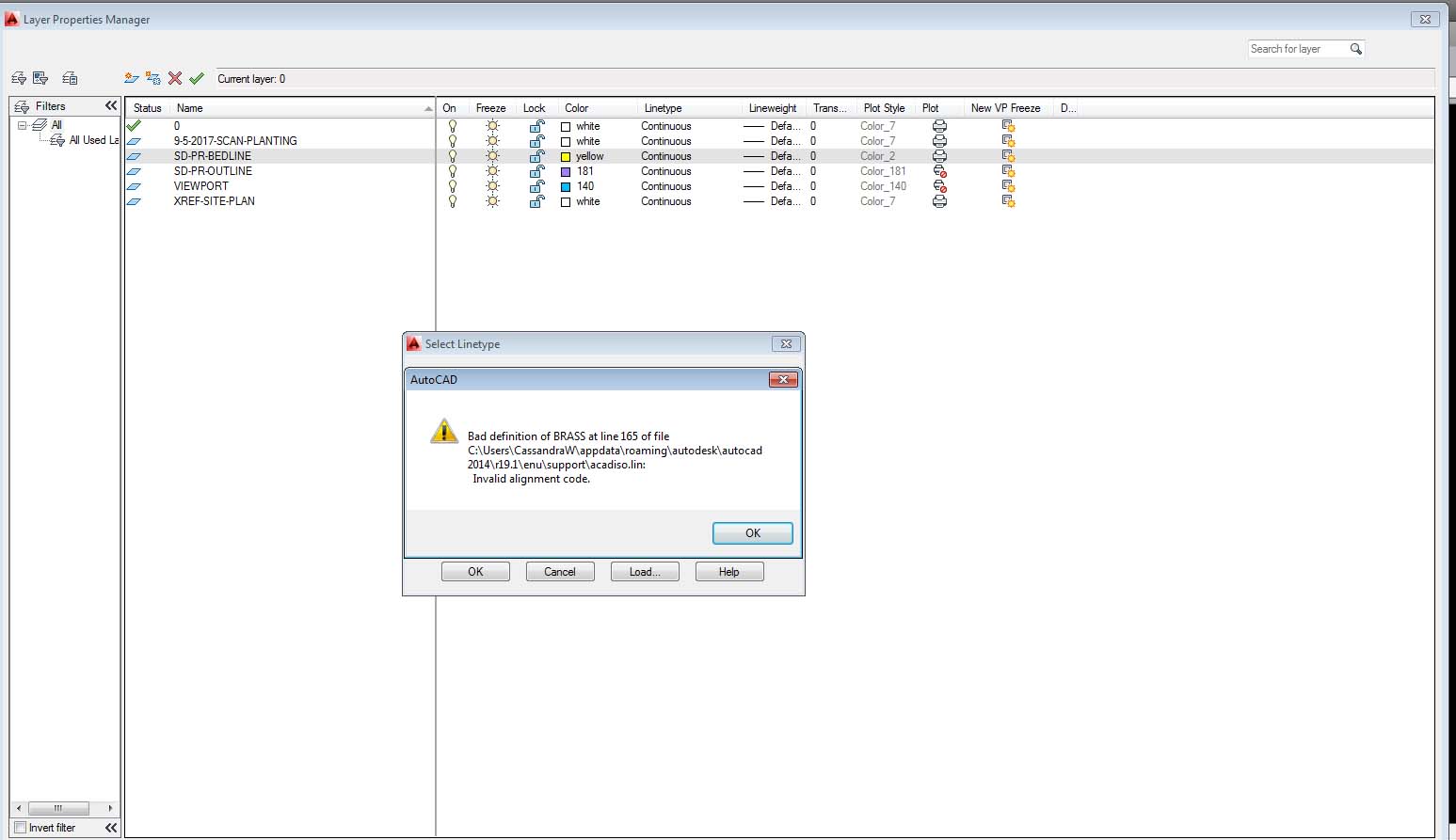 |
Replies:
Posted By: John Connor
Date Posted: 06.Sep.2017 at 11:09
|
What steps have you taken so far to troubleshoot the problem? I'd consider running a REPAIR of the installation in hopes that the .LIN and .PAT files are replaced. ------------- "Humans have a strength that cannot be measured. This is John Connor. If you are reading this, you are the resistance." <<AutoCAD 2015>> |
Posted By: cgwhitley
Date Posted: 06.Sep.2017 at 14:10
|
I looked on Autodesk and my service pack is up to date. I did a repair of the installation. I rebooted, opened a new drawing and pasted my drawing into it. Even if I just open a new drawing with a template file or without, and nothing in the drawing, it does the same thing. I'm stumped. |
Posted By: John Connor
Date Posted: 06.Sep.2017 at 14:57
|
What changes did you make to either file? Is the computer networked or a standalone workstation? ------------- "Humans have a strength that cannot be measured. This is John Connor. If you are reading this, you are the resistance." <<AutoCAD 2015>> |