Point Importer / lisp
Printed From: CAD Forum
Category: EN
Forum Name: AutoCAD
Forum Description: Discussion about AutoCAD and AutoCAD LT, viewers, DWG and DXF formats, Design Review, AutoCAD web, Drive, add-ons
URL: https://www.cadforum.cz/forum_en/forum_posts.asp?TID=12545
Printed Date: 05.Sep.2026 at 00:45
Topic: Point Importer / lisp
Posted By: SCNickerson
Subject: Point Importer / lisp
Date Posted: 02.Dec.2017 at 21:09
|
Going to try and explain my question the best I can. Currently I do a lot of work with powerlines / power poles. The way these are shown is our surveyors have a survey shot for the power pole, and and anchors associated with that pole. Example of the description/point number for pole would be 852449 EXPP_, for the anchor (if any) it would be 852449A (or B, C, D if there are 2+ anchors) EXANC_. Right now we have a point importer program that recognizes descriptions and adds an assigned block to certain descriptions, we have a block we use for our power poles. This block is a dynamic block with a drop down option, the default is "Power Pole", other options are "Power Pole 1 Anchor", "Power Pole 2 Anchors", "Power Pole 3 Anchors", etc. Currently since the default block is set to just the "Power Pole" block, I have to manually go through each power pole that has an anchor with it and change the drop down to the correct # of anchors, and in addition I have to manually move the grip point of those anchors to the points for the anchors. My question, is there a way that the point important program can: A) Recognize that there are anchors associated with the pole B) Recognize the # of anchors associated with the pole C) Automatically choose the correct block with the correct # of anchors D) Automatically align the grips of the anchors to the points |
Replies:
Posted By: SCNickerson
Date Posted: 02.Dec.2017 at 21:22
|
Just an example of what I need to do. Shown below is how the block currently comes in. There are 4 anchors to this power pole. 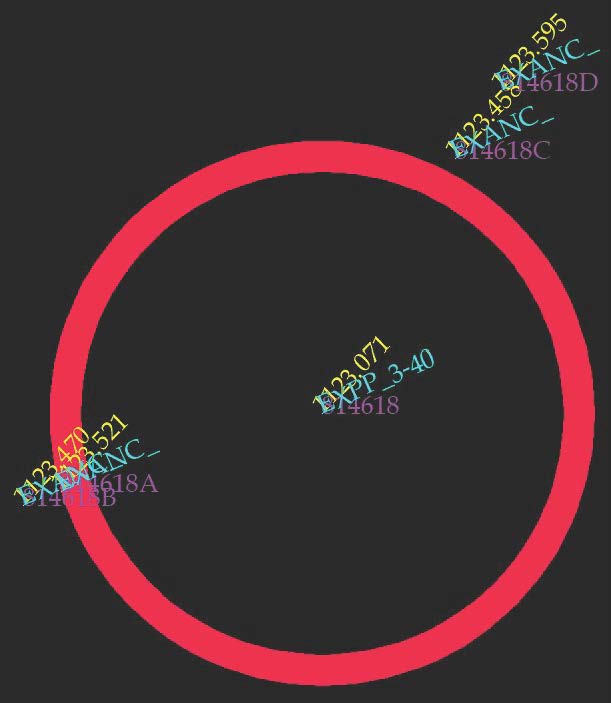 Shown below is how the anchors are shown after choosing the block option of "4 anchors". They default to this North/East location. 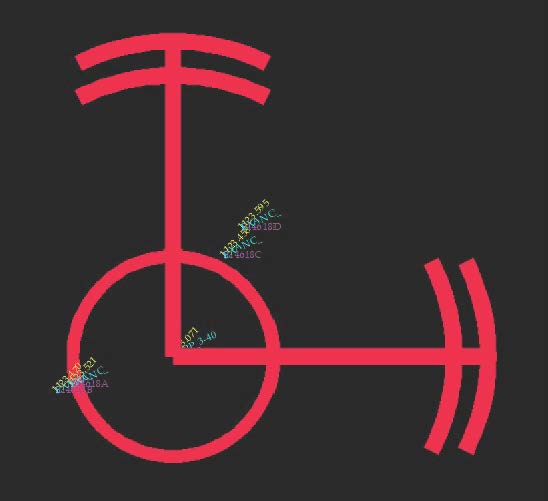 From here I need to grab the end grips of the anchors and align them so they are on top of the anchor points.  |