Ayuda / Consult
Printed From: CAD Forum
Category: EN
Forum Name: AutoCAD
Forum Description: Discussion about AutoCAD and AutoCAD LT, viewers, DWG and DXF formats, Design Review, AutoCAD web, Drive, add-ons
URL: https://www.cadforum.cz/forum_en/forum_posts.asp?TID=12574
Printed Date: 27.Oct.2026 at 17:12
Topic: Ayuda / Consult
Posted By: carlosban71
Subject: Ayuda / Consult
Date Posted: 27.Dec.2017 at 13:41
|
Hi. Please help 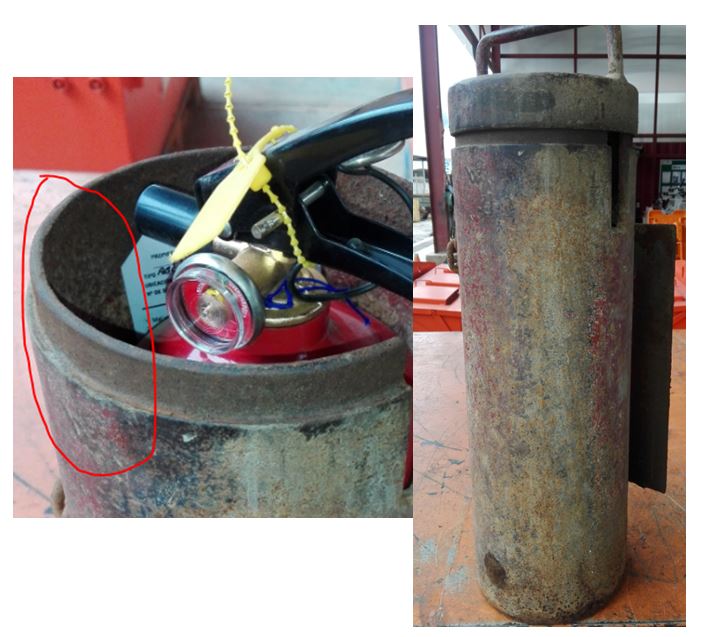 |
Replies:
Posted By: philippe JOSEPH
Date Posted: 27.Dec.2017 at 14:31
Hello carlosban71, I'm afraid that this is very basic 3D. What do you know about 3D ? Do you know about convering lines, arcs, elipse to regions ? do you know about USC settings and viewpoints ?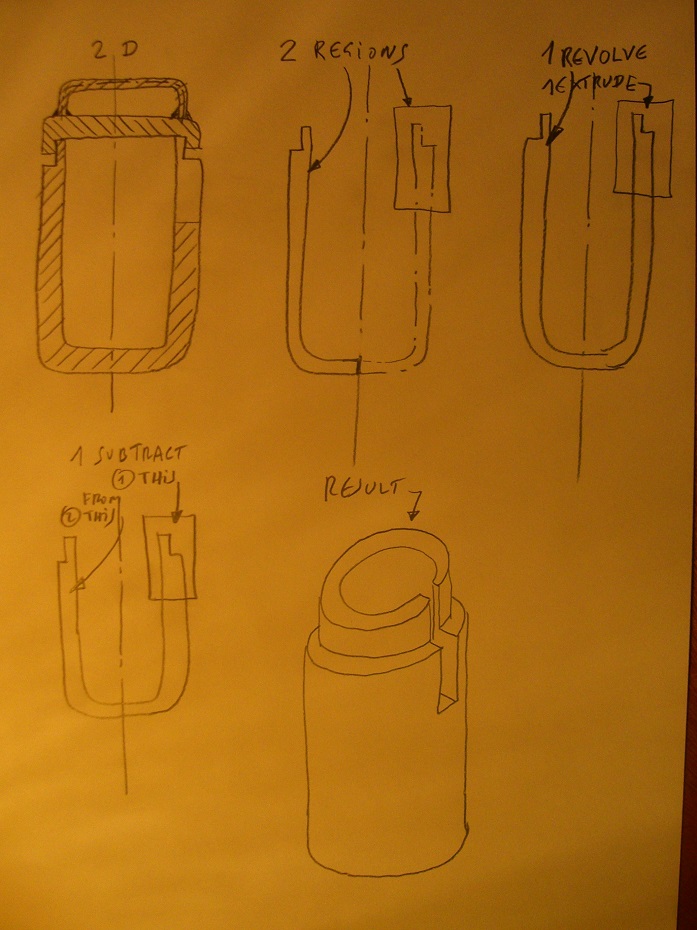
|
Posted By: John Connor
Date Posted: 27.Dec.2017 at 14:52
|
I would revolve a half profile then use an extruded rectangle to create a second solid that could be subtracted from the cylinder to create the notch. You do know they make weather proof fabric-like covers for fire extinguishers don't you? ------------- "Humans have a strength that cannot be measured. This is John Connor. If you are reading this, you are the resistance." <<AutoCAD 2015>> |
Posted By: John Connor
Date Posted: 27.Dec.2017 at 15:06
Example. Wireframe view.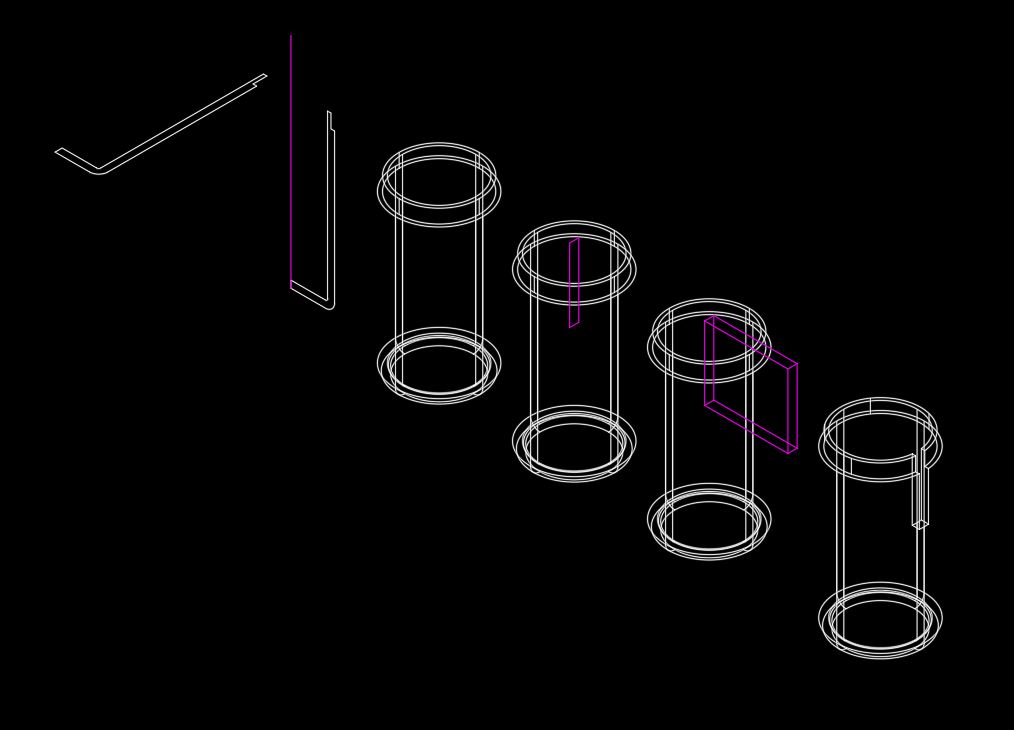 ------------- "Humans have a strength that cannot be measured. This is John Connor. If you are reading this, you are the resistance." <<AutoCAD 2015>> |
Posted By: John Connor
Date Posted: 27.Dec.2017 at 15:07
Example. Conceptual visual style.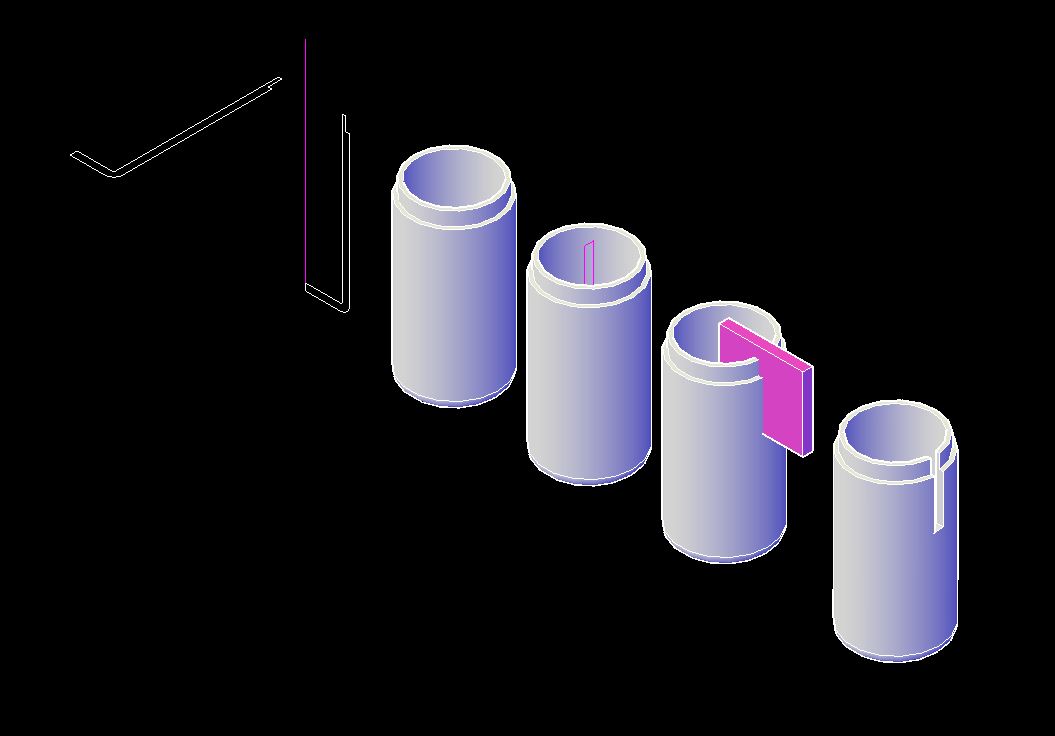 ------------- "Humans have a strength that cannot be measured. This is John Connor. If you are reading this, you are the resistance." <<AutoCAD 2015>> |
Posted By: carlosban71
Date Posted: 27.Dec.2017 at 17:39
|
Great thanks, the most, because of work sometimes we forget the commands, yes I have knowledge 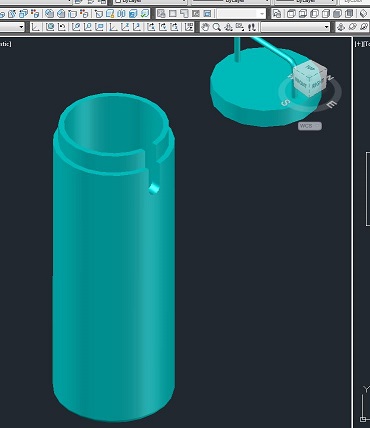 |
Posted By: carlosban71
Date Posted: 27.Dec.2017 at 21:26
An idea to make the cover in 3D
 |
Posted By: John Connor
Date Posted: 28.Dec.2017 at 11:26
|
Same as the cylinder. Create a profile and revolve it. The handle can be created by extruding a circle along the path of its centerline. Or.... Draw two circles one inside the other. Extrude the outer circle to the overall height of the cover. Extrude the inner circle to the height of the recessed area. Subtract the inner circle from the outer circle; add handle. Done. No matter what method you use don't forget about the radiused top edge like I did in the examples below. Oops. ------------- "Humans have a strength that cannot be measured. This is John Connor. If you are reading this, you are the resistance." <<AutoCAD 2015>> |
Posted By: John Connor
Date Posted: 28.Dec.2017 at 12:34
3D cover using method 2 described above. Visual style: 2Dwireframe.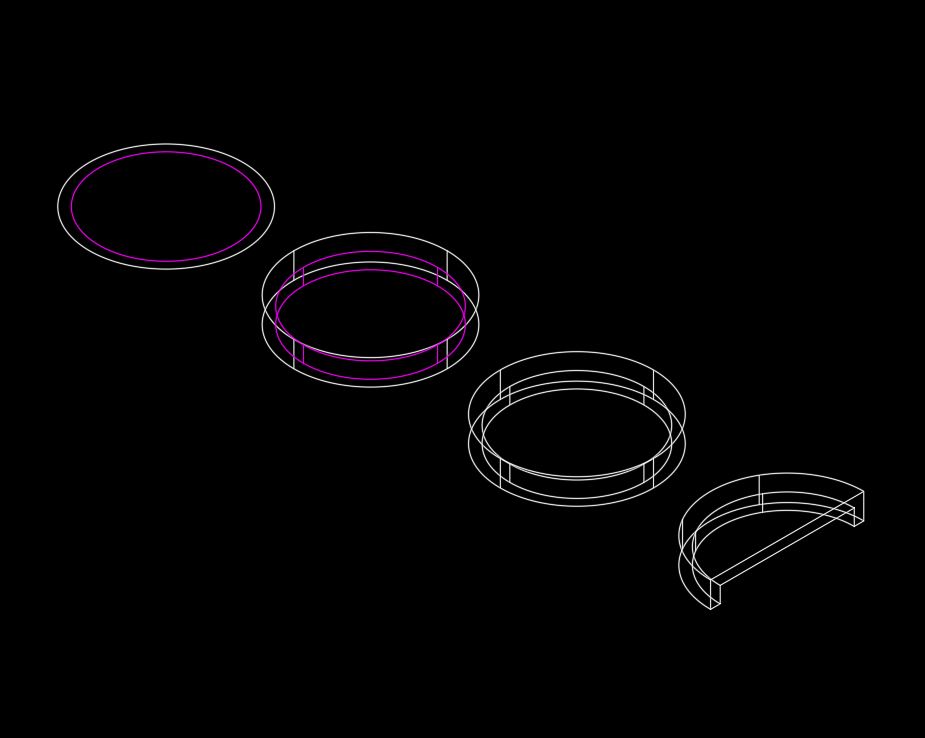 ------------- "Humans have a strength that cannot be measured. This is John Connor. If you are reading this, you are the resistance." <<AutoCAD 2015>> |
Posted By: John Connor
Date Posted: 28.Dec.2017 at 12:37
3D cover. Visual style: Conceptual. I rotated the full cover so you could see the underside.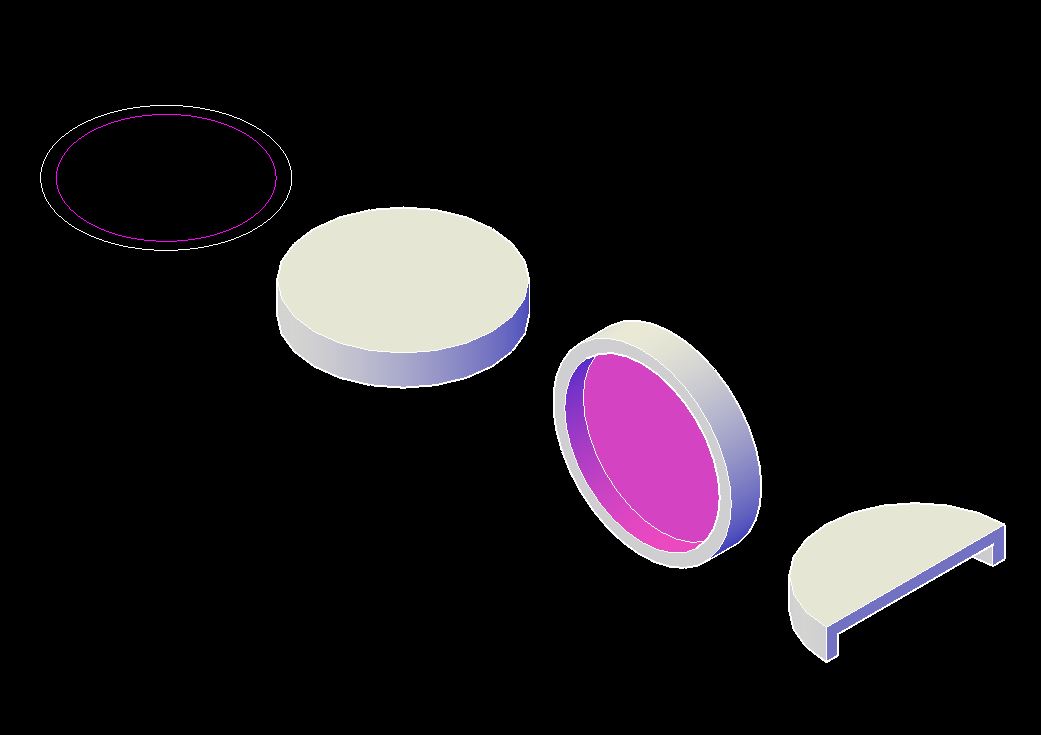 ------------- "Humans have a strength that cannot be measured. This is John Connor. If you are reading this, you are the resistance." <<AutoCAD 2015>> |
Posted By: John Connor
Date Posted: 28.Dec.2017 at 13:01
|
Three tries to post an image of the cover with handle in 2Dwireframe visual style and no luck. Apparently I can no longer attach an image to a post for some messed up reason. Sorry. ------------- "Humans have a strength that cannot be measured. This is John Connor. If you are reading this, you are the resistance." <<AutoCAD 2015>> |
Posted By: John Connor
Date Posted: 28.Dec.2017 at 13:02
|
OK...let's try posting an image of the cover, with handle, using a Conceptual visual style and see what happens. Apparently I can no longer attach an image to a post for some messed up reason. Sorry. ------------- "Humans have a strength that cannot be measured. This is John Connor. If you are reading this, you are the resistance." <<AutoCAD 2015>> |
Posted By: philippe JOSEPH
Date Posted: 28.Dec.2017 at 13:44
| John, I had this also and I think that you have to unload your "upload library" a little, eventually ask Vladimir how to do this. |
Posted By: John Connor
Date Posted: 28.Dec.2017 at 13:57
|
Both files appear in the list of files I have already uploaded so they're here somewhere. One would think that if one were to exceed the number of files that could be uploaded you would be prohibited from uploading any additional files. I can upload them. I can even insert them but when I go to preview or post the images are not displayed. That's the real problem. ------------- "Humans have a strength that cannot be measured. This is John Connor. If you are reading this, you are the resistance." <<AutoCAD 2015>> |
Posted By: John Connor
Date Posted: 28.Dec.2017 at 14:19
Testing. 1...2...3... ------------- "Humans have a strength that cannot be measured. This is John Connor. If you are reading this, you are the resistance." <<AutoCAD 2015>> |
Posted By: John Connor
Date Posted: 28.Dec.2017 at 14:36
|
The test above worked but when I next tried to post one of the two previous images that I had trouble with... it failed. Something strange is going on. I'll try attaching an image to this post. If it fails I'll leave it up just the same. If it works I'll be mildly surprised. OK...I'm now unable to upload a .jpg file which is exactly the file format I upload successfully and it displayed too. ------------- "Humans have a strength that cannot be measured. This is John Connor. If you are reading this, you are the resistance." <<AutoCAD 2015>> |
Posted By: John Connor
Date Posted: 28.Dec.2017 at 14:44

------------- "Humans have a strength that cannot be measured. This is John Connor. If you are reading this, you are the resistance." <<AutoCAD 2015>> |