Bushing
Printed From: CAD Forum
Category: EN
Forum Name: AutoCAD
Forum Description: Discussion about AutoCAD and AutoCAD LT, viewers, DWG and DXF formats, Design Review, AutoCAD web, Drive, add-ons
URL: https://www.cadforum.cz/forum_en/forum_posts.asp?TID=12578
Printed Date: 05.Sep.2026 at 18:50
Topic: Bushing
Posted By: carlosban71
Subject: Bushing
Date Posted: 29.Dec.2017 at 17:26
How can I run in autocad 01 horn (Bushing) inside, what commands can I use?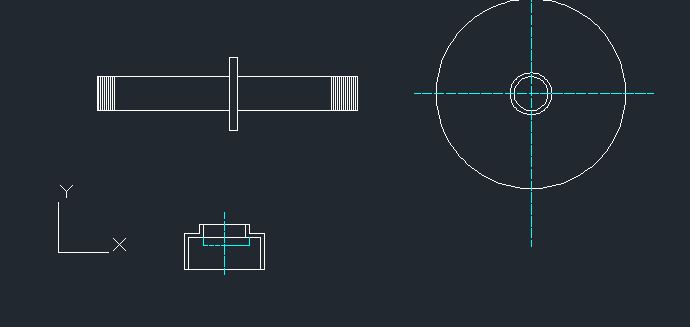 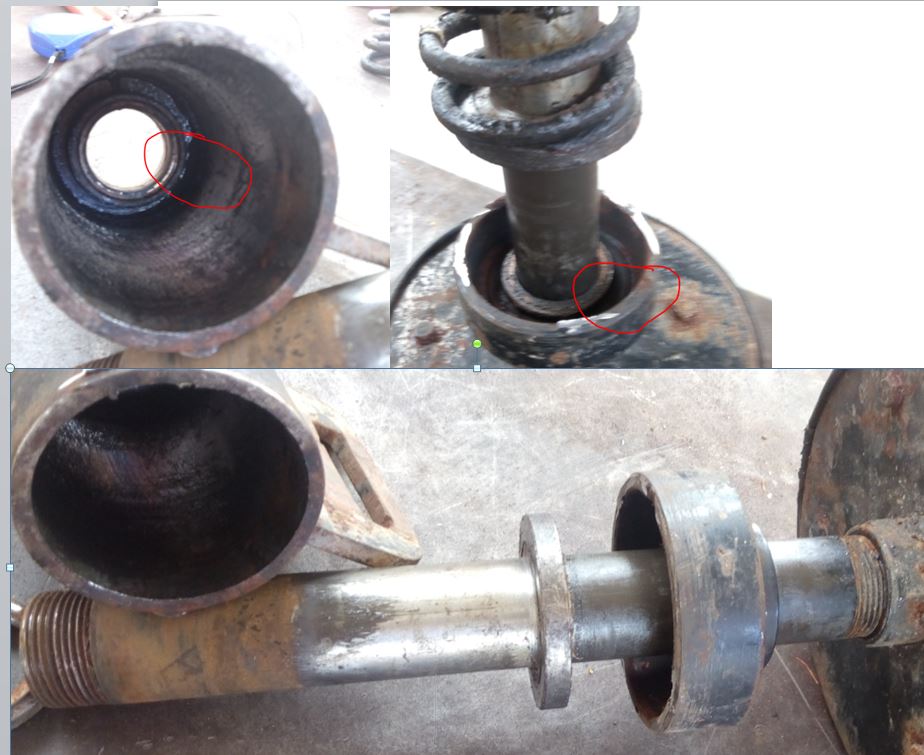 |
Replies:
Posted By: John Connor
Date Posted: 29.Dec.2017 at 17:36
|
Are you asking about how to position a 3D bushing inside a housing? ------------- "Humans have a strength that cannot be measured. This is John Connor. If you are reading this, you are the resistance." <<AutoCAD 2015>> |
Posted By: carlosban71
Date Posted: 29.Dec.2017 at 20:41
Right.! as indicated in the photo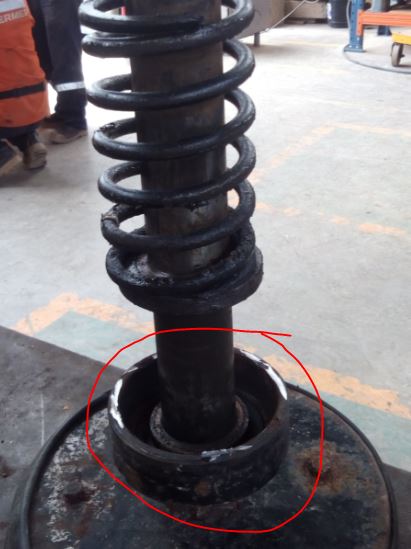 |
Posted By: John Connor
Date Posted: 29.Dec.2017 at 20:49
|
Line it up with the centerline of the shaft and slide it to the position you want. Use your 3D snaps.
The shaft is a cylinder. The bushing is a ring. They're both circular so that means that each have a centerpoint. How difficult could it be to move the bushing using its centerpoint to one end of the shaft and snap to it's centerpoint? After that it is only a matter of moving the bushing along the centerline of the shaft to its proper position. This you could do as you view the shaft from the front or side position (shaft being vertical). Nothing complicated.
------------- "Humans have a strength that cannot be measured. This is John Connor. If you are reading this, you are the resistance." <<AutoCAD 2015>> |
Posted By: carlosban71
Date Posted: 30.Dec.2017 at 17:11
Good morning, I am trying to execute the measurement of the threads for the tube with these measures, in 3d, I can not do it, Thanks for the support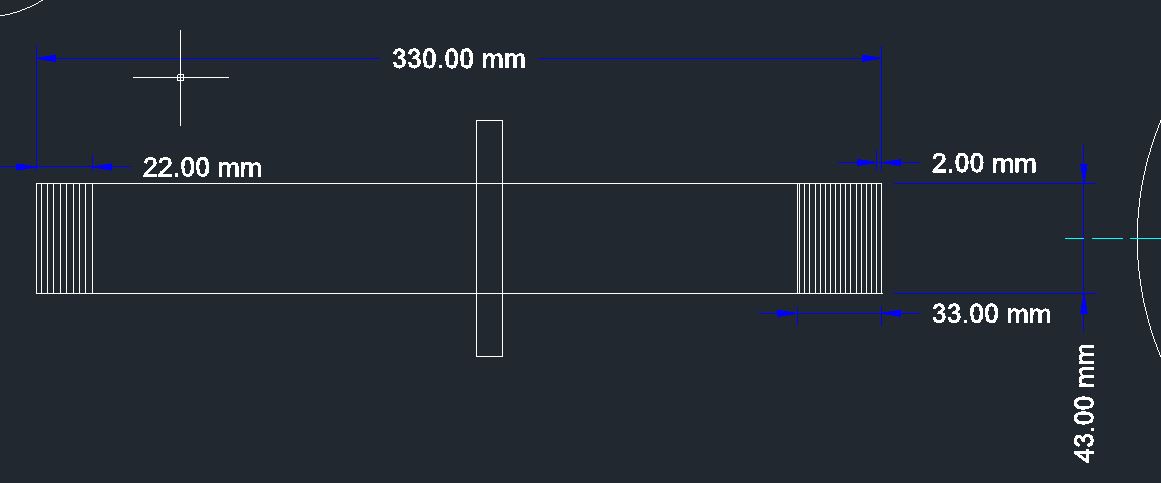 |
Posted By: philippe JOSEPH
Date Posted: 30.Dec.2017 at 17:55
|
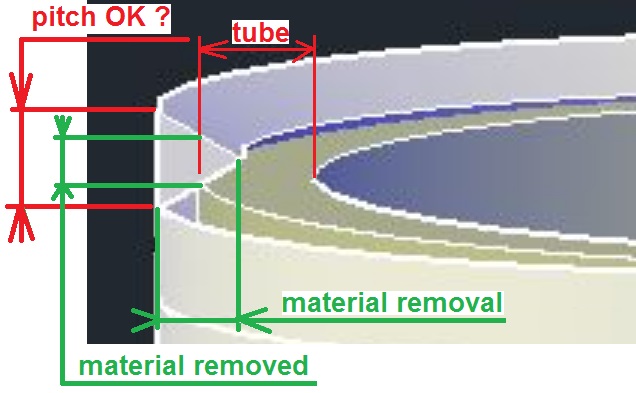
Hello carlosban71, if I understand your question you are trying to "draw" in 3D the threads shown here in 2D. Yes you can do it in 3D with 2 options : Simplified : by doing a material removal, command : SUBTRACT of the triangle representing the thread REVOLVE around the centerline of the tube. Realistic : by doing a material removal, command SUBTRACT of the triangle representing the thread EXTRUDE along a path, command HELIX. Note 1 : I suppose that the tube is dia. 1"1/4 = Ă 41.91 mm. Note 2 : the thread shown here in 2D is a simplfied view as the thread is parallel and not realistic showing the thread inclinated. If OK I will show in my next post a scheme of all this. |
Posted By: philippe JOSEPH
Date Posted: 30.Dec.2017 at 18:15
2 pictures to help ( if possible ).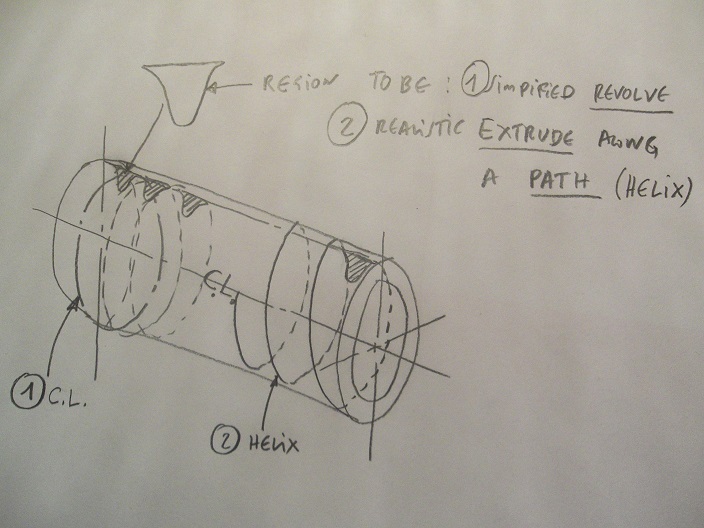 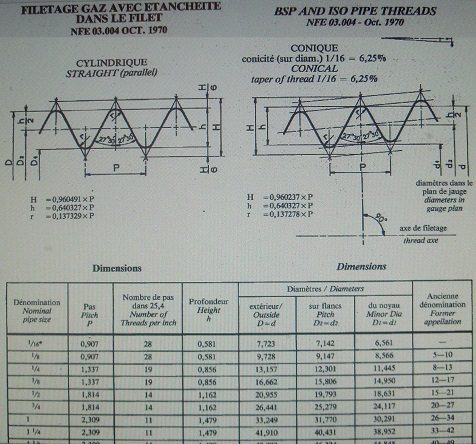
|
Posted By: carlosban71
Date Posted: 30.Dec.2017 at 19:05
| You send me the publication to understand it step by step thanks |
Posted By: carlosban71
Date Posted: 30.Dec.2017 at 21:07
 I am spending hours and hours and this blessed drawing still does not work for me. I am spending hours and hours and this blessed drawing still does not work for me.
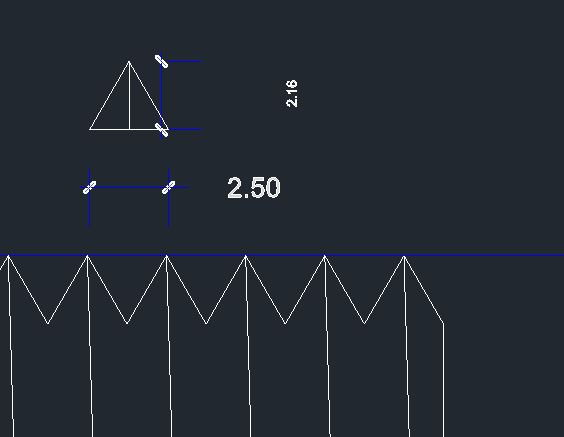 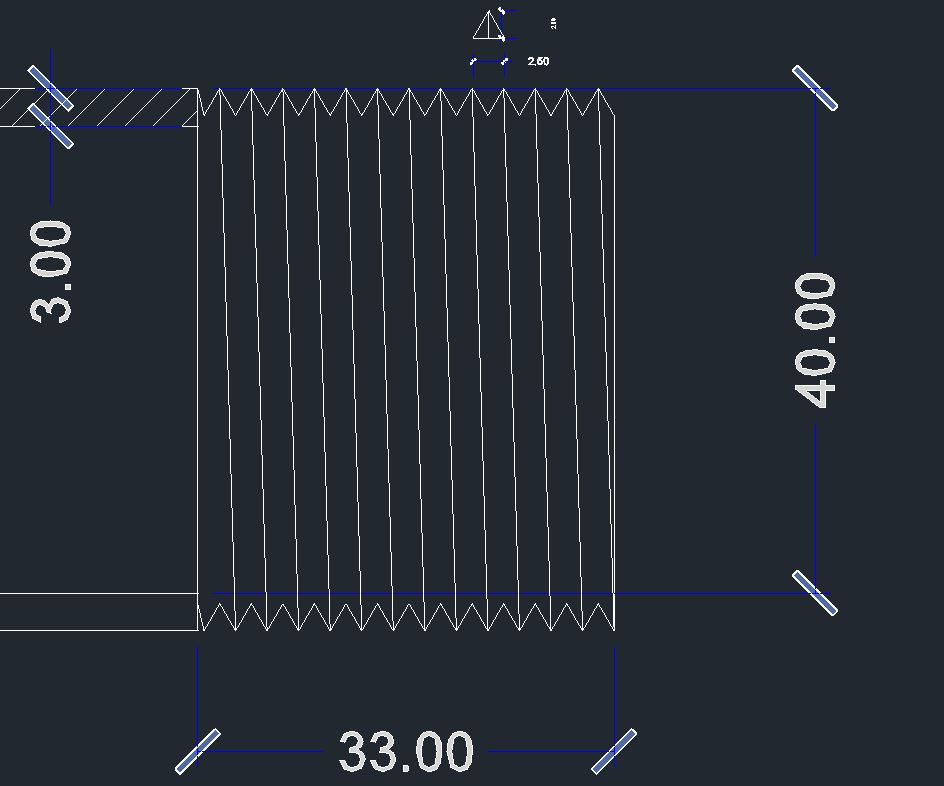 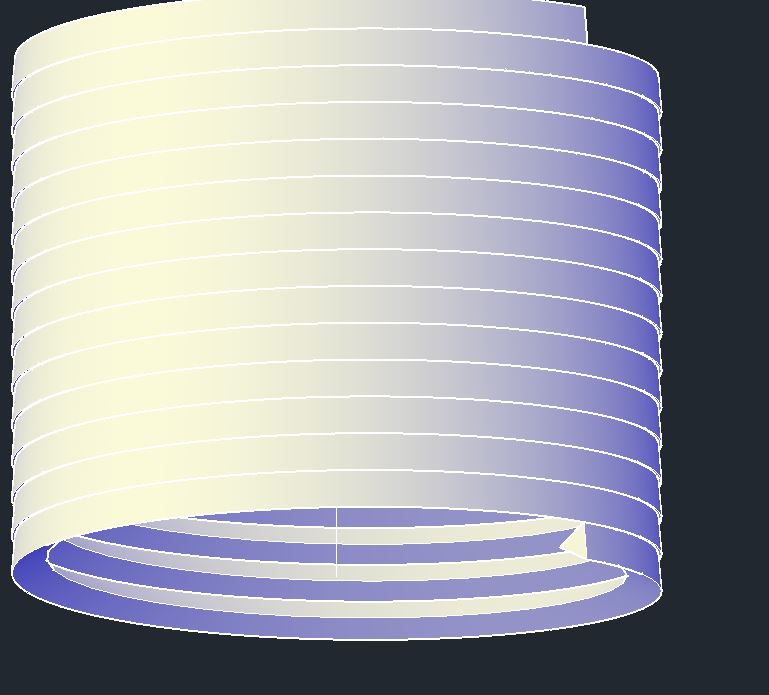 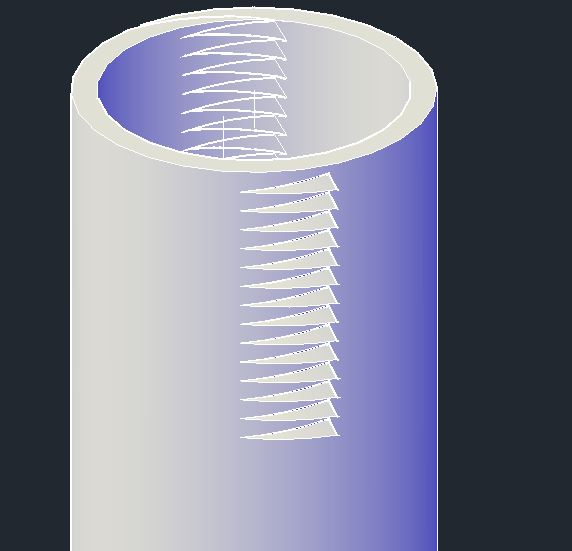 |
Posted By: philippe JOSEPH
Date Posted: 30.Dec.2017 at 21:48
|
Carlosban71, I'm trying to upload the scheme but with error messages. You are on the right way but the sweeped solid that you have made is to be SUBTRACT from the tube ( that you will make longer ).
|
Posted By: philippe JOSEPH
Date Posted: 30.Dec.2017 at 22:00
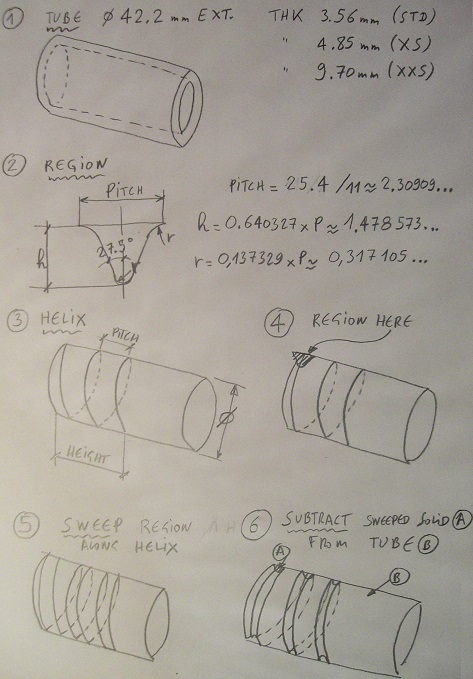
|
Posted By: philippe JOSEPH
Date Posted: 30.Dec.2017 at 22:02
| Carlosban71, this is for BSP ( British Standard Petrolemum ) 1"1/4 threaded tube. |
Posted By: carlosban71
Date Posted: 30.Dec.2017 at 22:27
Something is wrong, what will it be?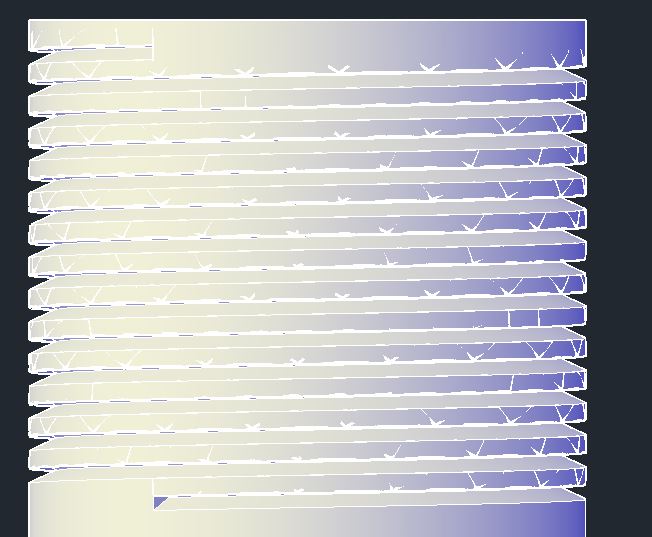
|
Posted By: philippe JOSEPH
Date Posted: 30.Dec.2017 at 23:02
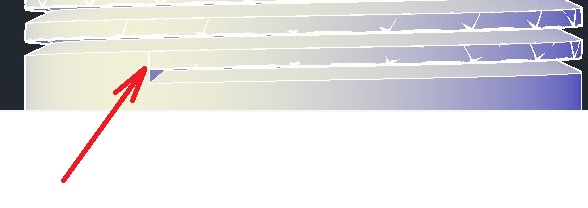 Carlosban71, I don't know why it's not working perfectly because if you have SUBTRACT your sweeped solid from your tube it should be OK and complete. Carlosban71, I don't know why it's not working perfectly because if you have SUBTRACT your sweeped solid from your tube it should be OK and complete.One the other hand when I look at the bottom of your last posted picture it looks like half of a SUBTRACT is still here.
|
Posted By: carlosban71
Date Posted: 30.Dec.2017 at 23:29
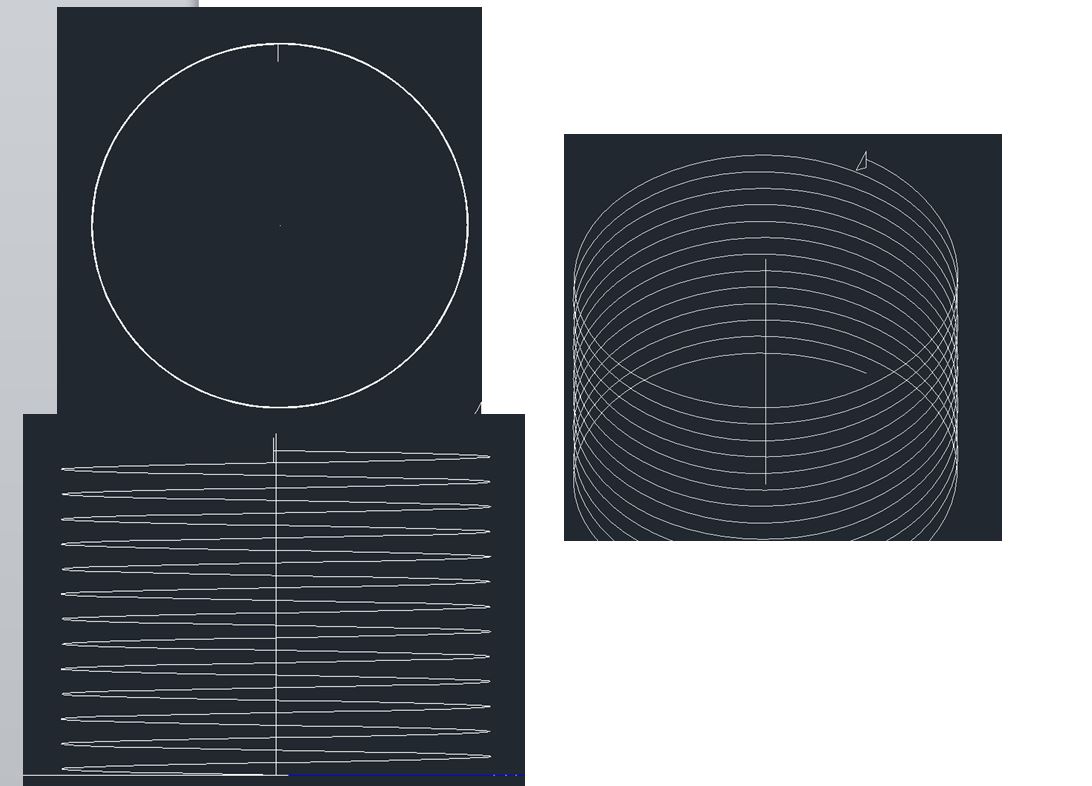
What's wrong, now that the sweep does not enter,
 |
Posted By: carlosban71
Date Posted: 31.Dec.2017 at 01:56
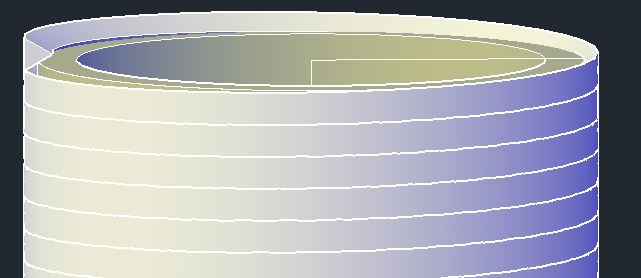
As I found the fault, perio now I get squared, it has to come out triangle
 |
Posted By: carlosban71
Date Posted: 31.Dec.2017 at 01:58
As I found the fault, perio now I get squared, it has to come out triangle tip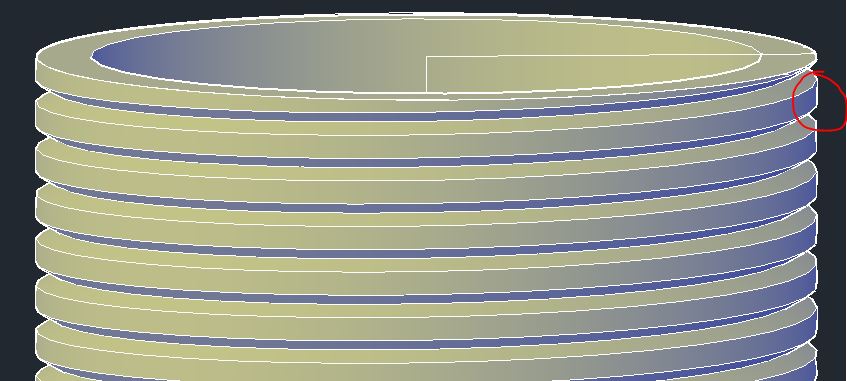 |
Posted By: philippe JOSEPH
Date Posted: 31.Dec.2017 at 08:38
|
Hello carlosban71, I'm still here. Maybe your material removal is a little outside of the tube but the concept is OK, just showing a flat part at the external diameter. Is your helix diameter the same as the tube external diameter ? Maybe a test with a helix on the inside diameter of the triangle showing the material would generate a good material removal. In the old times you couldn't extrude along a path if the radius was too little. I'm at home without AutoCAD, back to work next january the 2th.
 |
Posted By: John Connor
Date Posted: 02.Jan.2018 at 12:50
Is this the result you are attempting to achieve?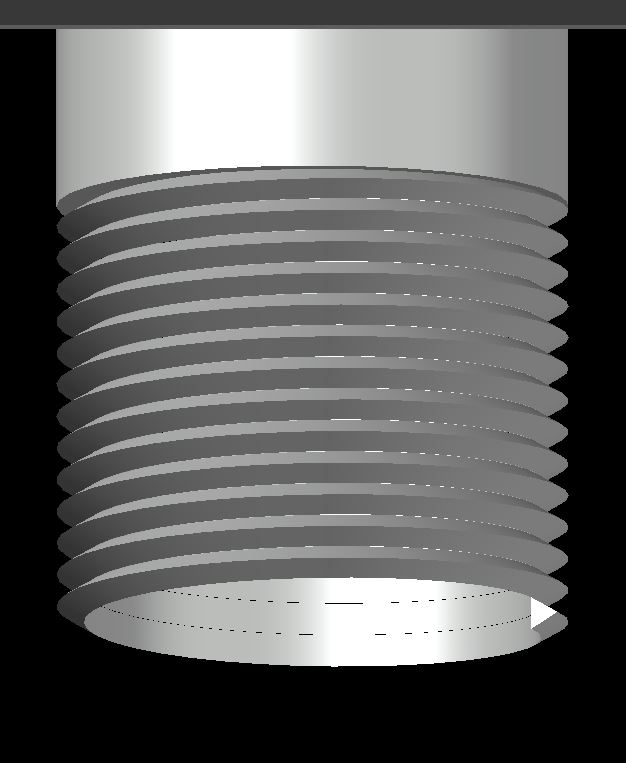 ------------- "Humans have a strength that cannot be measured. This is John Connor. If you are reading this, you are the resistance." <<AutoCAD 2015>> |
Posted By: John Connor
Date Posted: 02.Jan.2018 at 13:02
Actually, I like this one a little better.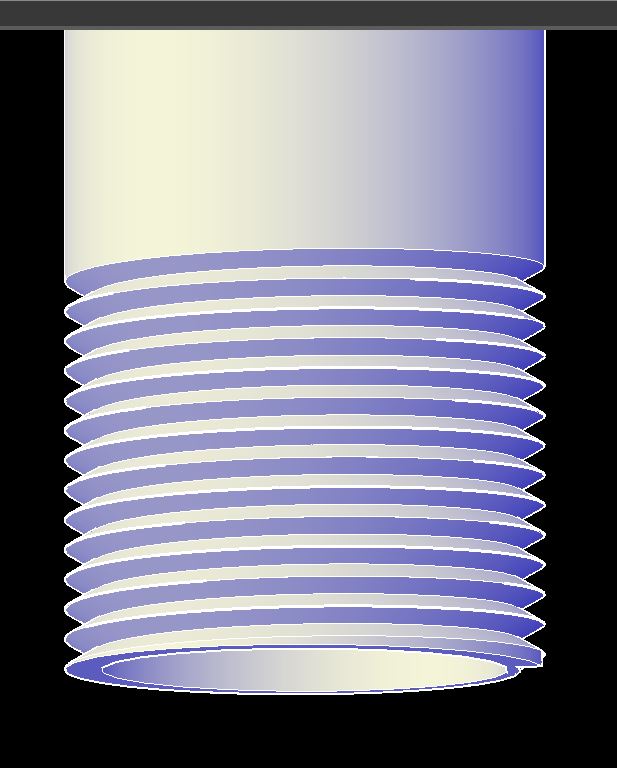 ------------- "Humans have a strength that cannot be measured. This is John Connor. If you are reading this, you are the resistance." <<AutoCAD 2015>> |
Posted By: philippe JOSEPH
Date Posted: 02.Jan.2018 at 14:09
|
Yes John, the second one is THE one, a tube with an external thread. I think that carlosban71 is on the right way to succeed.
|
Posted By: carlosban71
Date Posted: 02.Jan.2018 at 22:21
|
Happy New Year 2018 A Purpose, of so much practice, now yes. I got the thread Now, the message pops up (unable to sweep) Query why? (unable to sweep) Did I do something wrong? 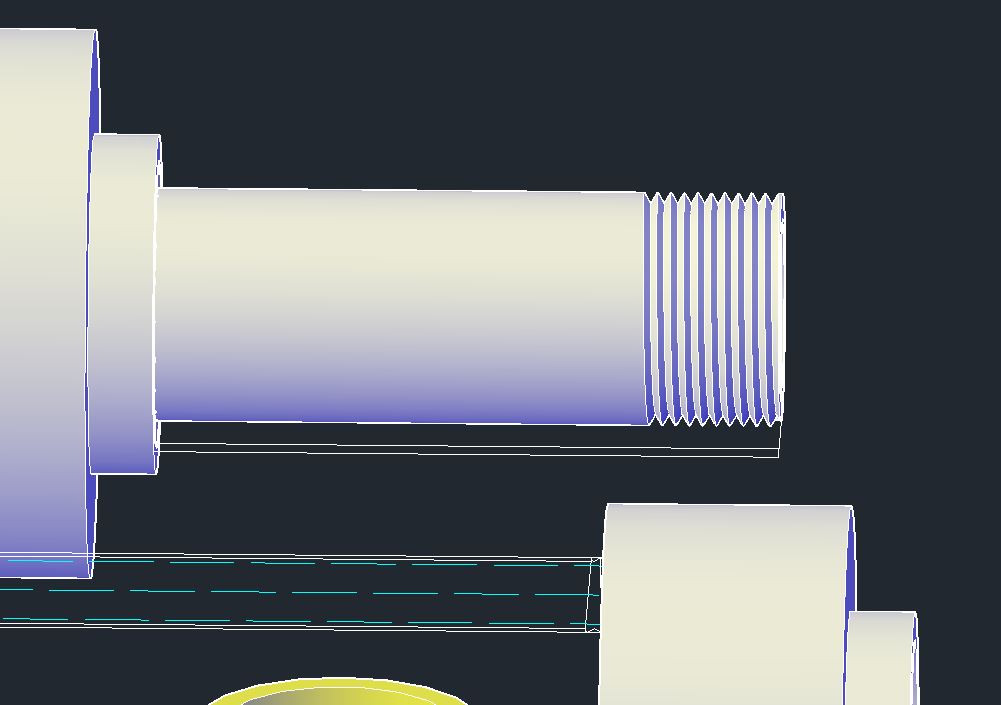 |
Posted By: philippe JOSEPH
Date Posted: 02.Jan.2018 at 22:32
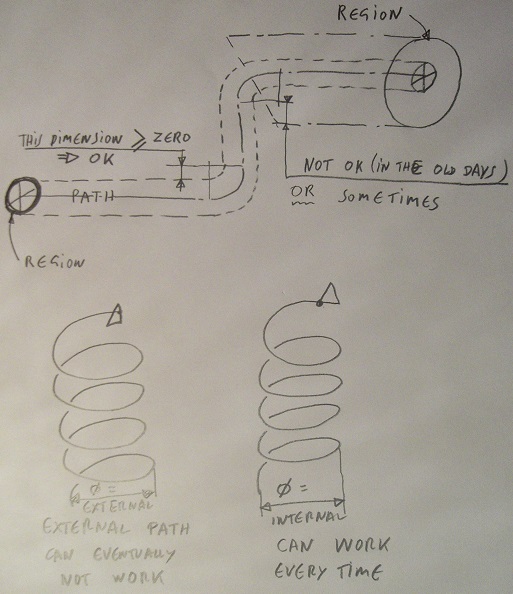 Hello carlosban71, sometimes you're maybe unable to sweep for example if the radius of your helix is too little for your region to be sweeped, that's why I proposed to you to use the internal diameter of the thread instead of the outside.
In the old days you couldn't extrude along a path if the internal of your region would interfer with the radius of your polyline path but I see that you have succedded in creating your own threaded tube..
|