assemble
Printed From: CAD Forum
Category: EN
Forum Name: AutoCAD
Forum Description: Discussion about AutoCAD and AutoCAD LT, viewers, DWG and DWF formats, Design Review, AutoCAD 360, add-ons
URL: https://www.cadforum.cz/forum_en/forum_posts.asp?TID=12590
Printed Date: 16.May.2026 at 00:02
Topic: assemble
Posted By: carlosban71
Subject: assemble
Date Posted: 06.Jan.2018 at 17:35
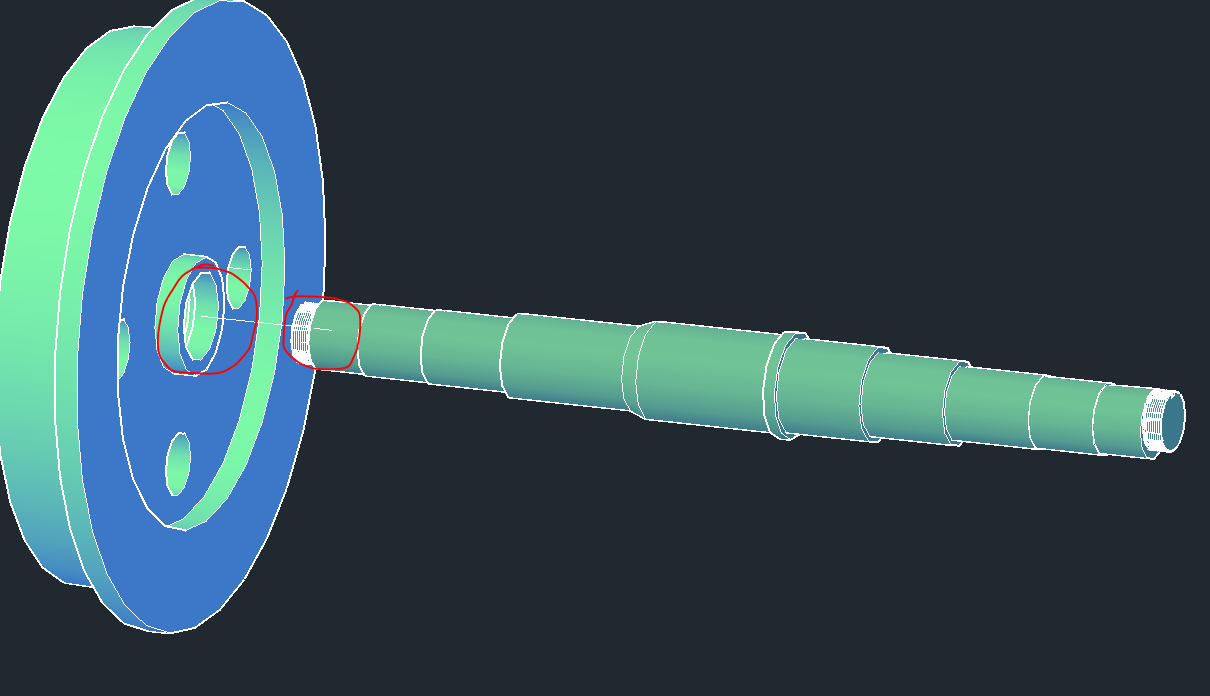
Good morning, consult I have 03 solids and I want to attach it or assemble it which command I use to align it and what would be the points to address them.
 |
Replies:
Posted By: philippe JOSEPH
Date Posted: 06.Jan.2018 at 19:59
|
Hello carlosban71, the way to place 3D solids and 2D objects ( like blocks for example ) is the same. I would ALIGN them from center to center in that case. In 3D you will indicate 3 "source" points and 3 "destination" points. Do indicate the 2 first points along the center lines so that your solid is perfectly in the correct orientation ( I call this "doing the hinge" ), this is important because sometime you ALIGN object thinking it will be OK if done with only 2 points but the result will not be correct. In any case take various viewpoints to verify the correctness. I think that it would be interresting for you to find curses and/or tutorials on the internet. Eventually you could take a look at my file : 3D SOLID 01.dwg that I have placed in the CAD/BIM Blocks library here in the site.
|
Posted By: John Connor
Date Posted: 06.Jan.2018 at 23:47
|
The ALIGN command is what you are looking for. A minimum of two source and destination points are required. ------------- "Humans have a strength that cannot be measured. This is John Connor. If you are reading this, you are the resistance." <<AutoCAD 2015>> |
Posted By: philippe JOSEPH
Date Posted: 07.Jan.2018 at 10:16
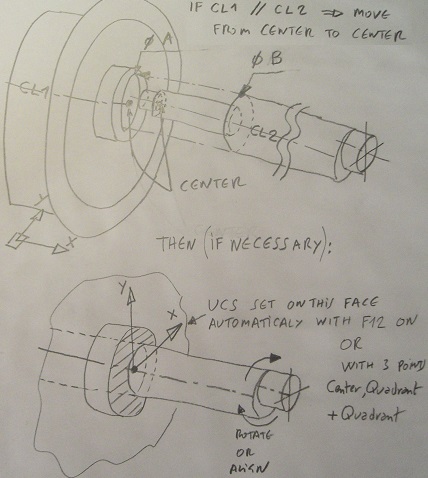 On the other hand and if the centerlines of the two solids are perfectly parrallel you can use a simple MOVE from center to center. I can see on the right side of the shaft a cylinder with an centerline offset that you will have eventually to ROTATE or ALIGN to place correctly.
|