Arcs dimension
Printed From: CAD Forum
Category: EN
Forum Name: AutoCAD
Forum Description: Discussion about AutoCAD and AutoCAD LT, viewers, DWG and DXF formats, Design Review, AutoCAD web, Drive, add-ons
URL: https://www.cadforum.cz/forum_en/forum_posts.asp?TID=12631
Printed Date: 31.Oct.2026 at 02:29
Topic: Arcs dimension
Posted By: RobertProvaz
Subject: Arcs dimension
Date Posted: 18.Feb.2018 at 19:02
|
Hi, First of all, sorry for my English. I have problem with dimensioning arcs. First picture: How I don't want dimensions to look like. "Angular" dimension works fine, but "Arc length" dimension don't. 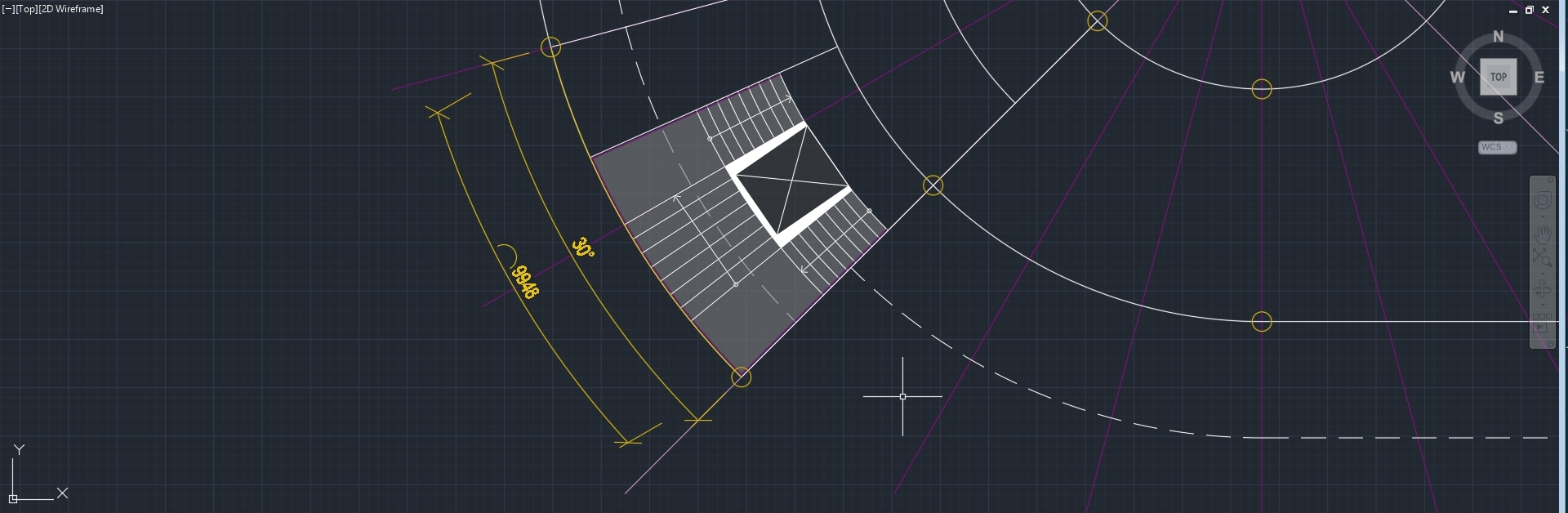 Second picture: What I would like dimensions to look like. This works only with arcs that have angle 90 or more degrees. 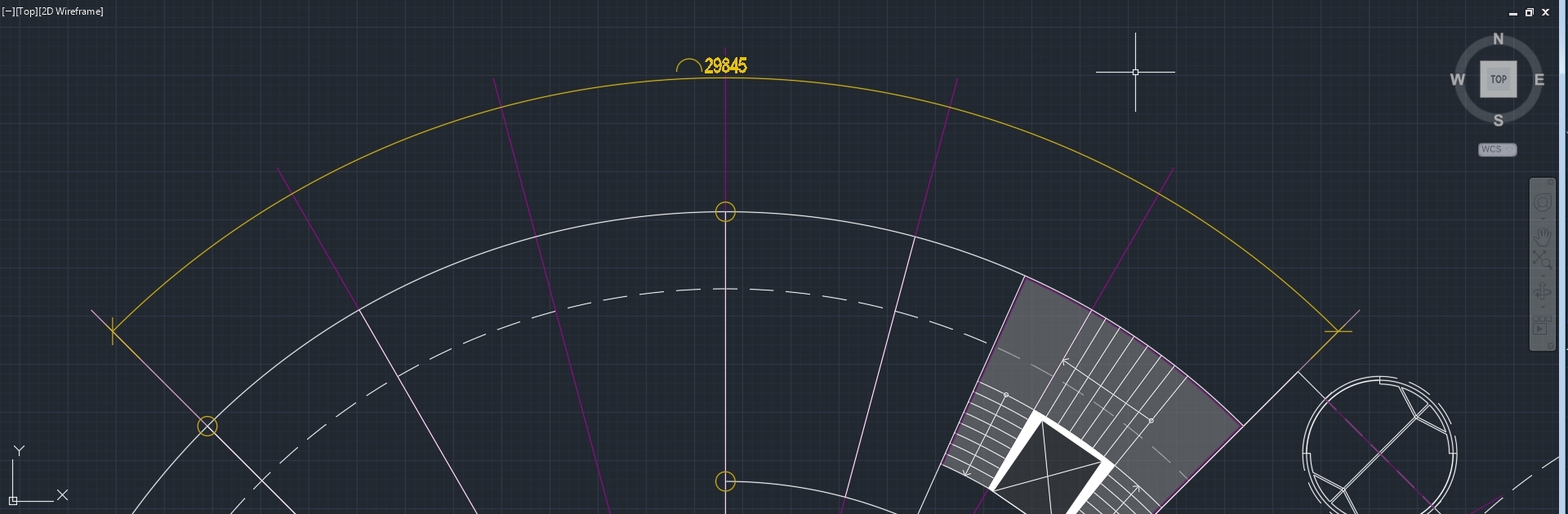 Third picture: Process of changing dimension when angle goes just a little below 90 degrees. 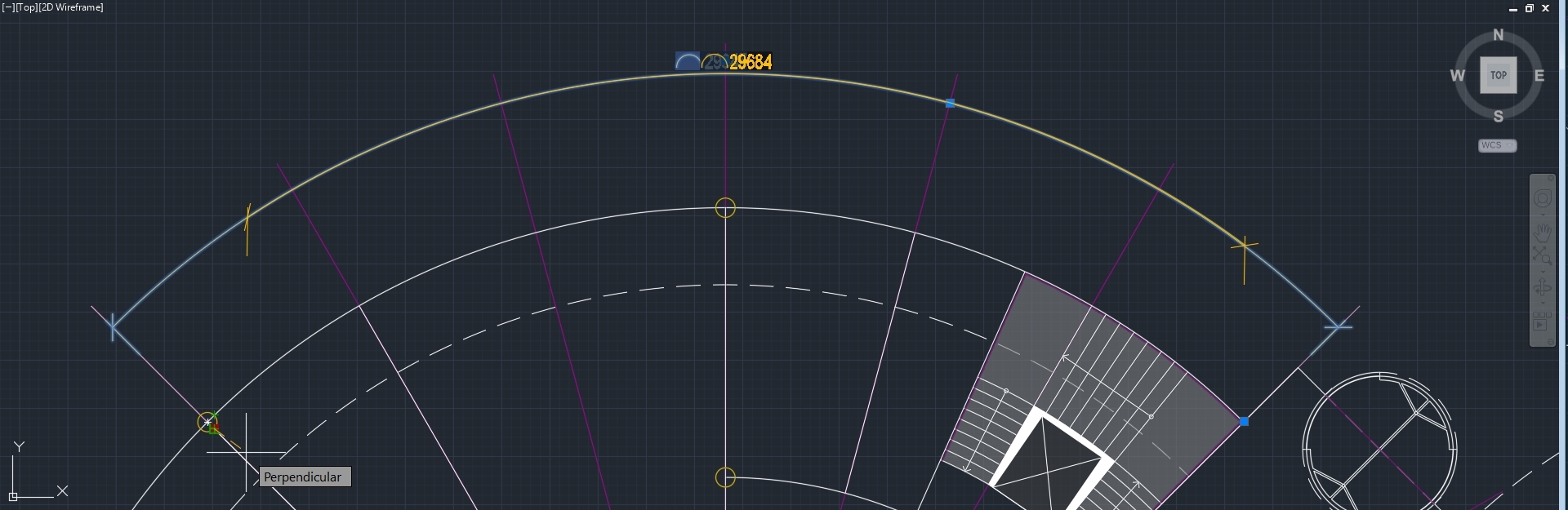 Fourth picture: Same as third, but finished. (just another example of first picture) 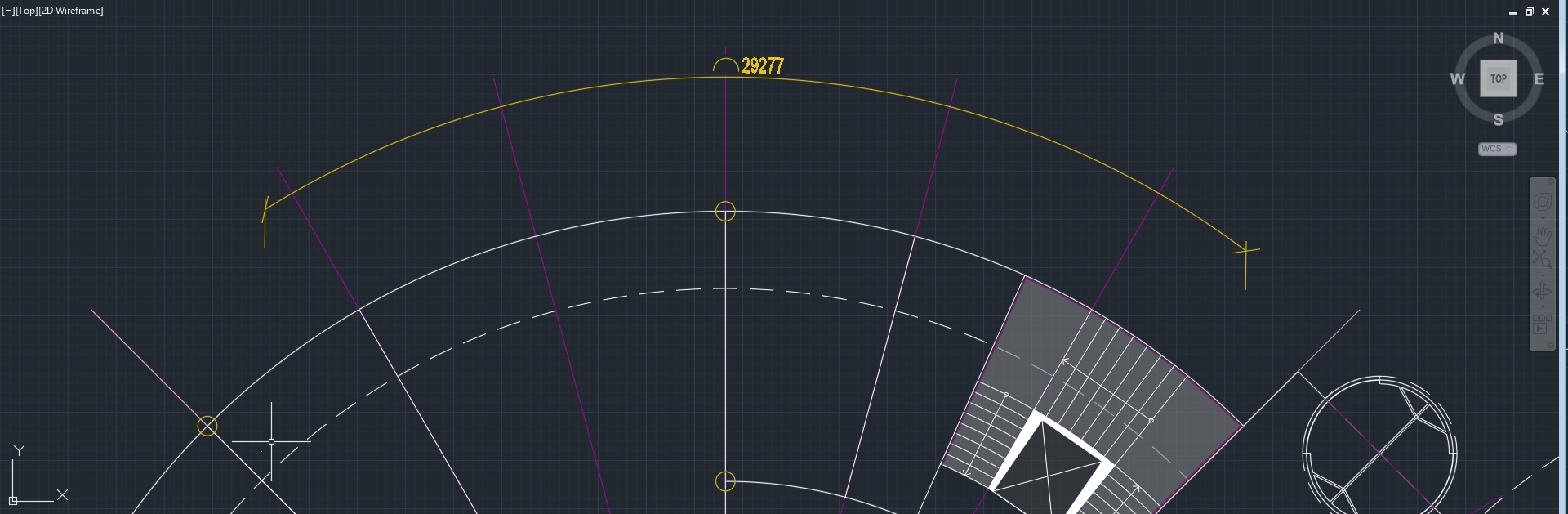 /// Thanks anyone who reads this topic and tries to find solution!!! Robert /// BTW: I've tried to use dimcurve "extension" from this website, but it is just not working. Arc dimension is just blank lines, without text or style. |
Replies:
Posted By: Vladimir Michl
Date Posted: 20.Feb.2018 at 11:28
What is the parameter you don't like on the arc-length dimension? The extension lines? The DimCurve command seems to work fine on arcs (confirm the "offset" option and place the dimension text).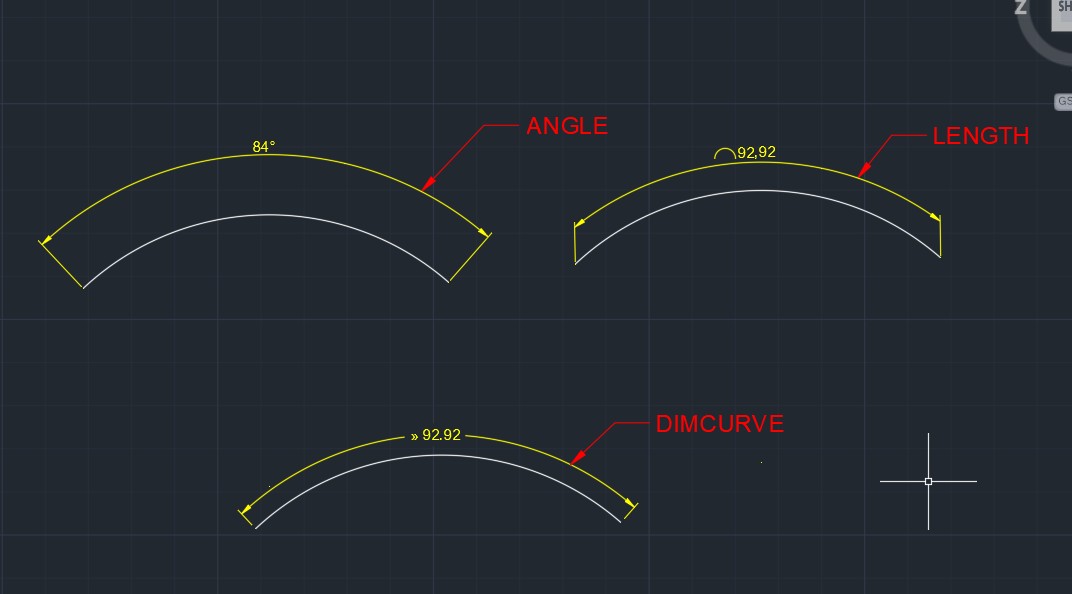 ------------- Vladimir Michl //CADs.cz" rel="nofollow - //CADs.cz , https://www.linkedin.com/in/vmichl/" rel="nofollow - LinkedIn Autodesk Expert Elite |
Posted By: Kent Cooper
Date Posted: 20.Feb.2018 at 15:48
[DIMCURVE isn't a native AutoCAD command -- is it in some overlay program(s)?] The issue is the extension lines being parallel to each other in Arc-length Dimensions, but only for Arcs of included angle less than 90 degrees, at which angle and beyond they become radial to the Arc, as angular Dimensions' extension lines are. Before there ever were Arc-length Dimensions, various people [myself included] came up with routines to simulate them, using angular Dimensions but imposing a text override showing the length along the Arc. Being angular Dimensions, they had their extension lines radial to the Arc. And I agree with the OP that DIMARC Dimensions should, too -- it's silly to have them behave differently at 89d59'59" included angle than they do at 90d00'00". The symbol that precedes the length value and the format of the length value itself indicate that it's measuring a length rather than an angle. But I have no solution to offer, other than the "fake-it" text-override routines, which have the disadvantage that if you alter the Arc so that the length changes, the text content of the Dimension will not -- you'd have to re-do the Dimension. Maybe that could be solved in new-enough versions using a Field tied to the Arc length [I haven't experimented], but I assume that would work only for Arc entities, not Polyline arc segments that DIMARC can do.
|
 Vladimir Michl wrote:
Posted By: John Connor
Date Posted: 20.Feb.2018 at 17:59
|
DIMCURVE - dimension length of any 2D/3D curve (or distance on curve) in AutoCAD (VLX Lisp). Available here via Downloads > CAD Utilities & Add-ons section of this website. ------------- "Humans have a strength that cannot be measured. This is John Connor. If you are reading this, you are the resistance." <<AutoCAD 2015>> |
Posted By: RobertProvaz
Date Posted: 20.Feb.2018 at 19:00
|
Thanks everyone for reply! As I already mentioned up in my first message: "BTW: I've tried to use dimcurve "extension" from this website, but it is just not working. Arc dimension is just blank lines, without text or style." Today, I found out that when I zoom it really close, it is really small, but it is working. Problem is, I cant make it appear bigger. I cant change dimension style or anything that would help. Any solution, please? Down there you can see process of creating dimensions through dimcurve command. /LAST ONE IS ACTUALLY ZOOMED DIMENSION/ 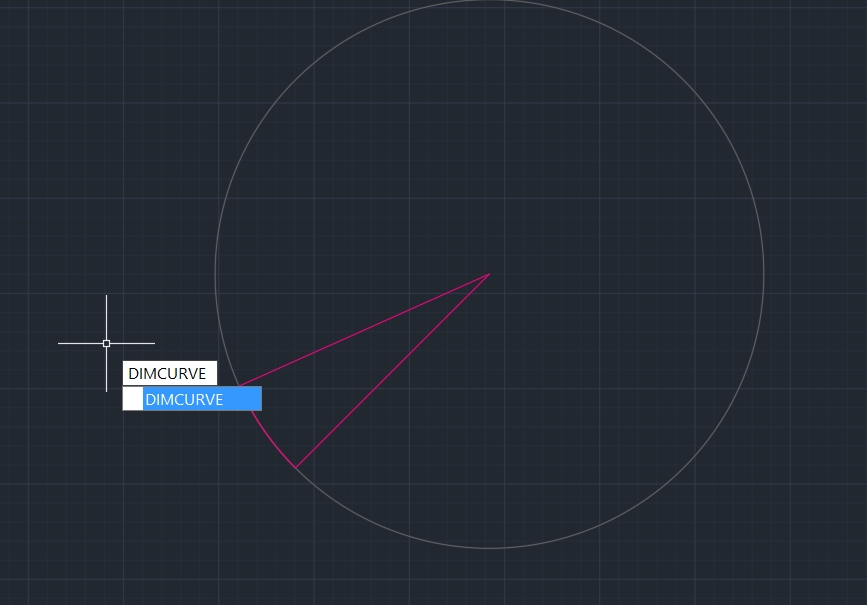 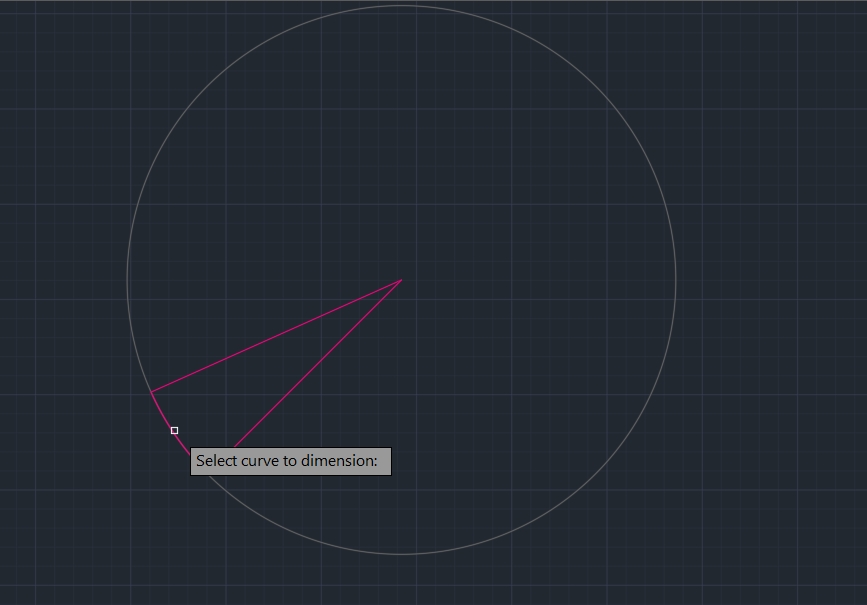 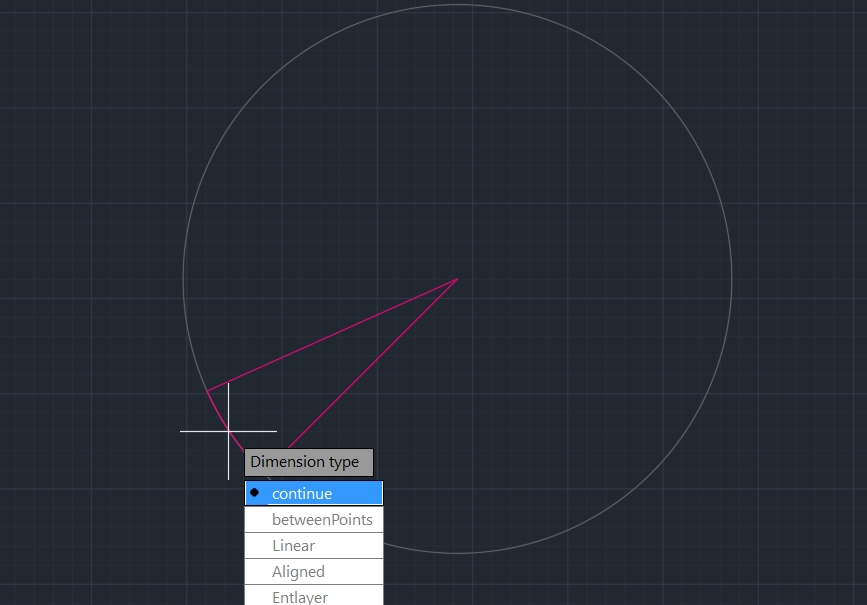 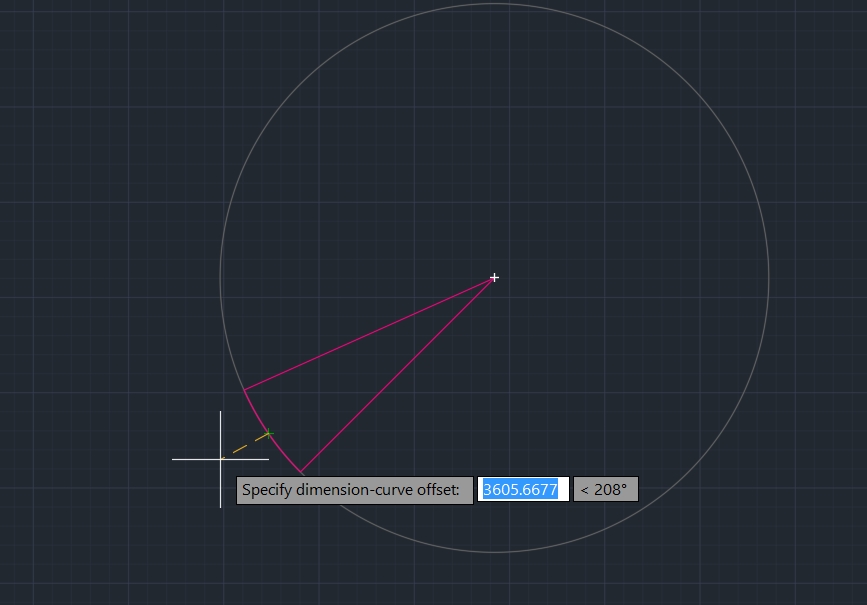 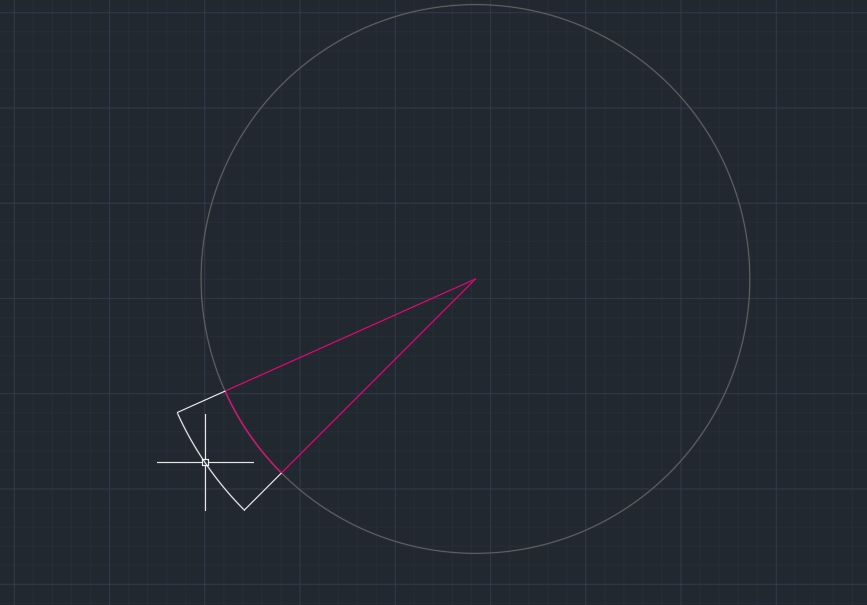 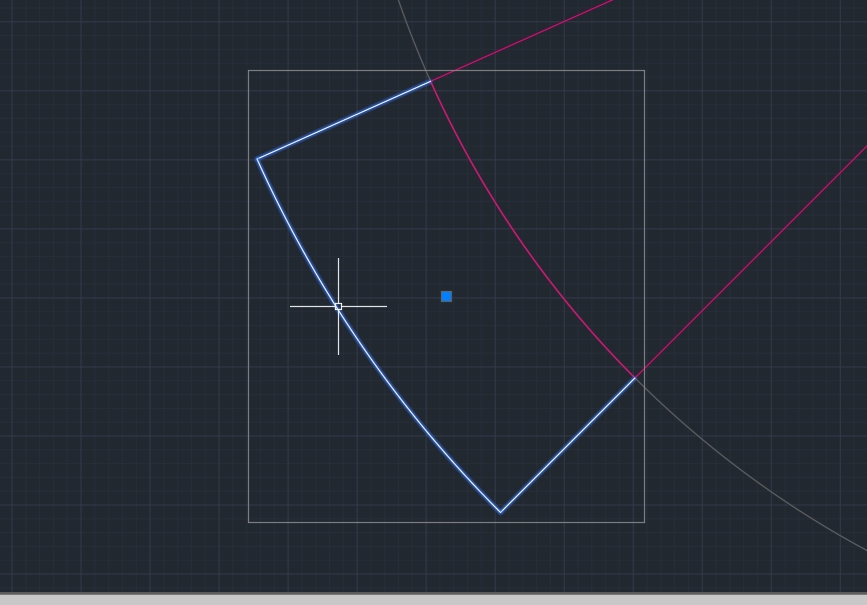 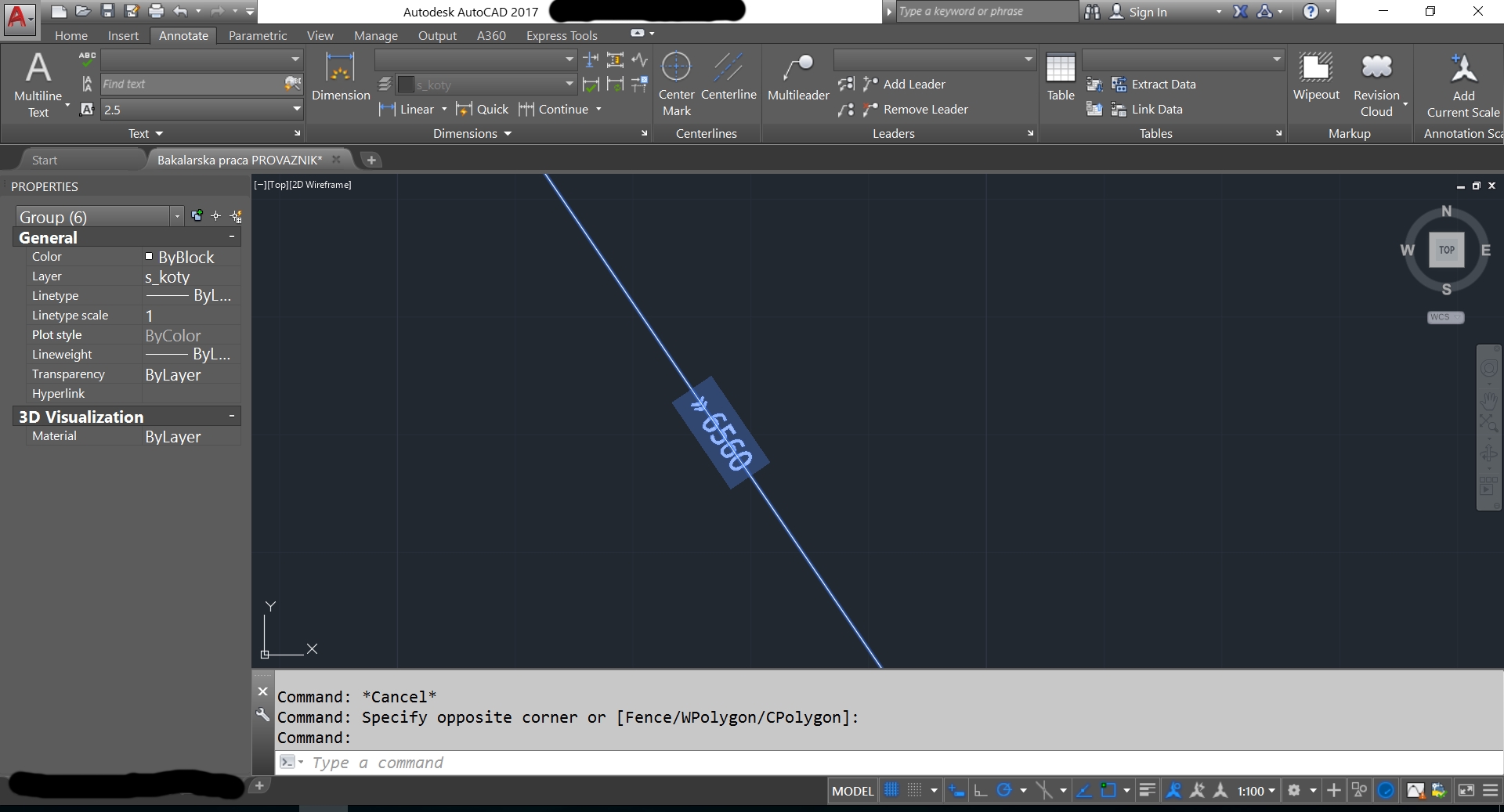
|