Laser Engraving
Printed From: CAD Forum
Category: EN
Forum Name: AutoCAD
Forum Description: Discussion about AutoCAD and AutoCAD LT, viewers, DWG and DXF formats, Design Review, AutoCAD web, Drive, add-ons
URL: https://www.cadforum.cz/forum_en/forum_posts.asp?TID=12652
Printed Date: 28.Oct.2026 at 00:05
Topic: Laser Engraving
Posted By: JRingo83
Subject: Laser Engraving
Date Posted: 08.Mar.2018 at 14:58
|
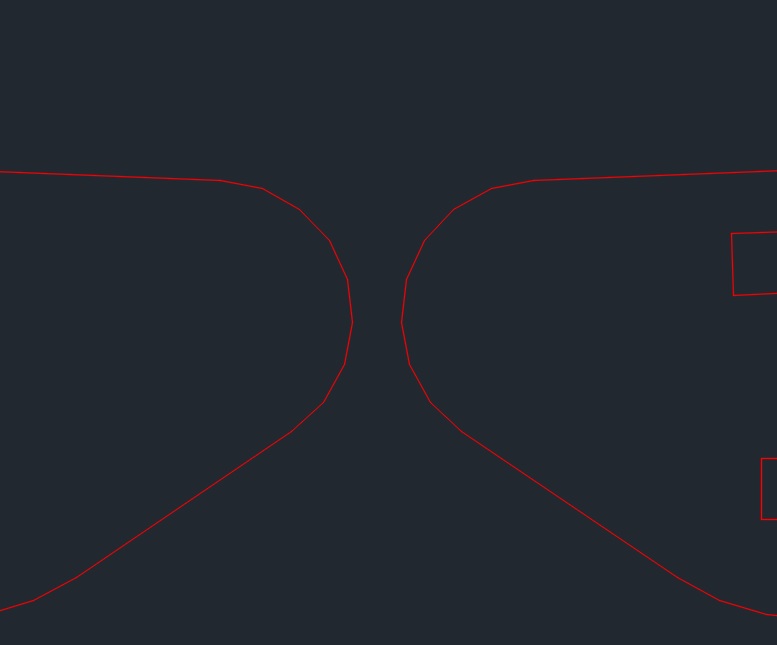
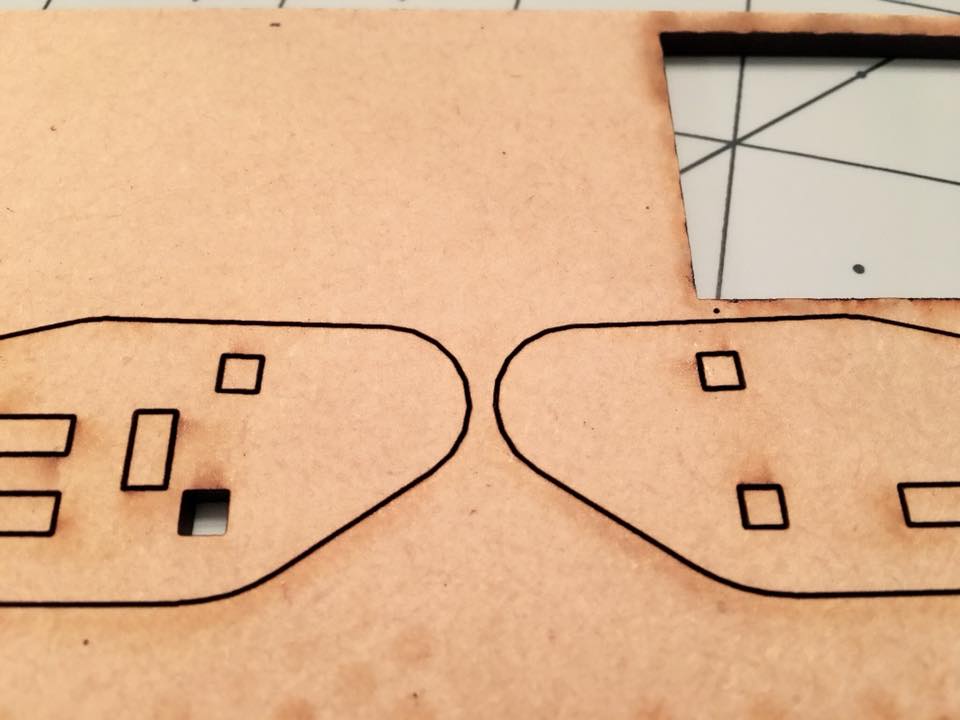
Hi, I'm having an issue drawing in CAD 2016 LT. I'm using the files to print on a laser engraver. As you can see in the pictures I cant print a perfect circle as its printing "low vector" files. Is there a setting in CAD to fix this? The software I'm using to print is CorelDraw. Thanks.
  |
Replies:
Posted By: John Connor
Date Posted: 08.Mar.2018 at 16:55
|
Did you utilize a DXF file from AutoCAD then opened in CorelDraw?
------------- "Humans have a strength that cannot be measured. This is John Connor. If you are reading this, you are the resistance." <<AutoCAD 2015>> |
Posted By: JRingo83
Date Posted: 08.Mar.2018 at 16:57
| Yes, I exported as a DXF file to import into CorelDraw. |
Posted By: John Connor
Date Posted: 08.Mar.2018 at 17:30
|
Have you seen this? https://community.coreldraw.com/talk/coreldraw_graphics_suite_x5/f/coreldraw-x5/24697/beginners-question-smoothing-lines-for-laser-cutting ------------- "Humans have a strength that cannot be measured. This is John Connor. If you are reading this, you are the resistance." <<AutoCAD 2015>> |
Posted By: JRingo83
Date Posted: 08.Mar.2018 at 17:32
| I will read the information there, it seems as its the same problem. Thanks so much! |