Dynamic blocks cause slow graphics performance
Printed From: CAD Forum
Category: EN
Forum Name: CAD - general
Forum Description: General discussion about CAD, formats, standards, management, licensing, networking, harware, other CAD applications
URL: https://www.cadforum.cz/forum_en/forum_posts.asp?TID=13112
Printed Date: 28.Sep.2026 at 18:25
Topic: Dynamic blocks cause slow graphics performance
Posted By: yavo7789
Subject: Dynamic blocks cause slow graphics performance
Date Posted: 21.Feb.2019 at 16:40
|
Greetings, while working with dynamic blocks i noticed a considerable decrease in the performance of my Graphics card and a very jumpy and laggy zoom function in Autocad. I am running Autocad Architecture 2019 on: Nvidia Quadro K5000 Dual Monitor Setup Dell Up3616Q 4K and Dell P2211H Full HD 6 Core Intel Xeon X5690 24 DDR3 RAM 1333MHz I've tried, so far with little success, "-purge", audit, "overkill" and playing with the hardware acceleration settings. Is there any way to improve the graphics performance and fix the zoom in Autocad, some command line variable or perhaps some settings in the Nvidia control panel? I have posted a link to the .dwg-file and screenshots of my Nvdia Control Panel 3D Settings below. https://drive.google.com/open?id=1ydbiS2StJzwgofTYT-yesIx1E0xvB3cr Thank you in advance! Cheers
|
Replies:
Posted By: John Connor
Date Posted: 21.Feb.2019 at 17:58
|
How much onboard memory do you have installed? What else (program-wise) is running in the background? The commands you list are not going to have much affect on a dynamic block. My initial thought was that it is a hardware acceleration related problem. Are any other drawings open at the same time? ------------- "Humans have a strength that cannot be measured. This is John Connor. If you are reading this, you are the resistance." <<AutoCAD 2015>> |
Posted By: yavo7789
Date Posted: 22.Feb.2019 at 09:33
|
First of all, thank you for the prompt response. I have updated my initial post with the full specs of my PC. I am not running any other applications or drawing files and the issue still remains. I have also tried all the system variables which are said to improve cursor performance here: https://thesourcecad.com/improve-autocad-performance/ . So far no success.
It is definitely a hardware acceleration issue, as you said, I can hear my graphics card calculating intensively. It appears to me the dynamic blocks are causing this problem since as soon as i hover over parts of the dwg with no dynamic blocks the performance is back to normal. Another thing is some of he dynamic blocks contain also attributes. I have read on some forums where other people had similar issues with dynamic blocks. Any suggestions? Cheers |
Posted By: John Connor
Date Posted: 22.Feb.2019 at 13:06
|
Any chance you inserted one dynamic block exactly over the top of another (and in more than one instance)? ------------- "Humans have a strength that cannot be measured. This is John Connor. If you are reading this, you are the resistance." <<AutoCAD 2015>> |
Posted By: yavo7789
Date Posted: 22.Feb.2019 at 16:22
|
Hello, I am quite sure I did not place dynamic blocks on top of each other. I am always double checking and I did build the blocks myself from scratch. I did a couple of trials and it seems to me wipeouts, attributes and dynamic parameters (which i do have in my dynamic blocks) impact Graphics performance in AutoCad. I went as far as to model a dwg with aec 3D walls and 3d windows (design tool palette) and zooming is much faster compared to a dwg with windows as dynamic blocks. By the way I sent a link containing the above mentioned dwg's in my previous post. Cheers
|
Posted By: ruan@tnt
Date Posted: 01.Mar.2019 at 06:37
|
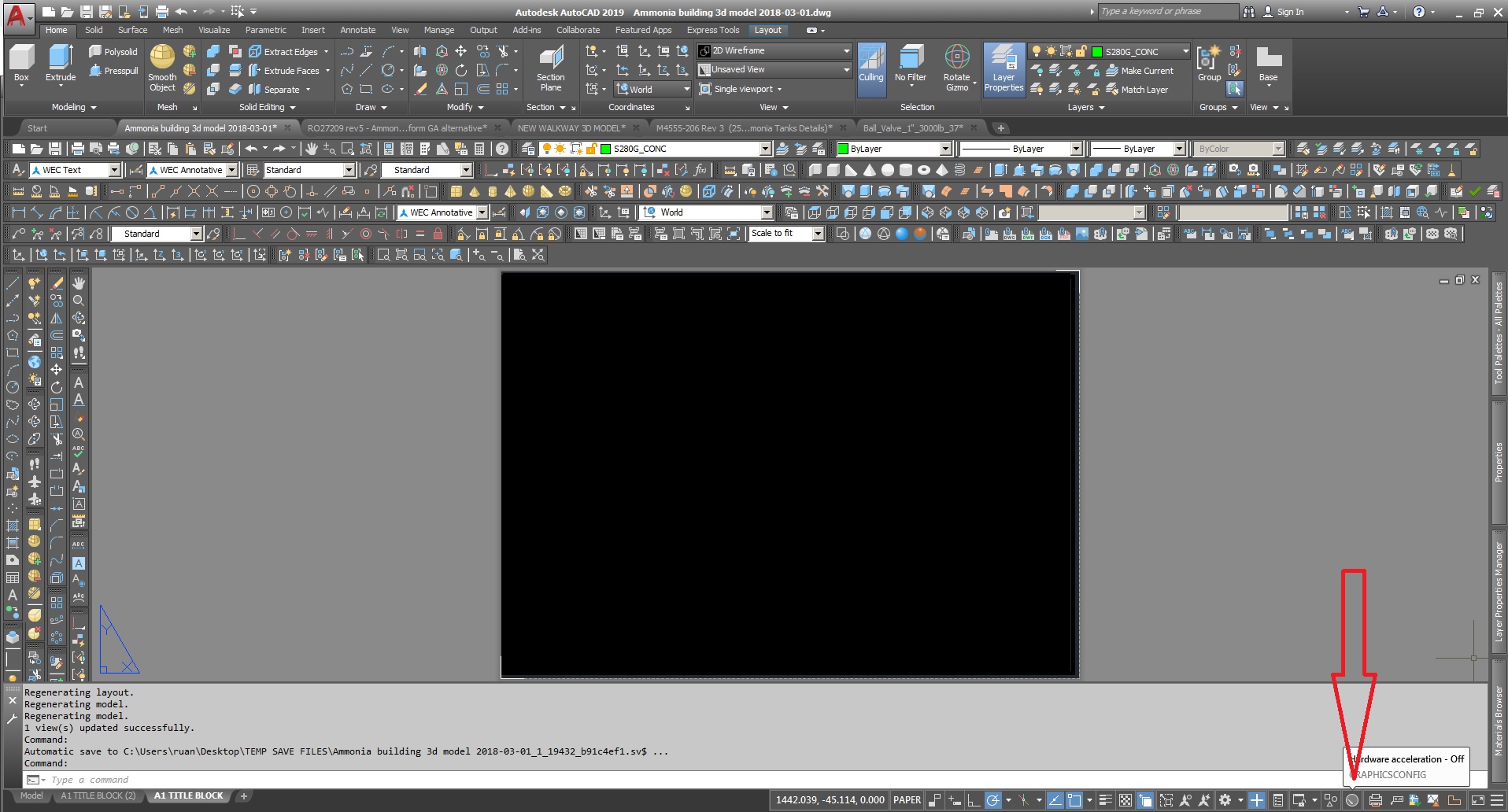
Hi I had the same issue a few years back. The PC bogged down when creating dynamic blocks & using them. I also do the same with my P&ID symbols with wipeouts & some dynamic options to them. I have a Nividia K600 graphics card. I found a solution for you. Try to switch off your hardware acceleration (see screen shot below). This might sound like a stupid idea but i think its the problem. Since i switched it off i never had issues with my dynamic blocks again. I hope this helps & works for you. Kind regards
 |