DeLaval Parallel Rotary PR1500 & PR2100
Printed From: CAD Forum
Category: EN
Forum Name: AutoCAD
Forum Description: Discussion about AutoCAD and AutoCAD LT, viewers, DWG and DXF formats, Design Review, AutoCAD web, Drive, add-ons
URL: https://www.cadforum.cz/forum_en/forum_posts.asp?TID=13628
Printed Date: 12.Jul.2026 at 01:45
Topic: DeLaval Parallel Rotary PR1500 & PR2100
Posted By: royalhorn
Subject: DeLaval Parallel Rotary PR1500 & PR2100
Date Posted: 28.Aug.2021 at 11:11
Hi everyone. Anyone help me this project ???  http://www3.delaval.com/ImageVaultFiles/id_13352/cf_5/PR1500_Rotary_Planning_Guide.PDF
|
Replies:
Posted By: John Connor
Date Posted: 28.Aug.2021 at 13:27
|
What kind of help are you seeking? Please be specific. Thank you. ------------- "Humans have a strength that cannot be measured. This is John Connor. If you are reading this, you are the resistance." <<AutoCAD 2015>> |
Posted By: royalhorn
Date Posted: 28.Aug.2021 at 13:42
| This is my homework. I have to draw on autocad but i cant even. It's important that page 24-25. Based on page 24-25 i have to. Basic plan of the system 24. Base details 25. http://www3.delaval.com/ImageVaultFiles/id_13352/cf_5/PR1500_Rotary_Planning_Guide.PDF |
Posted By: royalhorn
Date Posted: 28.Aug.2021 at 13:53
I would be very happy if you help 
|
Posted By: philippe JOSEPH
Date Posted: 28.Aug.2021 at 16:02
|
Hello royalhorn, I took a look at the pages 24 and 25 and it's basic 2D AutoCAD but you I think that you don't all the necessary dimensions indicated to re-draw those pages. What you will have to do is or copy/paste an image in your AutoCAD to draw lines, arcs, dimensions on it or print the 2 pages and "read at the scale" the missing dimensions and approximate them.
|
Posted By: royalhorn
Date Posted: 28.Aug.2021 at 16:34
Which option would you recommend ? I prefer the easiest option 
|
Posted By: philippe JOSEPH
Date Posted: 28.Aug.2021 at 17:36
|
I would choose the paper option and also drawing in AutoCAD on an image can be difficult. If you choose the image option you will have to scale it at the right dimension based for example on the bigest dimension indicated.
|
Posted By: royalhorn
Date Posted: 01.Sep.2021 at 13:09
|
I didn't do that I tried for a long time but I can't. I have last 12 hours for this homework. Can u draw for me plsss. I am helpless.
|
Posted By: John Connor
Date Posted: 01.Sep.2021 at 13:15
|
It is not our job to do your homework assignment for you. As previously stated, there are two methods one can use to replicate what needs to be drawn. Have you tried both? Where are you experiencing a problem? ------------- "Humans have a strength that cannot be measured. This is John Connor. If you are reading this, you are the resistance." <<AutoCAD 2015>> |
Posted By: royalhorn
Date Posted: 01.Sep.2021 at 13:27
| Problem is page 22. I can't do that for ex. cows. Because of my teacher say that all figure have to in dwg. |
Posted By: John Connor
Date Posted: 01.Sep.2021 at 13:59
|
You never once mentioned page 22 in your previous posts. You did mention pages 24 and 25. So, you're saying your teacher wants you to create a 3D drawing? ------------- "Humans have a strength that cannot be measured. This is John Connor. If you are reading this, you are the resistance." <<AutoCAD 2015>> |
Posted By: John Connor
Date Posted: 01.Sep.2021 at 14:06
Here is an example of what can be accomplished via the insert image command in nanoCAD which is an AutoCAD clone. It took me about 20 minutes while I was having my morning coffee.
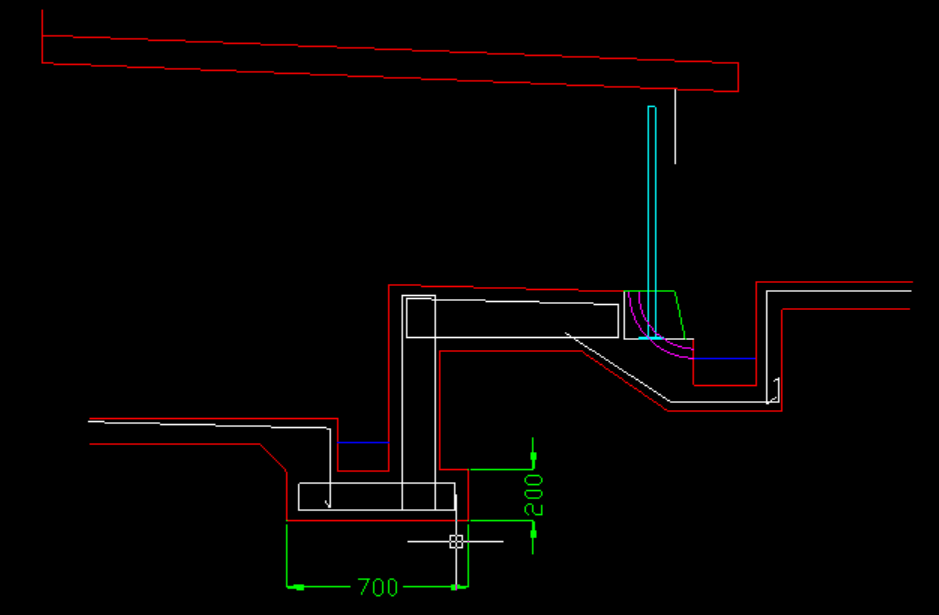 ------------- "Humans have a strength that cannot be measured. This is John Connor. If you are reading this, you are the resistance." <<AutoCAD 2015>> |
Posted By: John Connor
Date Posted: 01.Sep.2021 at 15:09
|
I waited an hour for your reply but got nothing. No response? Oh well, can't say I did not try to help. Good luck on your homework assignment. Got to go now. Bye.
------------- "Humans have a strength that cannot be measured. This is John Connor. If you are reading this, you are the resistance." <<AutoCAD 2015>> |
Posted By: royalhorn
Date Posted: 01.Sep.2021 at 15:45
| Sorry for not answering. I'm working like 5 hours. I will try this command when i go home. Thank you so much for your interest. |
Posted By: John Connor
Date Posted: 01.Sep.2021 at 19:31
In AutoCAD I believe the command is IMAGEATTACH. For the drawing depicted above I inserted the image on a layer named "Image" so that when the time came I could turn off or freeze the layer so it would not plot.
------------- "Humans have a strength that cannot be measured. This is John Connor. If you are reading this, you are the resistance." <<AutoCAD 2015>> |
 royalhorn wrote:
Posted By: shakir.iqbal
Date Posted: 07.Sep.2021 at 18:46
|
Hi, Is your problem resolved or you still looking for help? ------------- Shakir Iqbal Seasoned CAD Guru https://www.fiverr.com/shakiriqbal482 |