Problem with text between model and paper space
Printed From: CAD Forum
Category: EN
Forum Name: AutoCAD
Forum Description: Discussion about AutoCAD and AutoCAD LT, viewers, DWG and DXF formats, Design Review, AutoCAD web, Drive, add-ons
URL: https://www.cadforum.cz/forum_en/forum_posts.asp?TID=13749
Printed Date: 06.Sep.2026 at 03:47
Topic: Problem with text between model and paper space
Posted By: dolau
Subject: Problem with text between model and paper space
Date Posted: 14.Sep.2022 at 16:04
|
help please Autocad LT 2013- recently upgraded from 2019 and didnt get the problem before where I had a format text command and the drawing template in paper space was drawn in 2019 or maybe even an earlier version as it is one I have used for a long time Problem I have is that text that I write in model space is not appearing in paper space viewport. I have written the text in a layer used for the rest of the drawing which appears fine I have checked and no frozen layers or frozen in viewport Seems to have formatted with annotative text if that makes a difference This first picture shows a green dimension line without text, the second picture shows the model space with text number and text ribbon any help would be gratefully received Thanks  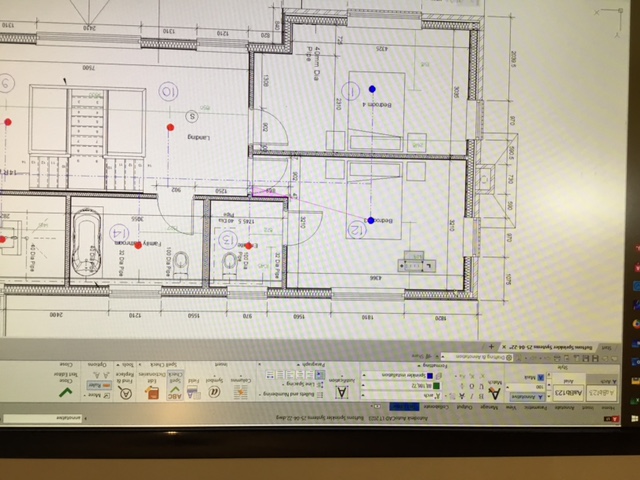 ------------- Andrew |
Replies:
Posted By: dolau
Date Posted: 20.Sep.2022 at 13:11
|
Fixed it- found where annotative had been added to the text format and (dont know why) removal of that allows the text written in model space to be displayed in the paper space viewport ------------- Andrew |