Moving multiple lines out to "shoulder radius"
Printed From: CAD Forum
Category: EN
Forum Name: AutoCAD
Forum Description: Discussion about AutoCAD and AutoCAD LT, viewers, DWG and DXF formats, Design Review, AutoCAD web, Drive, add-ons
URL: https://www.cadforum.cz/forum_en/forum_posts.asp?TID=13767
Printed Date: 21.Oct.2026 at 08:46
Topic: Moving multiple lines out to "shoulder radius"
Posted By: zfornero
Subject: Moving multiple lines out to "shoulder radius"
Date Posted: 12.Oct.2022 at 15:32
|
so my issue is as follows: Part of my work is with jet nozzles and spray patterns, these balls have a flat top fir the tubing "pullout" and then round off into a one half of a sphere and then there is a bottom half that get welded together in manufacturing ( ill attach screengrabs) . i have a circle at the exact point inside the " top" to align the robo drill square to the ball no matter what direction the "stream" is going. m current process of moving all these lines out to this "shoulder radius is going into top orientation 2d wireframe, and using the snap to apparent intersection , move the grip of each line from center out to this circle. this is very tedious for 300 + lines at a time. any help? thank you all in advance 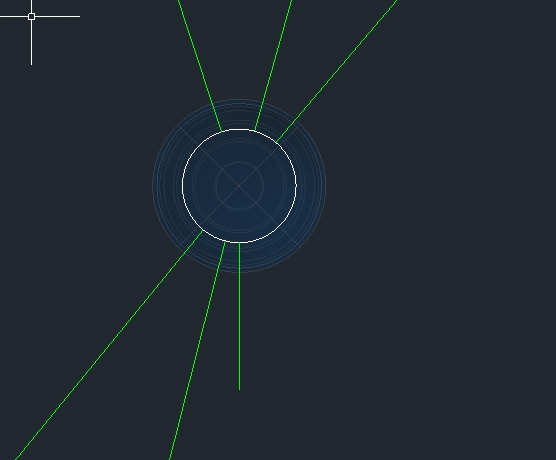 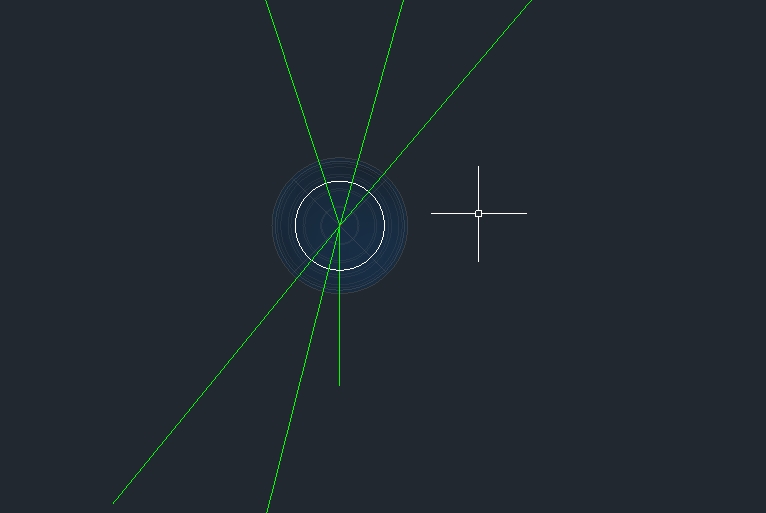 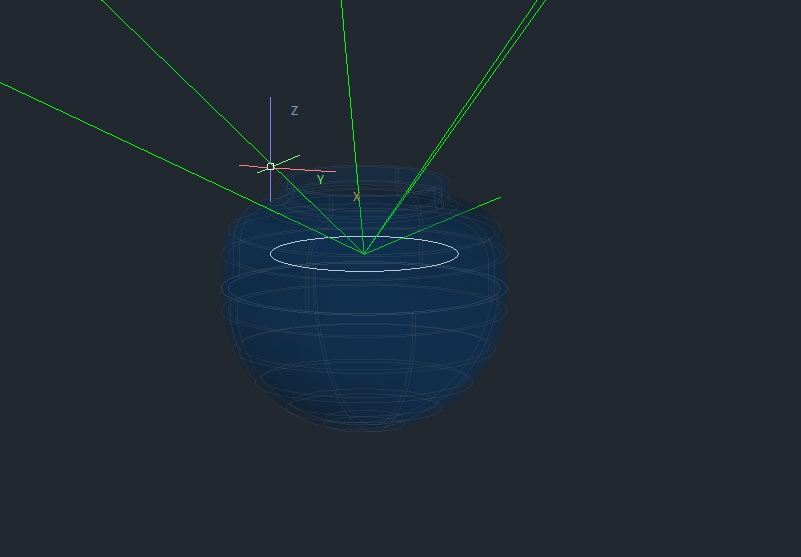 |
Replies:
Posted By: Kent Cooper
Date Posted: 14.Oct.2022 at 19:50
|
That could be automatable, but clarify some things.... By "move the grip of each line" do you mean that only that one end of a line moves to the Circle, and its other end stays where it was, or that the entire line moves, so it stays at the same slope? [I can imagine from your description that the slope might be important, and should be preserved though the line is moved outward.] You don't show an image in 3D of the "after" condition, but you talk about apparent intersections. Do the moved endpoints go on the circle, or to the point on the line that is above the circle in the Z direction [the apparent intersection in plan view, but where that is on the line rather than on the circle]? If the latter, can TRIM do what you want? Is the common endpoint of the lines where they intersect accurately at the center of the circle, in all three directions? Are the lines always drawn in the same direction, either outward from the center or inward toward it? What would be the process? User selects circle and lines associated with it? Routine finds them all without User selection? Would there be more than one set in the same drawing?
|
Posted By: zfornero
Date Posted: 17.Oct.2022 at 14:43
|
Hey Kent, thanks for getting back to me. By "move the grip of each line" do you mean that only that one end of a line moves to the Circle, and its other end stays where it was, or that the entire line moves, so it stays at the same slope? [I can imagine from your description that the slope might be important, and should be preserved though the line is moved outward.] Yes the lines are drawn from center point of ball to a point on the head or target, the target end has to stay put and only the and at the ball moves it has to moves You don't show an image in 3D of the "after" condition, but you talk about apparent intersections. Do the moved endpoints go on the circle, or to the point on the line that is above the circle in the Z direction [the apparent intersection in plan view, but where that is on the line rather than on the circle]? If the latter, can TRIM do what you want? I can attach more images, however the end goal here is to have a line on the same axis of the center point of the ball but moves out to that " shoulder radius" circle. the idea is this keeps center alignment across the entire shoulder radius on that ball so the drill is always drilling "square into the curved face of the ball". these lines are then exported into a cam software. Is the common endpoint of the lines where they intersect accurately at the center of the circle, in all three directions? Are the lines always drawn in the same direction, either outward from the center or inward toward it? Yes lines are ALWAYS drawn in same direction "ball out" so we can verify DOA off of xy plane through the list command to keep within our tolerance during the design phase. What would be the process? User selects circle and lines associated with it? Routine finds them all without User selection? Would there be more than one set in the same drawing? T he goal would be - once all lines are drawn from common start point in various places in space, the user can select all lines he wants from common point in "center of ball", then select the circle he wants to move them to , hit enter and all the selected lines move up ( or down) on the Z axis till they intersect that circle, latch to that point on the radius, and then are trimmed or shortened to remove " leftover line" if any in the ball. this would happen a few times in a model , however the ball and lines will all be drawn in the same ball they will be moved to shoulder of in the command. an added bonus would be a selection option after all lines are selected in the aforementioned process, that the command asks if you want to move tom start point of lines or end point. for a different process we do entirely. the rest would be same. this is completely extra though and not relevant to the problem i hope to solve ASAP. thank you! i know this is wordy but trying to get all the information out there and then ill fine tune whatever you need! THANK YOU AGAIN THIS IS VERY MUCH APPRECIATED !
|
Posted By: zfornero
Date Posted: 17.Oct.2022 at 14:47
| Kent I you have any interest of contacting me directly on this I'm good with it and may streamline this, as I may have more things id like to address and learn on automatable things i want to accomplish ill share email just not sure on how to go about it on here |
Posted By: Kent Cooper
Date Posted: 17.Oct.2022 at 22:26
|
If I understand correctly, could you do this? LENGTHEN command, DElta option, give it the negative of the Circle's [the ball's] radius, and shorten all Lines by that amount by picking on them at/near that center-of-it-all location. If that does what you want manually, it may be automatable.
|
Posted By: zfornero
Date Posted: 17.Oct.2022 at 23:03
i have tried that but they are not ending on same plane. i may not be explaining very well but i attached a few more pics with USC visible to help the tip of the ball had been hidden on 2 so you can see the shoulder radius line I'm speaking of. each line needs to move straight down from the ball end and stay put at the top end so this dimension would be different for each line.. again im trying to best explain this .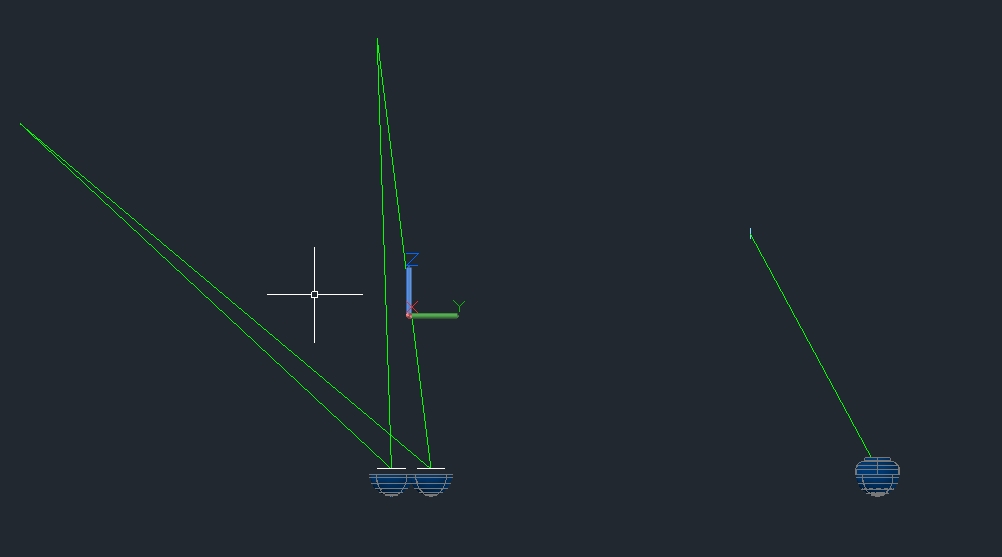 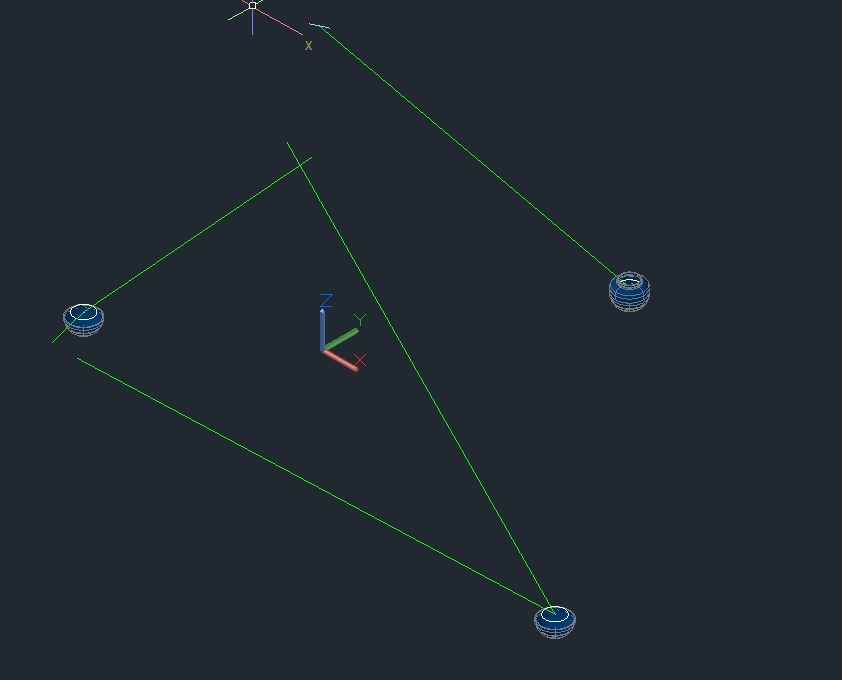 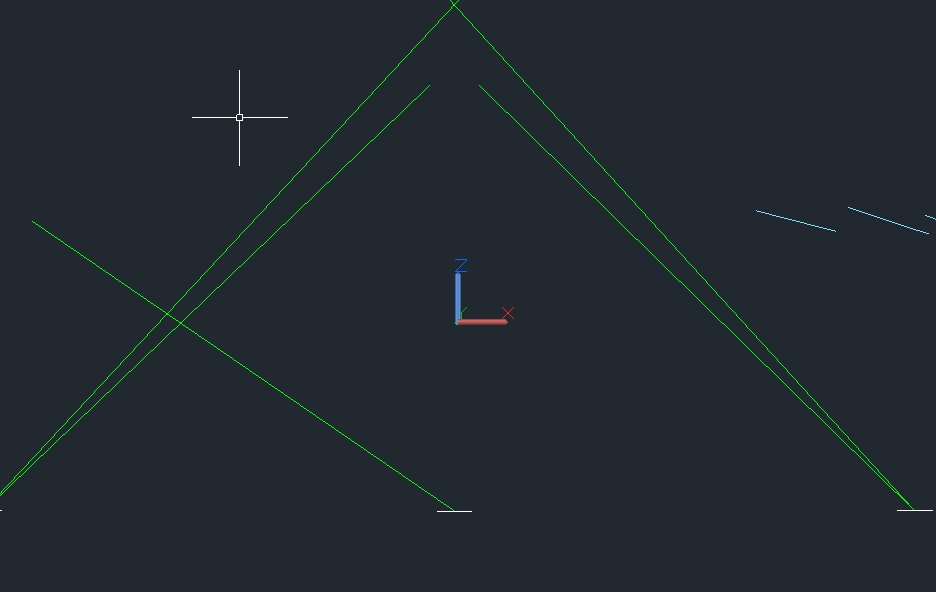
------------- "The whole world’s a test. Don’t let them ever trick you into thinking differently." |