Re-draw drawing
Printed From: CAD Forum
Category: EN
Forum Name: AutoCAD
Forum Description: Discussion about AutoCAD and AutoCAD LT, viewers, DWG and DXF formats, Design Review, AutoCAD web, Drive, add-ons
URL: https://www.cadforum.cz/forum_en/forum_posts.asp?TID=13833
Printed Date: 05.Sep.2026 at 00:45
Topic: Re-draw drawing
Posted By: stath12
Subject: Re-draw drawing
Date Posted: 11.Apr.2023 at 16:48
|
Replies:
Posted By: stath12
Date Posted: 11.Apr.2023 at 16:49
|
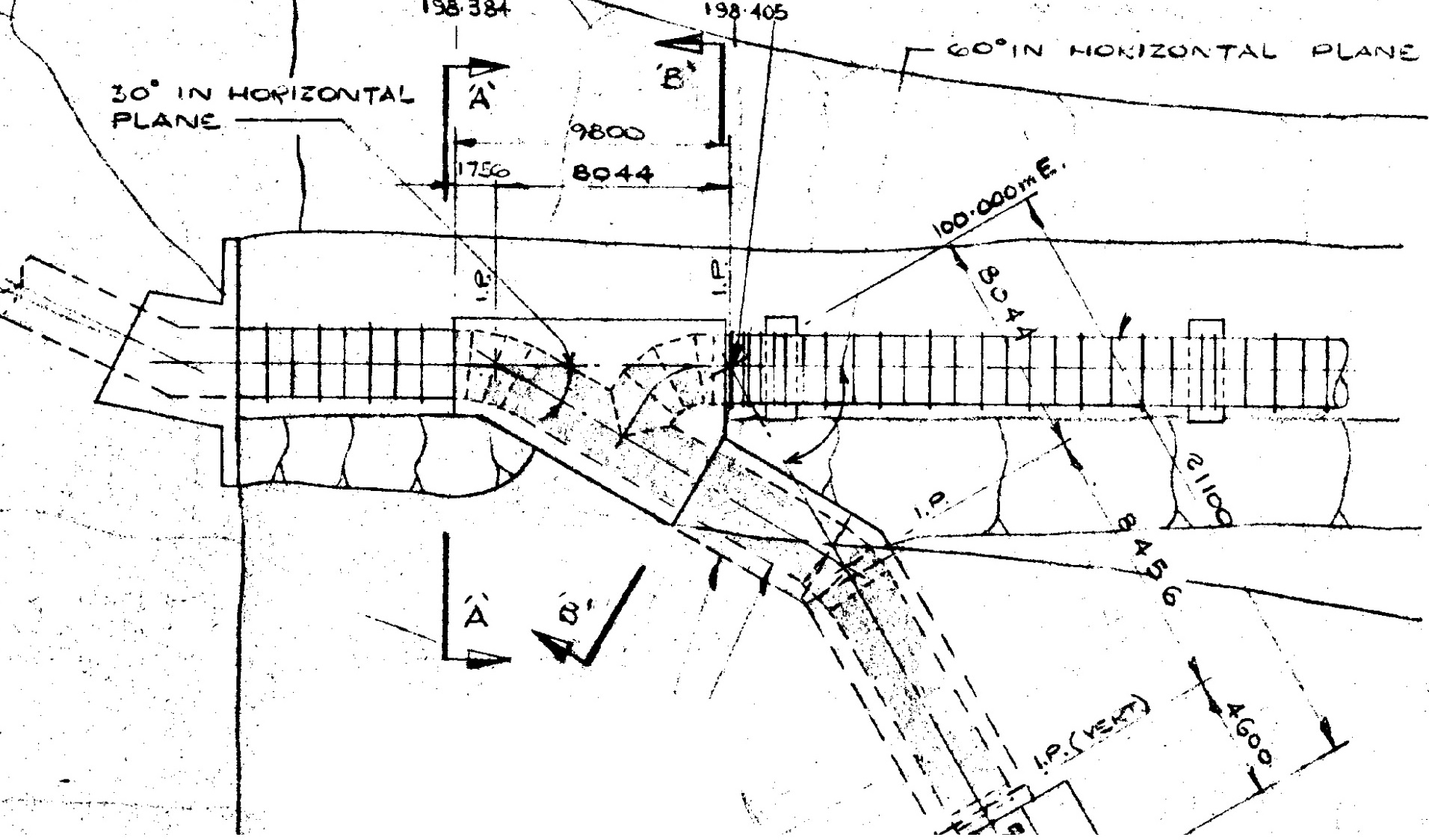
Hi guys, I am trying to re-draw an existing drawing with scale 1:200 and I am a bit confused how to scale and draw it accurately. Any help will be much appreciated.
|
Posted By: philippe JOSEPH
Date Posted: 11.Apr.2023 at 17:49
|
Hello Sath12, you have to draw at scale 1/1 in the model space and then place a standard paper size at a scale that you have chosen. I would place it at scale 1/75 on a A1 format ( 841 mm x 594 mm ), the approximate length 50 m ( 50000 mm ) would fit in it that's to say scale by 75 your paper size in the modelspace to get a 841 x 75 = 63075 mm ( 63.075 m ) by 594 x 75 = 44550 mm ( 44.550 m ) area to place your penstock + bifurcations.
Or you can go to the layout space, place a paper size, open a view port and set the scale to Z enter, 1/75XP enter. Please tell us if this helped or not. Prior to this you should work with a well prepared template and not open AuoCAD and work with it.
|
Posted By: philippe JOSEPH
Date Posted: 11.Apr.2023 at 19:25
|
Qickly re-drawn, of course there are a lot of dimensions that we don't have to finish the job... uploads/175428/RECREATE-PJH.dwg" rel="nofollow - uploads/175428/RECREATE-PJH.dwg
|