How to add texture/grooves on the fins of HeatSink
Printed From: CAD Forum
Category: EN
Forum Name: AutoCAD
Forum Description: Discussion about AutoCAD and AutoCAD LT, viewers, DWG and DXF formats, Design Review, AutoCAD web, Drive, add-ons
URL: https://www.cadforum.cz/forum_en/forum_posts.asp?TID=13936
Printed Date: 06.Sep.2026 at 04:28
Topic: How to add texture/grooves on the fins of HeatSink
Posted By: abdul hayee
Subject: How to add texture/grooves on the fins of HeatSink
Date Posted: 06.Jan.2024 at 07:20
|
Hi Guys I am new to autocad and using autocad2016 version. I am creating a HeatSink model in autocad. I have drawn it and one thing is to be added on the fins of Heat Sink that is groove on Fins. Let me show you what I have done and want I want 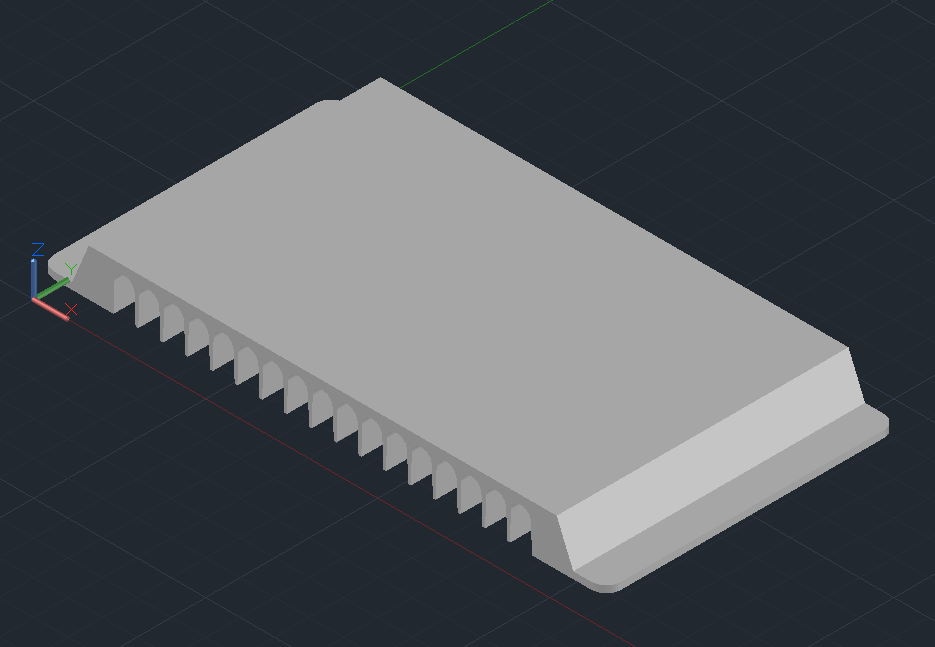 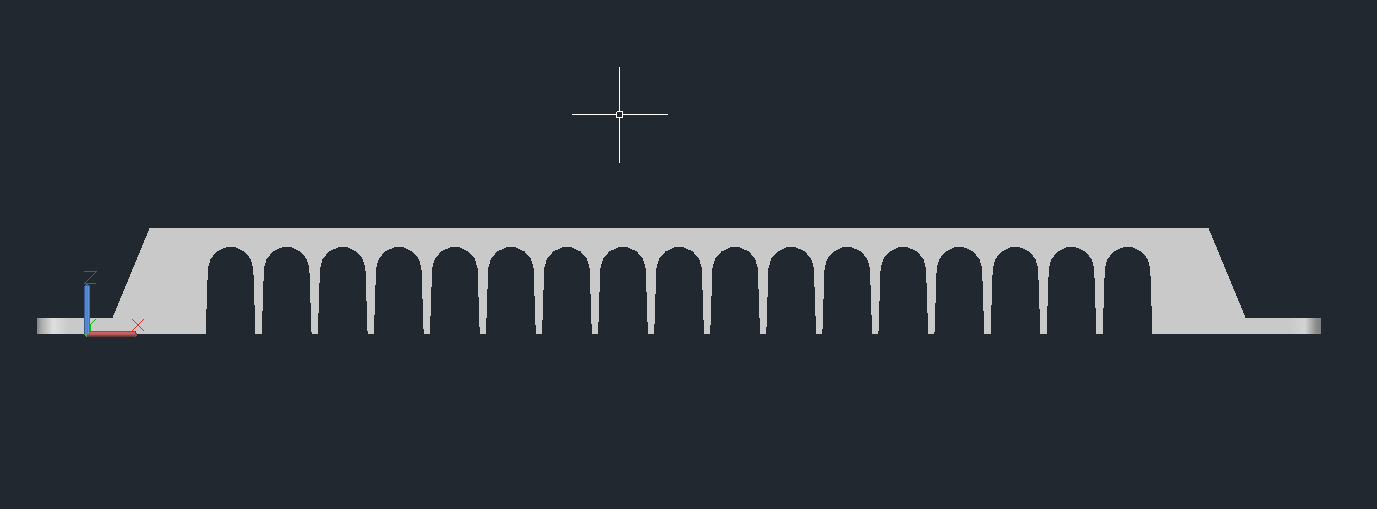 this is what i have done so far and what i want to add is, see the following image and see that on the fins there is a texture. what this is called and how to add this texture 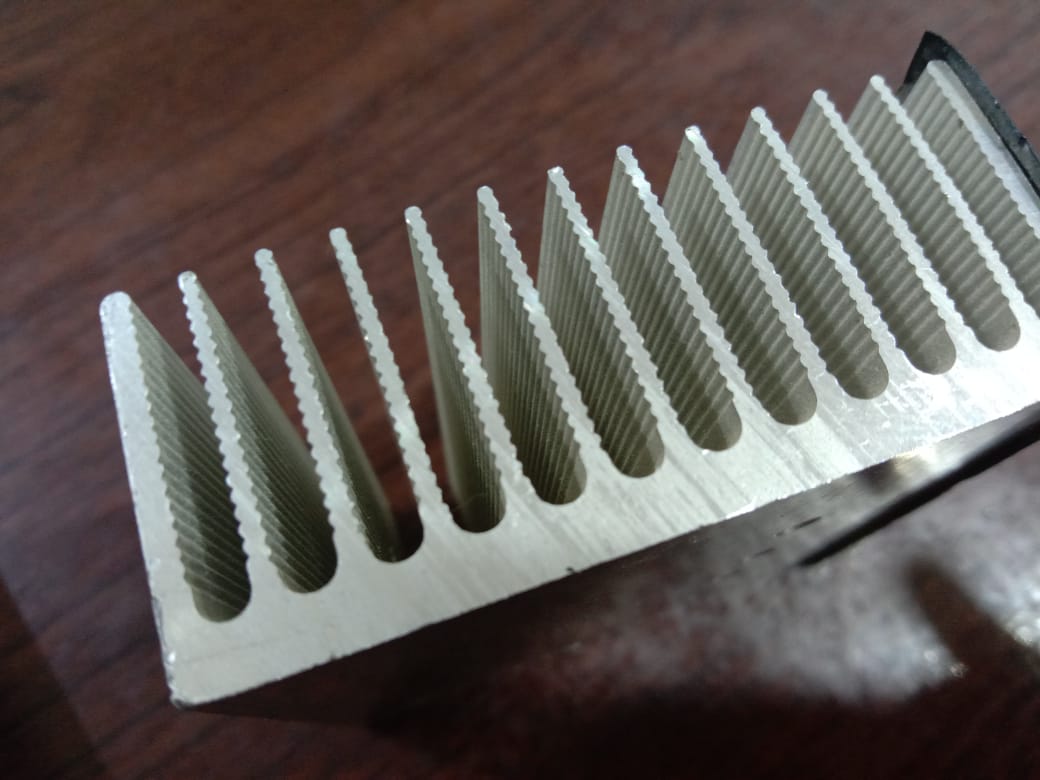 kindly tell me how I can do that
|
Replies:
Posted By: philippe JOSEPH
Date Posted: 06.Jan.2024 at 09:56
|
Hello Abdul, if you want to "add" the groves I think that it would rather be a "material removal" instead, that's to say that you will EXTRUDE the groves and then SUBTRACT them of the initial 3D solid. This will work in case of your original fins thinner than the total heigth, otherwise you will have to modelize the groves and then UNION them to the rest. I don't understand why you haven't extruded the final profile directly.
In any case always keep each steps of your model at a given distance and with ortho on ( F8 ) so that you can come back if the result is not OK. Note : Texture is an other thing, it's got to see with a "realistic" rendering of your 3D solid and you would have to apply a material to do this.
|