Date and time are not correct
Printed From: CAD Forum
Category: EN
Forum Name: AutoCAD
Forum Description: Discussion about AutoCAD and AutoCAD LT, viewers, DWG and DXF formats, Design Review, AutoCAD web, Drive, add-ons
URL: https://www.cadforum.cz/forum_en/forum_posts.asp?TID=14054
Printed Date: 05.Sep.2026 at 00:45
Topic: Date and time are not correct
Posted By: Wimm
Subject: Date and time are not correct
Date Posted: 04.Apr.2024 at 14:25
|
At the moment I have a problem with Autocad 2021 and that is that it does not want to save a drawing with the correct time and date in the explorer. When I open a drawing, for example UA.001 Existing condition of asphalt pavement, via the explorer and make changes to it and save it, the date and time remains the same as before opening! When I save the modified drawing 'via save as', the date and time do not change either! See appendix 01 The bizarre thing is that the changes in the drawing are saved. When I open Autocad and then use the command “open” in this explorer, I see the correct date and time in the drawing when the changes were made and saved. See appendix 02. 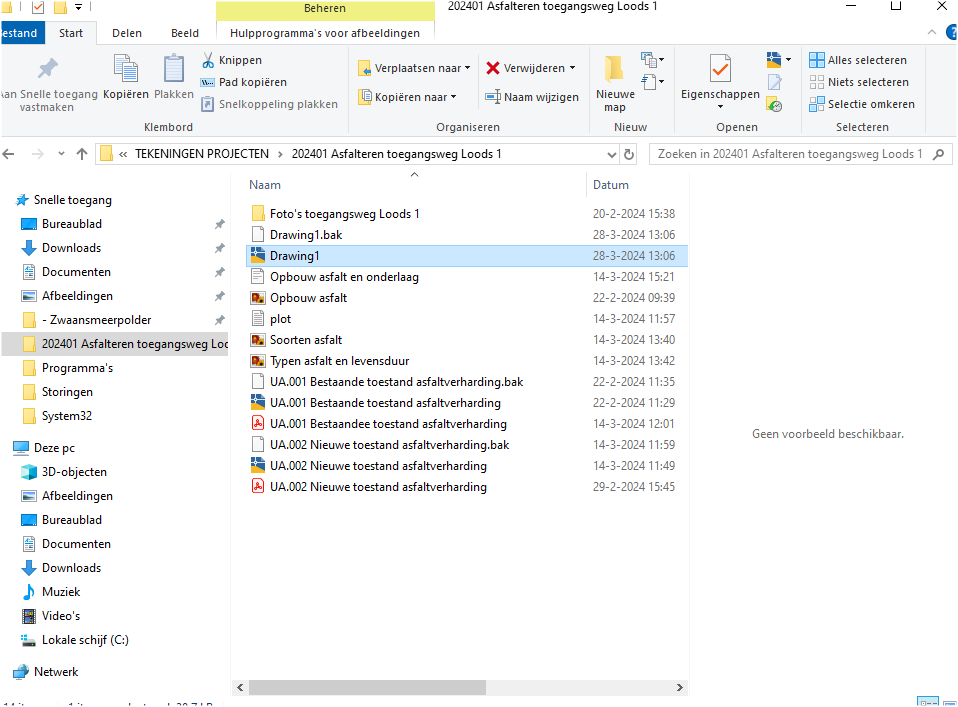 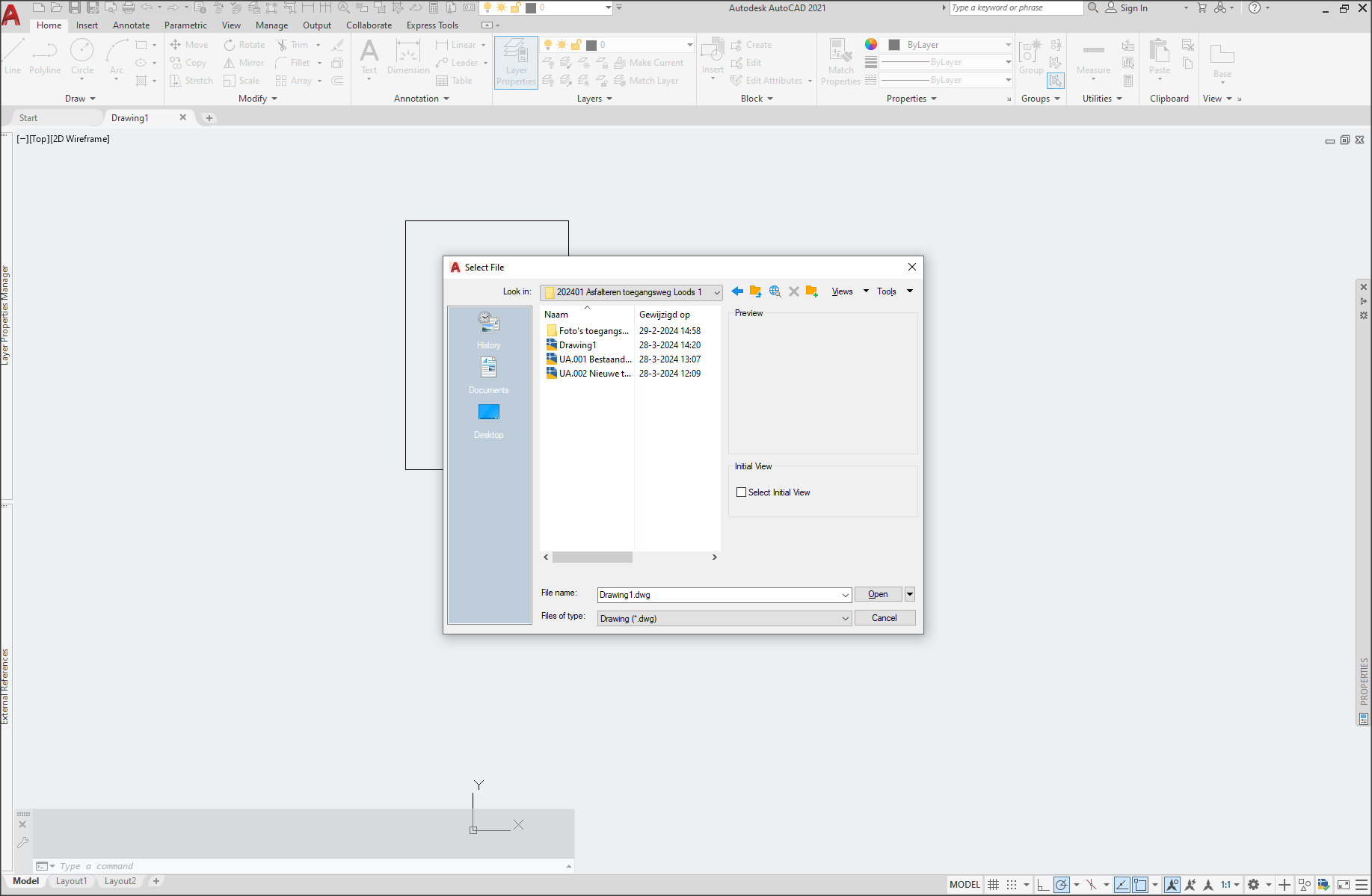 |
Replies:
Posted By: Vladimir Michl
Date Posted: 05.Apr.2024 at 18:21
|
Right click on the header in File Explorer and choose Modification Date instead of Date. ------------- Vladimir Michl (moderator) https://www.linkedin.com/in/vmichl/" rel="nofollow - LinkedIn , Autodesk Expert Elite |
Posted By: interscale
Date Posted: 23.Apr.2024 at 13:43
|
Thankyou brader.. https://interscale.id" rel="nofollow -
|
Posted By: kriperflag
Date Posted: 01.Jun.2024 at 23:56
|
In AutoCAD, there’s a system variable called FIELDEVAL which controls when fields in a drawing, such as the save date, are updated. Make sure it’s set to update fields upon opening, saving, or plotting the drawing. You can adjust this setting by typing FIELDEVAL into the command line and setting its value to 31. https://procadis.com/version/autodesk-autocad-2024/" rel="nofollow - AutoCAD 2024 2D and 3D drafting . Use ‘SaveDate’ Field: Instead of using ‘CreateDate’, use the ‘SaveDate’ field in your title blocks or text fields. This field should update upon saving the file.
|