My custom hatch pattern doesn't show correctly
Printed From: CAD Forum
Category: EN
Forum Name: AutoCAD
Forum Description: Discussion about AutoCAD and AutoCAD LT, viewers, DWG and DXF formats, Design Review, AutoCAD web, Drive, add-ons
URL: https://www.cadforum.cz/forum_en/forum_posts.asp?TID=14679
Printed Date: 06.Sep.2026 at 03:47
Topic: My custom hatch pattern doesn't show correctly
Posted By: ASteel
Subject: My custom hatch pattern doesn't show correctly
Date Posted: 03.Dec.2024 at 09:57
|
So I've been making some custom hatch patterns so that we can use tram and ladder tactile paving in our design. I've gone through making a hatch pattern using notepad, and the preview shows as it should when loaded into CAD but it appears as a solid hatch when used even at different scales (0.01-100). The notepad file reads as such: *LADDER, ladder type 0, 0,0, 0,4, 4,0 0, 0,0.35, 0,1, 4,0 0, 0,0.65, 0,1, 4,0 90, 0,0, 4,0, 4,0 The preview and hatch are shown below 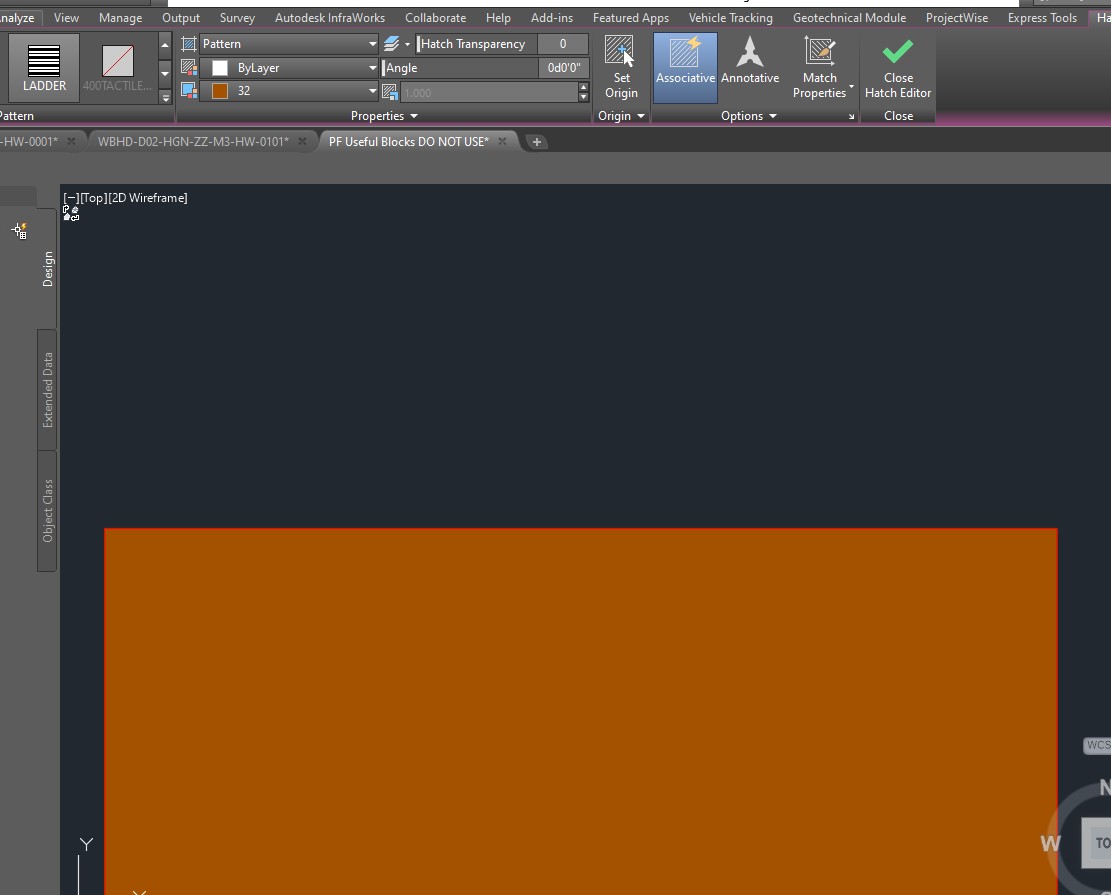 |
Replies:
Posted By: philippe JOSEPH
Date Posted: 03.Dec.2024 at 11:50
| Hello ASteel, have you tried to change the scale, what I read on your screen to be the number : 32 ( maybe it's the color ? ) or 1.000 ( scale ? ). |
Posted By: ASteel
Date Posted: 03.Dec.2024 at 13:45
|
Hi, The 32 is the colour. I've tried multiple scales ranging from 0.01 to 100, and the pattern doesn't change. |
Posted By: philippe JOSEPH
Date Posted: 04.Dec.2024 at 08:03
| Hello ASteel, eventually select the hatches and open the properties pannel ( Ctrl+1 ) to take a look at all the settings. |
Posted By: ASteel
Date Posted: 04.Dec.2024 at 10:24
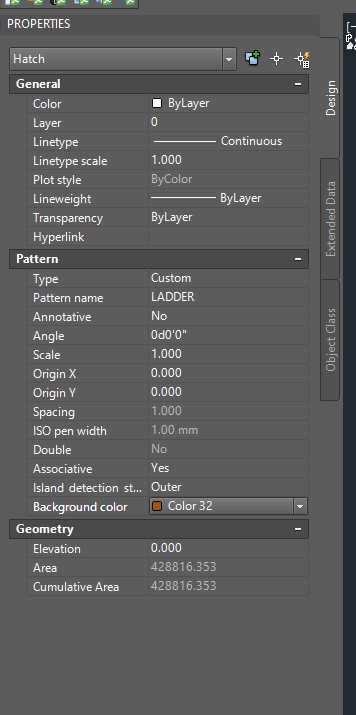 Here are the properties for the hatch, but nothing seems amiss with them? Here are the properties for the hatch, but nothing seems amiss with them?
|
Posted By: philippe JOSEPH
Date Posted: 04.Dec.2024 at 12:35
|
ASteel, I see : Line type scale : 1.000 try and change Scale : 1.000 that you have tried to change Spacing : 1.000 but it's in gray maybe not to be changed ? ISO pen width : 1.00 mm but it's in gray maybe not to be changed ?
|
Posted By: Kent Cooper
Date Posted: 06.Dec.2024 at 19:35
|
I see that 32 is not the color of the pattern, but the background color. Try turning off the background.
BUT WAIT -- AutoCAD is telling me there's an error in the pattern definition. I see you have no pen-up negative-number entries, which suggests all the lines are meant to be continuous. If that's the case, you need no pen-down-pen-up entries at the ends of the lines of code. And a lineset with zero for the Y offset is meaningless, offsetting its lines on top of themselves. The X and Y of the offset values are not the drawing's X and Y directions, but in relation to the angle of the lineset being the X direction. When I change the last line to: 90, 0,0, 0,4, 4,0 it works, giving me this:  Is that what it's supposed to look like? If not, draw what it should look like with Lines, and post an image. If so, and they're all meant to be continuous, as mentioned you can omit the , 4,0 at the end of each line -- they serve no purpose if there are to be no gaps, and if there are to be gaps, a negative number is needed.
|
Posted By: Kent Cooper
Date Posted: 06.Dec.2024 at 19:37
[The reason Spacing is grayed out is simply that it's applicable only to User-defined patterns, the same as the Double option.]
|
 philippe JOSEPH wrote: