How to Draw This Container?
Printed From: CAD Forum
Category: EN
Forum Name: AutoCAD
Forum Description: Discussion about AutoCAD and AutoCAD LT, viewers, DWG and DXF formats, Design Review, AutoCAD web, Drive, add-ons
URL: https://www.cadforum.cz/forum_en/forum_posts.asp?TID=14785
Printed Date: 03.Nov.2026 at 21:42
Topic: How to Draw This Container?
Posted By: teknol
Subject: How to Draw This Container?
Date Posted: 03.Jun.2026 at 01:41
|
Hi everyone, Could someone help me please how to draw this water container as close as possible to the image? Thank you 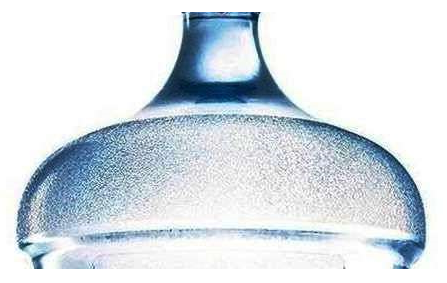 |
Replies:
Posted By: Vladimir Michl
Date Posted: 03.Jun.2026 at 08:22
|
In AutoCAD? REVOLVE a profile. ------------- Vladimir Michl //CADs.cz" rel="nofollow - //CADs.cz , https://www.linkedin.com/in/vmichl/" rel="nofollow - LinkedIn Autodesk Expert Elite |
Posted By: teknol
Date Posted: 03.Jun.2026 at 22:59
| How to draw the profile as close as possible to the reference image? |
Posted By: Vladimir Michl
Date Posted: 03.Jun.2026 at 23:29
|
Either measure the distances and draw the profile polyline segments, or make an "orthographic" photo, underlay it your AutoCAD drawing a redraw its outline, or make a contrast photo a use a vectorization software or web service to generate the polyline outline. ------------- Vladimir Michl //CADs.cz" rel="nofollow - //CADs.cz , https://www.linkedin.com/in/vmichl/" rel="nofollow - LinkedIn Autodesk Expert Elite |
Posted By: teknol
Date Posted: 03.Jun.2026 at 23:47
| Could you please show me step by step of how to draw the profile as close as possible to the image. |
Posted By: Vladimir Michl
Date Posted: 07.Jun.2026 at 12:41
Here - IMAGEATTACH, PLINE, REVOLVE, SCALE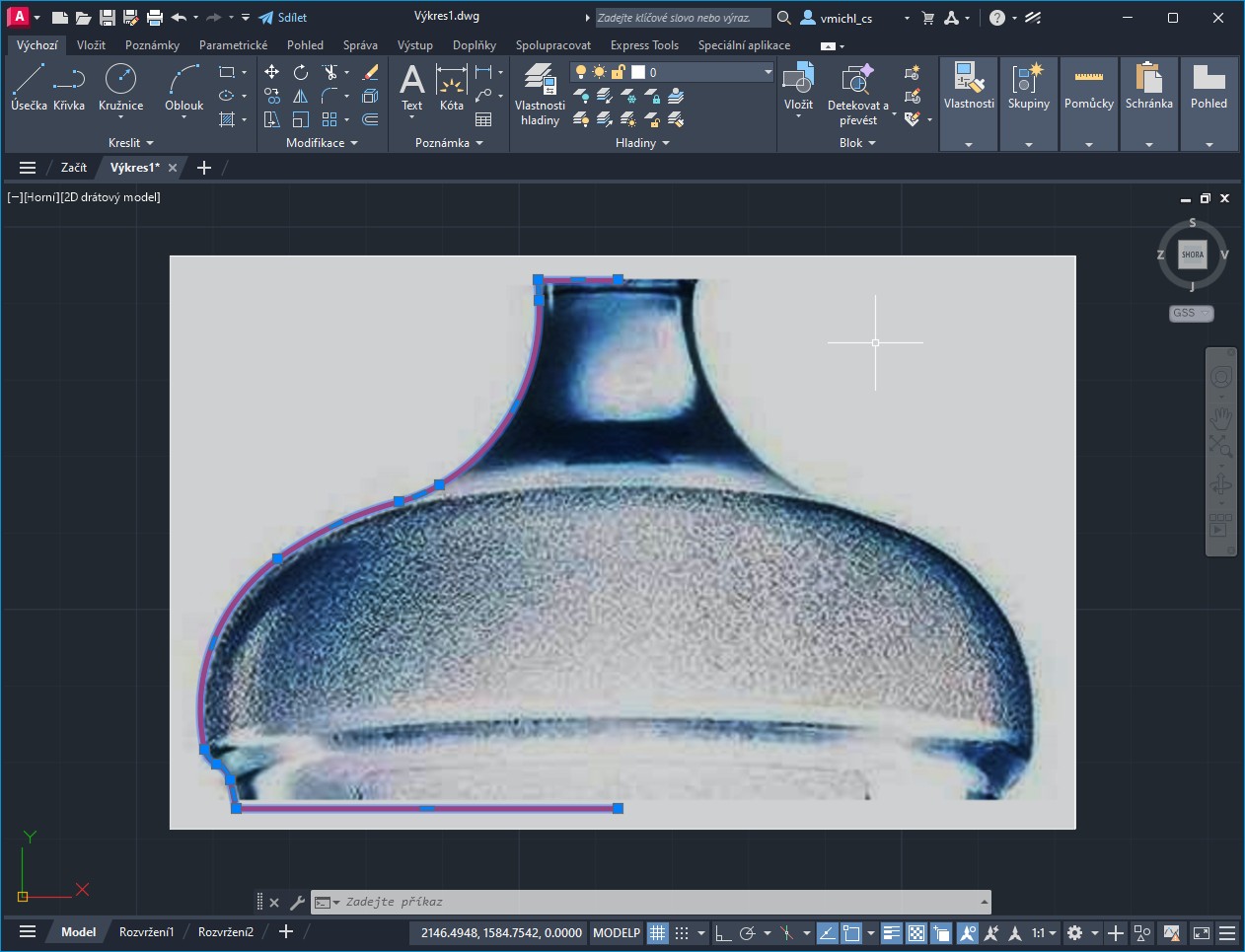 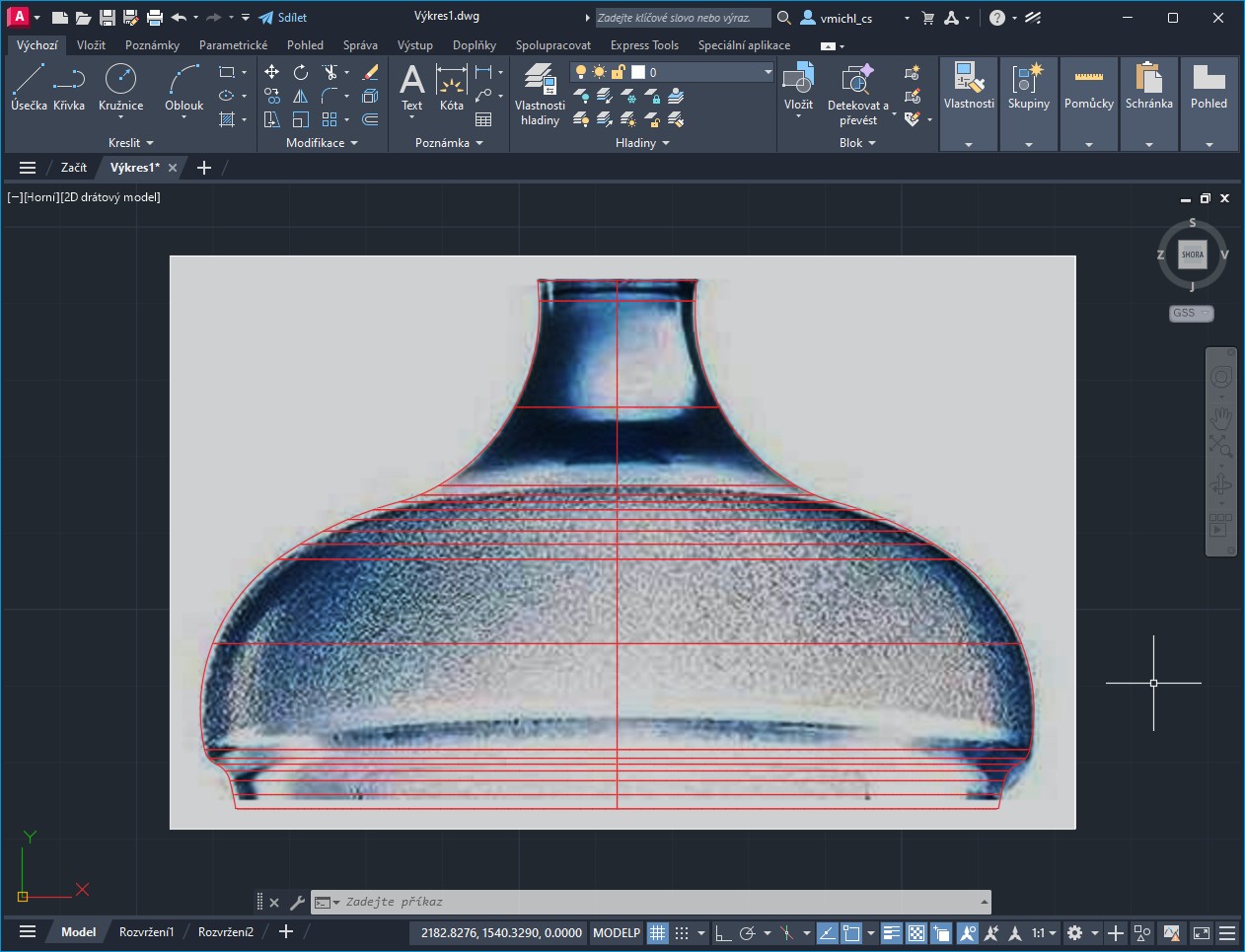 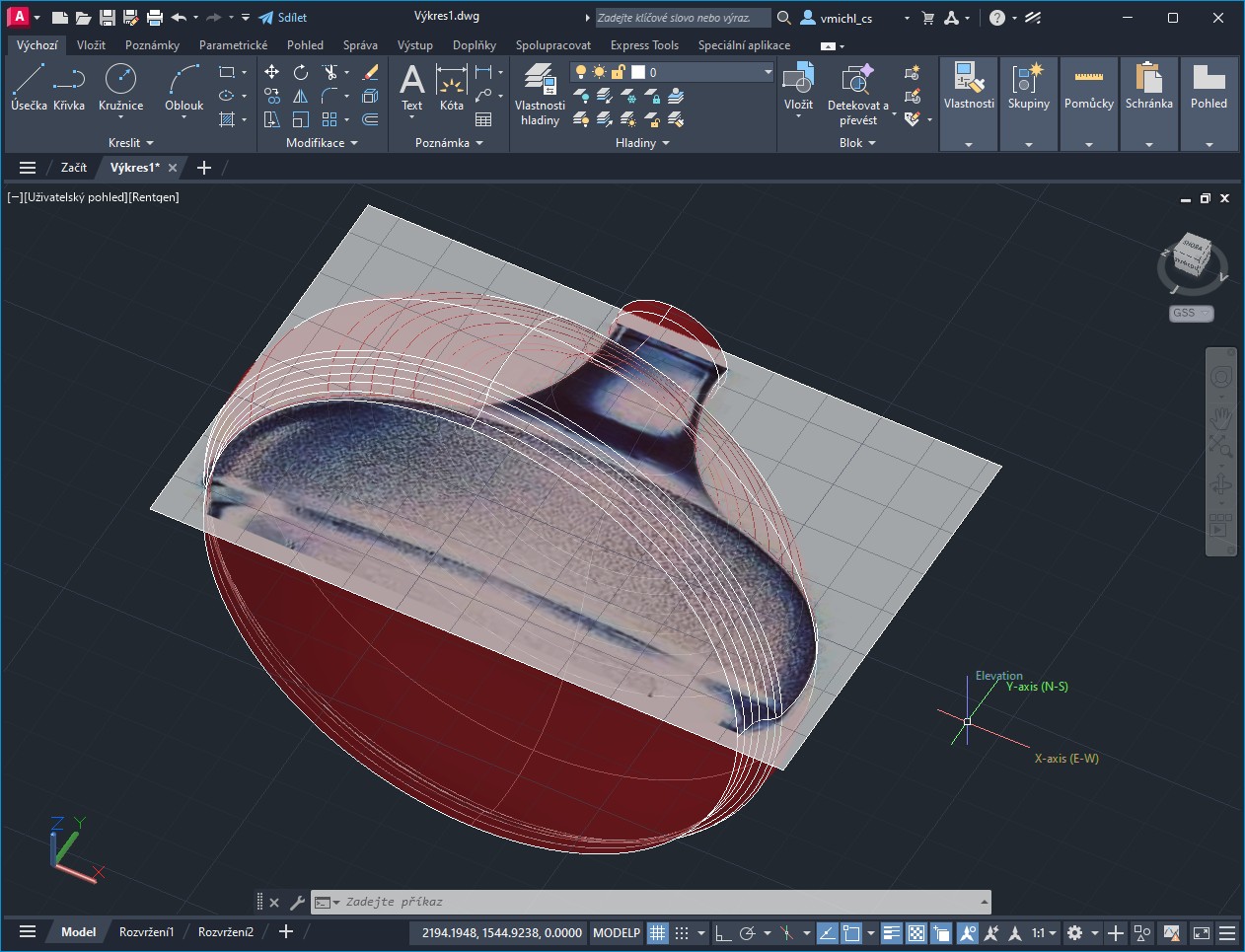 ------------- Vladimir Michl //CADs.cz" rel="nofollow - //CADs.cz , https://www.linkedin.com/in/vmichl/" rel="nofollow - LinkedIn Autodesk Expert Elite |
Posted By: teknol
Date Posted: 07.Jun.2026 at 13:01
| That's great! How do I do that? Please tell me step by step with instructions. How do I draw the curve? |
Posted By: Vladimir Michl
Date Posted: 08.Jun.2026 at 12:35
|
There is nothing much to add - attach the image (IMAGEATTACH), while zooming, draw the polyline along the borders with the PLINE command (using the Arc or Line options where neccessary), add the horizontal segments pointing to the axis (JOIN), REVOLVE the polyline along the vertical axis, SCALE the model to real dimensions. ------------- Vladimir Michl //CADs.cz" rel="nofollow - //CADs.cz , https://www.linkedin.com/in/vmichl/" rel="nofollow - LinkedIn Autodesk Expert Elite |
Posted By: teknol
Date Posted: 08.Jun.2026 at 14:13
| The one that I can't do is to draw the curve (which you said by using PLINE command) as close as possible to the image. Could you show me, perhaps using the GIF animation, so that I can see the process of how it is made? |