Plain Weave in 3D
Printed From: CAD Forum
Category: EN
Forum Name: AutoCAD
Forum Description: Discussion about AutoCAD and AutoCAD LT, viewers, DWG and DXF formats, Design Review, AutoCAD web, Drive, add-ons
URL: https://www.cadforum.cz/forum_en/forum_posts.asp?TID=6754
Printed Date: 21.Oct.2026 at 02:09
Topic: Plain Weave in 3D
Posted By: ruzfactor
Subject: Plain Weave in 3D
Date Posted: 16.Oct.2011 at 01:06
I need help on creating a 3D version of this plain weave in AUTOCAD. Is it possible? Please need some help. Thank you in advance. . .
|
Replies:
Posted By: John Connor
Date Posted: 16.Oct.2011 at 13:44
|
Yes it is possible. One option is to create a path for one typical weave and sweep a circle along that path. Array the result. Copy the array, rotate it then position as required. Trim as necessary.
------------- "Humans have a strength that cannot be measured. This is John Connor. If you are reading this, you are the resistance." <<AutoCAD 2015>> |
Posted By: philippe JOSEPH
Date Posted: 17.Oct.2011 at 14:58
|
Just for fun I took a look at it and you can find the result in the CAD Blocks : 3D_PLAIN_WEAVE.dwg.
In fact I wanted to determine the exact geometry of one bend wire to be used in the 2 directions to have them touching each other.
I turned around in the workshop and didn't find an example so I switched to the 2D ---> 3D design to verify it ( I didn't find the good one at the first try ).
Ask for more especially if 3D design is not OK for you.
|
Posted By: John Connor
Date Posted: 18.Oct.2011 at 00:15
|
So, have you created your weave yet? Let's see what you've done.
------------- "Humans have a strength that cannot be measured. This is John Connor. If you are reading this, you are the resistance." <<AutoCAD 2015>> |
Posted By: ruzfactor
Date Posted: 20.Oct.2011 at 00:49
| Is it possible to use a rectangle or square for in sweeping the path?? My actual fibers are flat and rectangular in shape. |
Posted By: philippe JOSEPH
Date Posted: 20.Oct.2011 at 07:36
|
Yes you can !
You can even create a spring with eather a circular or rectangular shape, Just try !
Use the command HELIX with a lot of properties that you can modify afterward with the properties control pannel ( CTRL + 1 ) to create a path and use the command SWEEP to create your shape 3D along it.
You can find whaterver you want in the Autocad documentation that should be in PDF form in your PC.
Find it in the directory : (C)\Program files\Autocad XXX or Autodesk\ ............ with a name like : acad_acr.pdf ( Autocad Command Reference ) containing ~2800 pages including a 185 pages index at the end.
|
Posted By: John Connor
Date Posted: 20.Oct.2011 at 13:24
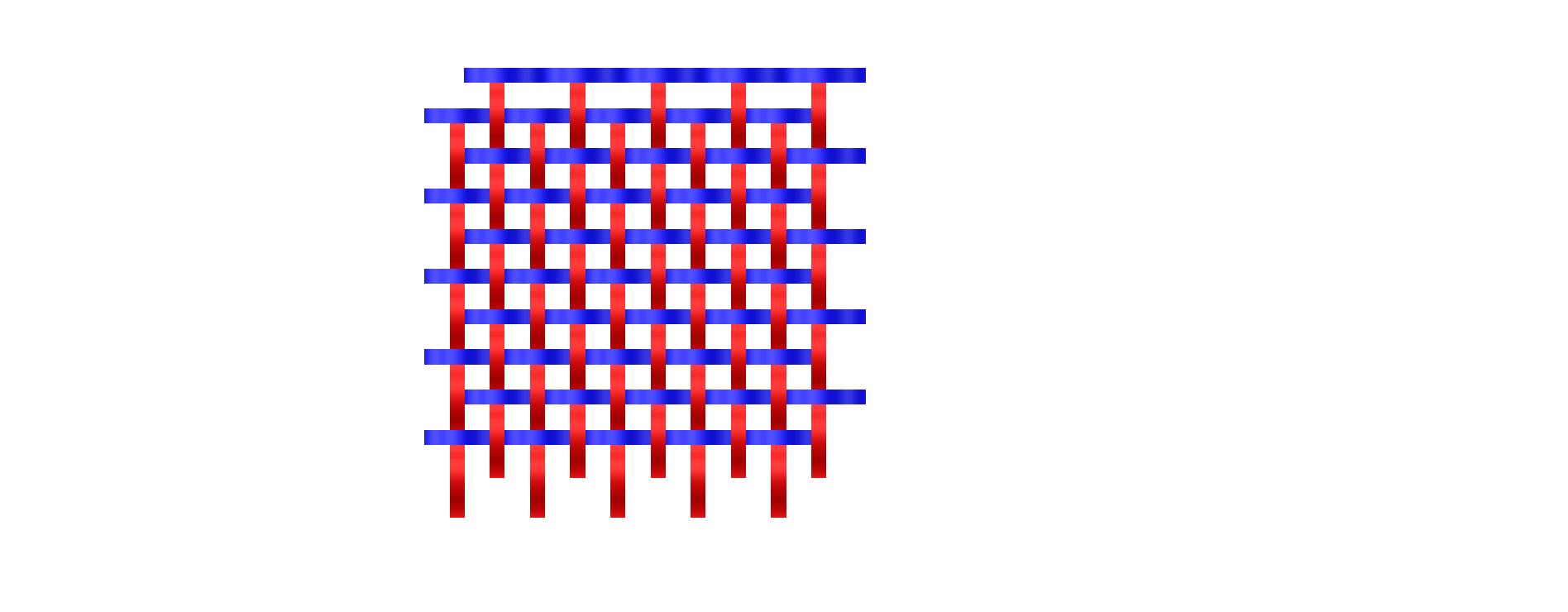 Yes you can and when you are done your weave would look something like this in a top down view. Yes you can and when you are done your weave would look something like this in a top down view.
------------- "Humans have a strength that cannot be measured. This is John Connor. If you are reading this, you are the resistance." <<AutoCAD 2015>> |