Wire-frame to Solid ?
Printed From: CAD Forum
Category: EN
Forum Name: AutoCAD
Forum Description: Discussion about AutoCAD and AutoCAD LT, viewers, DWG and DXF formats, Design Review, AutoCAD web, Drive, add-ons
URL: https://www.cadforum.cz/forum_en/forum_posts.asp?TID=7359
Printed Date: 19.Oct.2026 at 14:24
Topic: Wire-frame to Solid ?
Posted By: goŘn
Subject: Wire-frame to Solid ?
Date Posted: 21.Feb.2012 at 09:41
|
hi guys, I was working in CAD wire frame and I'm drawing a small plate 230*60*15, I have drawn this in wire frame (see below) is there any way to turn this into a solid object or add edges to it, so it appears as 1 object?  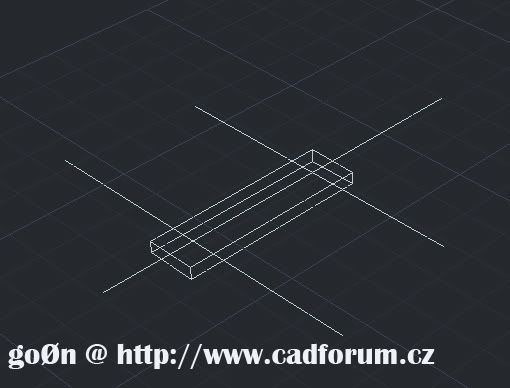 Thanks for any help with this!  ------------- 
|
Replies:
Posted By: John Connor
Date Posted: 21.Feb.2012 at 12:05
|
One draws the rectangle in 2D then using either EXTRUDE or PRESSPULL gives the object height. It's not like you can draw the object in wireframe and magically turn it into a solid.
------------- "Humans have a strength that cannot be measured. This is John Connor. If you are reading this, you are the resistance." <<AutoCAD 2015>> |
Posted By: goŘn
Date Posted: 21.Feb.2012 at 12:39
see, add edges to it, so it appears as 1 object For the record I don't do 3D in CAD as of yet hence the question, although I do lots Of 3D work in CINEMA4D as its better with animations & sequences but you can draw Poly-lines/Splines and
‘magically’ make them into a solid, by adding outer layers/surfaces. seems cad lacks this feature Thanks anyway  -------------
|
 John Connor wrote:
Posted By: goŘn
Date Posted: 21.Feb.2012 at 14:03
|
Managed to work this out (for anyone interested) Draw your wire frame box using the BOX command Specify first corner or Specify other corner or [Cube/Length]: @230,60 Specify height or [2Point] <15.0000>: 15 After that simply use the HIDE command Which will make your Frame appear to have surfaces 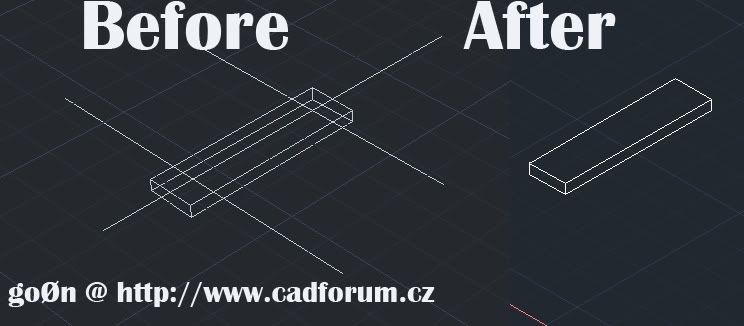 Thanks -------------
|
Posted By: John Connor
Date Posted: 21.Feb.2012 at 18:03
|
Or draw it as I instructed you and use a 2Dwireframe visual style to view it with.
------------- "Humans have a strength that cannot be measured. This is John Connor. If you are reading this, you are the resistance." <<AutoCAD 2015>> |
Posted By: heinsite
Date Posted: 22.Feb.2012 at 09:34
And this is why I like SketchUp!
 Dave.
http://www.cadforum.cz/forum_en/uploads/20120222_093343_SU.zip - uploads/20120222_093343_SU.zip ------------- Dave Hein, P.E. Hawaii District Engineer Kona International Airport AutoCAD Certified Professional Autodesk Expert Elite |