Viewport Plot Style
Printed From: CAD Forum
Category: EN
Forum Name: AutoCAD
Forum Description: Discussion about AutoCAD and AutoCAD LT, viewers, DWG and DXF formats, Design Review, AutoCAD web, Drive, add-ons
URL: https://www.cadforum.cz/forum_en/forum_posts.asp?TID=8427
Printed Date: 27.Oct.2026 at 13:34
Topic: Viewport Plot Style
Posted By: HookahBill
Subject: Viewport Plot Style
Date Posted: 26.Sep.2012 at 22:40
|
I'm trying to print a viewport on a different plot style than the rest of the drawing. I noticed that in a viewport's properties there is a "plot style" section, but its grayed out and won't let me change it from "by color". Does anyone know if it is possible to changed the plot style for a viewport? And if so, how?
|
Replies:
Posted By: DBARN
Date Posted: 24.Oct.2012 at 23:14
|
When I want a drawing in Monochrome and one viewport to be different, I have all viewports (that are to be plotted in Mono) set to wireframe and the vport that I want shaded, conceptual, etc. set as I want. then i plot using monochrome. It works. ------------- Man up and Fix it right, Short cuts aren't always short... |
Posted By: heinsite
Date Posted: 25.Oct.2012 at 08:03
|
The Plot Style setting controls the Layout, not the viewport. So you can't control things that way. But you can do a work-around. Let's say you have a Layout tab with two (or more) viewports. One of them you want to print with colors. The other one you'd like to print in black and white (monochrome). Here's how I'd do it: Set the Layout Plot Style to acad.ctb or one of your own that includes full color. In the viewport that you want to plot B&W activate it (double click inside to enter model space) and open the Layers palette. Modify all the layers VP Color setting to Black. When you plot this Layout now you'll have one viewport in color and the other in B&W. It should be easy for you now to use this idea to get what you're after. Dave. 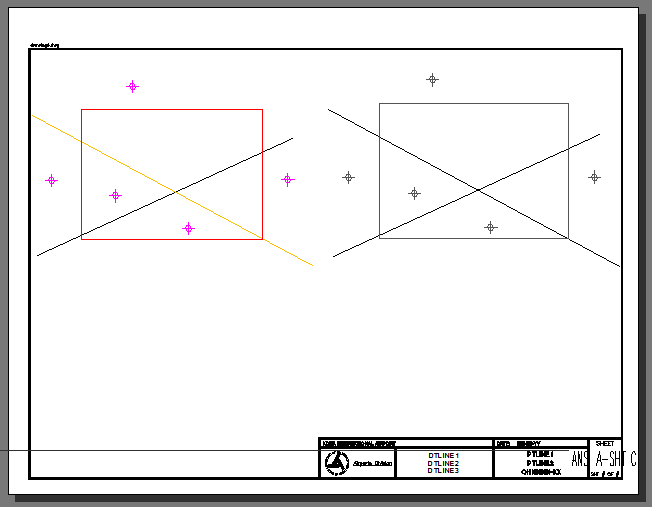 ------------- Dave Hein, P.E. Hawaii District Engineer Kona International Airport AutoCAD Certified Professional Autodesk Expert Elite |