How to read coordinates
Printed From: CAD Forum
Category: EN
Forum Name: AutoCAD
Forum Description: Discussion about AutoCAD and AutoCAD LT, viewers, DWG and DXF formats, Design Review, AutoCAD web, Drive, add-ons
URL: https://www.cadforum.cz/forum_en/forum_posts.asp?TID=8915
Printed Date: 05.Sep.2026 at 21:05
Topic: How to read coordinates
Posted By: vijayasuresh
Subject: How to read coordinates
Date Posted: 31.Jan.2013 at 16:29
|
Friends, In our CAD drawings the coordinates are mentioned as below Easting:761725.23 and Northing:3352398.89 can one help me in identifying the coordinate format and any solution to convert this back to GPS coodinates. Rgds, Suresh ------------- Suresh |
Replies:
Posted By: heinsite
Date Posted: 01.Feb.2013 at 02:19
|
The first step in something like this is to confirm the Geodetic Datum for the coordinates. If these points are in the UAE that would be the Trucial Coast 1948 datum. http://georepository.com/datum/browse/id/6303 If you now want to convert these to Lat-Long geographic values you'll need to find a converter. Unfortunately the CORPSCON converter we use in the USA won't work... so you'll have to find something else. One place might be here: http://georepository.com/crs_30339/TC-1948-UTM-zone-39N.html but if not you'll need to keep looking. Another suggestion would be for you to find and talk to a local surveyor. They will certainly be able to point you in the right direction if the ideas above don't work. Good luck! Dave. ------------- Dave Hein, P.E. Hawaii District Engineer Kona International Airport AutoCAD Certified Professional Autodesk Expert Elite |
Posted By: vijayasuresh
Date Posted: 04.Feb.2013 at 14:54
|
Thanks Dave... Rgds, Suresh ------------- Suresh |
Posted By: jmontesmx
Date Posted: 08.Feb.2013 at 01:25
|
Your coordinates are in a global geographic coordinate system called Universal Transversal de Mercator that use the ellipsoid WGS84 that handles any GPS, you can enter your coordinates in AutoCAD as a point X to East, and Y to North, an easy way to change your latitude and longitude coordinates is joining Google Earth, locate the point with the coodinates that you have, go to the options menu and change your UTM coordinates as you want, you track the Log-point and apply for their properties and you will see the coordinates and changed. 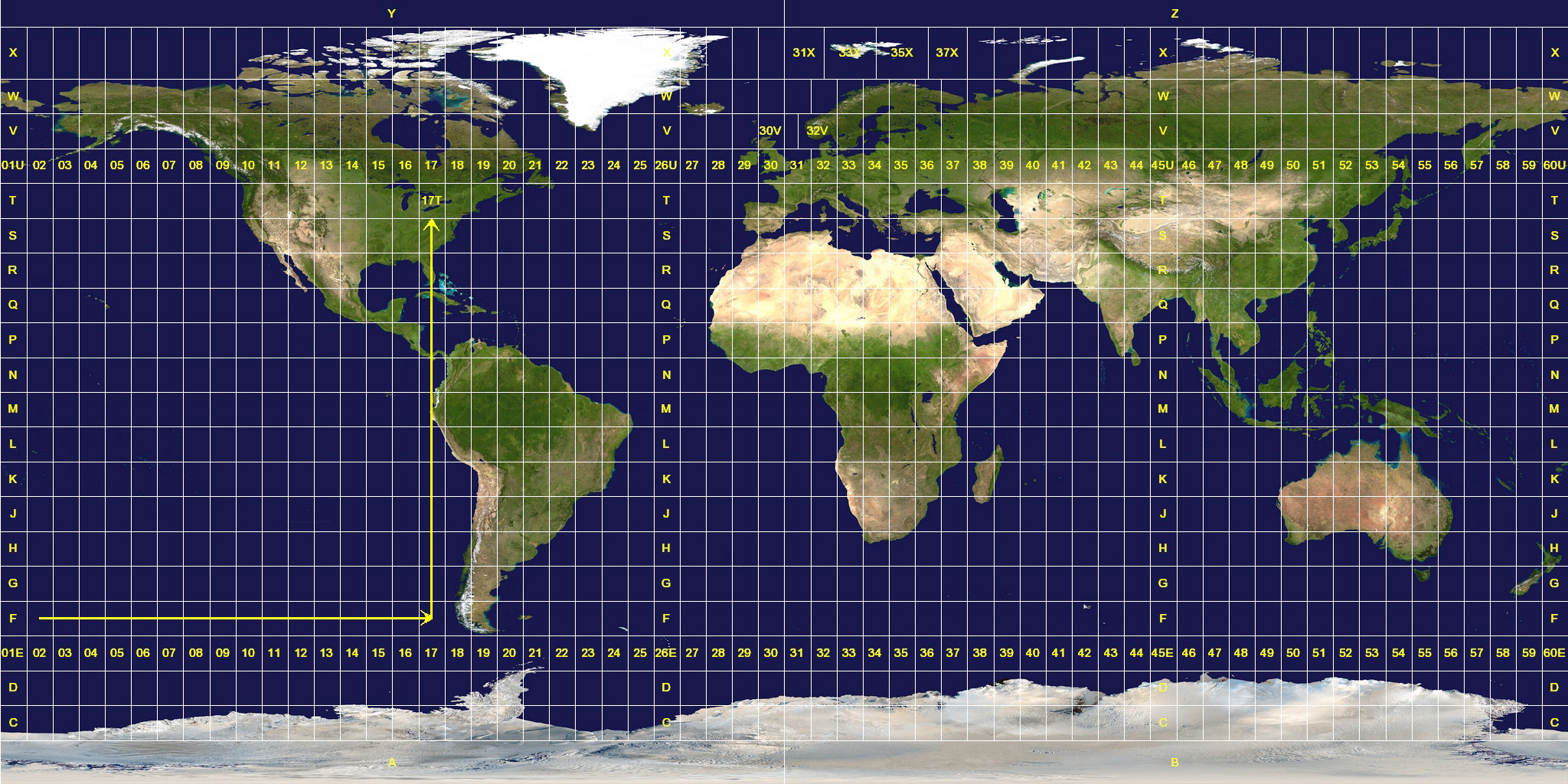 |