Changing display colors of layers
Printed From: CAD Forum
Category: EN
Forum Name: AutoCAD
Forum Description: Discussion about AutoCAD and AutoCAD LT, viewers, DWG and DXF formats, Design Review, AutoCAD web, Drive, add-ons
URL: https://www.cadforum.cz/forum_en/forum_posts.asp?TID=9114
Printed Date: 23.Oct.2026 at 04:55
Topic: Changing display colors of layers
Posted By: tglas7
Subject: Changing display colors of layers
Date Posted: 04.Apr.2013 at 18:20
|
Ok, AutoCAD2011 is my platform My firm uses blue as one of their colors for interior walls, the classic blackish background makes it difficult for me to see the walls and I find myself straining to see them as well as the other colors. Is there a way to change the color only on my computer? I was thinking that blue could be modified, thereby avoiding changing the firm's standards. I have tried to alter the blackish background color, but then the other colors lose their pop. Any ideas?
|
Replies:
Posted By: philippe JOSEPH
Date Posted: 05.Apr.2013 at 06:40
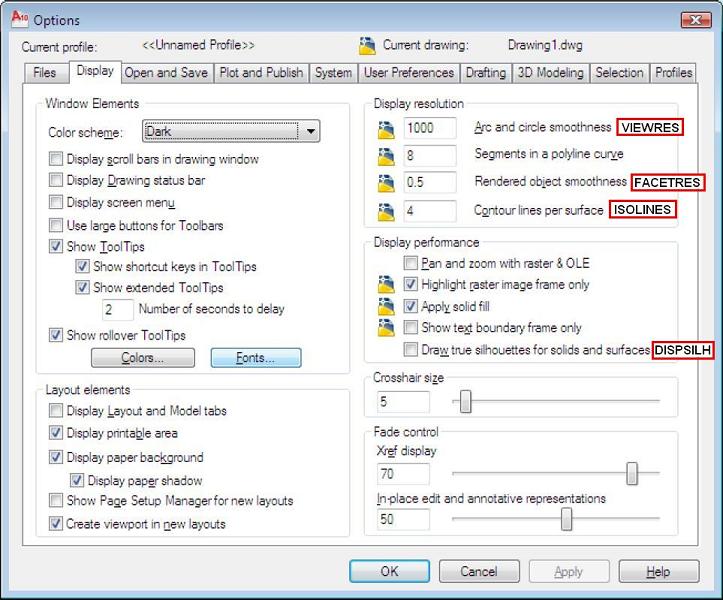
Hello tglas7, I don't think that you can change the layer's colors o,ly on your computer but you can change the color of YOUR screen in :
Option, Display, Colors.
|
Posted By: John Connor
Date Posted: 05.Apr.2013 at 11:43
|
You only have two options. Either override the color of the layer itself or change the background color. I opt for the second option. Change the color to a shade of gray. ------------- "Humans have a strength that cannot be measured. This is John Connor. If you are reading this, you are the resistance." <<AutoCAD 2015>> |
Posted By: tglas7
Date Posted: 05.Apr.2013 at 15:38
| Thanks guys! |