Surfaces to solids
Printed From: CAD Forum
Category: EN
Forum Name: AutoCAD
Forum Description: Discussion about AutoCAD and AutoCAD LT, viewers, DWG and DXF formats, Design Review, AutoCAD web, Drive, add-ons
URL: https://www.cadforum.cz/forum_en/forum_posts.asp?TID=9580
Printed Date: 05.Sep.2026 at 05:31
Topic: Surfaces to solids
Posted By: ist4000
Subject: Surfaces to solids
Date Posted: 26.Aug.2013 at 13:24
|
Hello! I created an object with surfaces and can't modify it to a solid. Could anyone please suggest me how to do it? I created the surfaces as needed by the commands SURFNETWORK, Planesurf and loft. The white lines are sections. uploads/399360/rig_hh_4_sections.dwg" rel="nofollow - uploads/399360/rig_hh_4_sections.dwg Thanks in advance 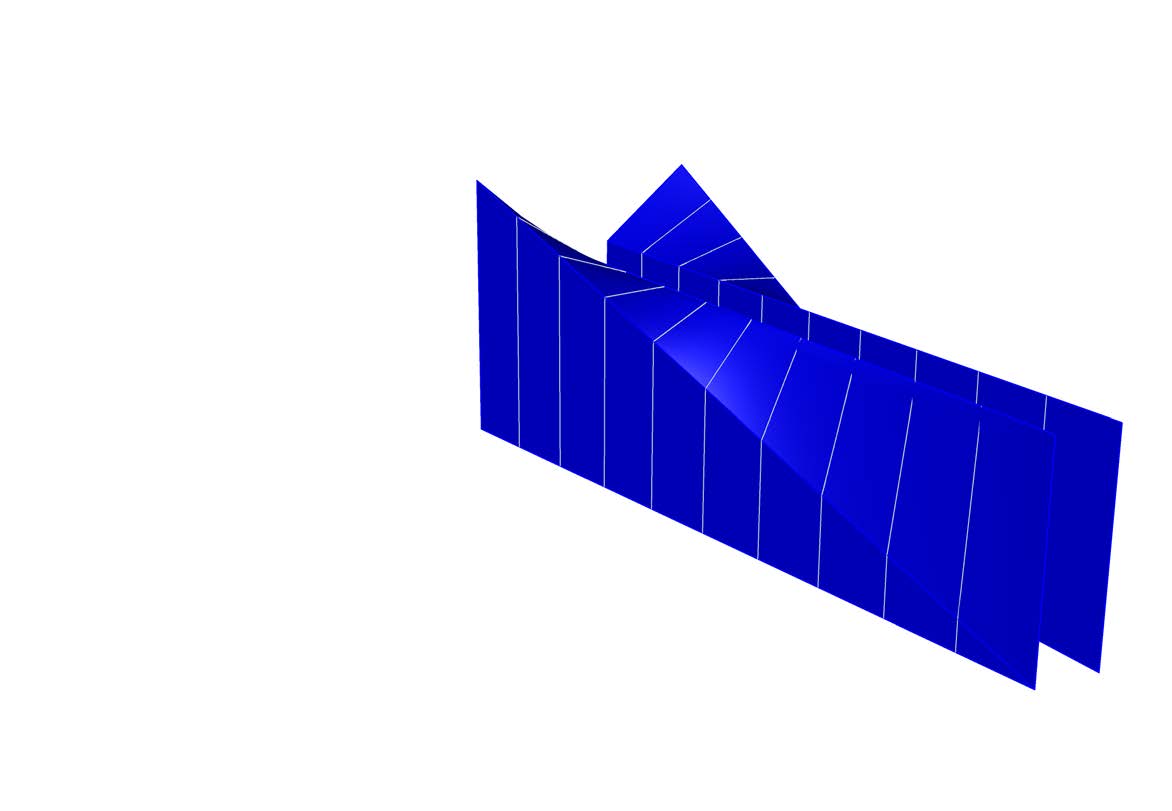 |
Replies:
Posted By: Vladimir Michl
Date Posted: 26.Aug.2013 at 13:48
|
Try to convert it to NURBS Surfaces, then UNION and then CONVTOSOLID. I had some (limited) success with this workflow on your model. ------------- Vladimir Michl (moderator) https://www.linkedin.com/in/vmichl/" rel="nofollow - LinkedIn , Autodesk Expert Elite |
Posted By: ist4000
Date Posted: 26.Aug.2013 at 14:05
|
CONVTONURBS did not work: Command: _CONVTONURBS 5 found 5 not selected, not a valid object type. Did I something wrong? |
Posted By: Vladimir Michl
Date Posted: 26.Aug.2013 at 14:26
|
There are several LINES and SPLINES in your drawing - they were not converted, but the rest was. You can also delete them with QSELECT. ------------- Vladimir Michl (moderator) https://www.linkedin.com/in/vmichl/" rel="nofollow - LinkedIn , Autodesk Expert Elite |
Posted By: ist4000
Date Posted: 27.Aug.2013 at 13:24
|
Worked. Thank you! |