Render Fatal Error
Printed From: CAD Forum
Category: EN
Forum Name: AutoCAD
Forum Description: Discussion about AutoCAD and AutoCAD LT, viewers, DWG and DXF formats, Design Review, AutoCAD web, Drive, add-ons
URL: https://www.cadforum.cz/forum_en/forum_posts.asp?TID=9907
Printed Date: 04.Sep.2026 at 22:51
Topic: Render Fatal Error
Posted By: rs_higgins
Subject: Render Fatal Error
Date Posted: 17.Dec.2013 at 18:27
 In r-14 when I render more the once I get a fatal error. I
have reloaded Acad and also changed system. But I get the same effect. I have
just upgraded from r-2000i. I can save the drawing and convert it to my r-2000i
and then render it in 2000i no problem. In r-14 when I render more the once I get a fatal error. I
have reloaded Acad and also changed system. But I get the same effect. I have
just upgraded from r-2000i. I can save the drawing and convert it to my r-2000i
and then render it in 2000i no problem.
I have created 4 drawings in the r-14 and they all act the same. I do have a simple square drawing that works fine unless I fillet the edges. ------------- No electrons were harmed in the making of this post. I will admit a few protons were momentarily Inconvenienced |
Replies:
Posted By: John Connor
Date Posted: 17.Dec.2013 at 19:08
|
rs: There was a Release 14, also known as r14, that came out in 1997. I'm pretty sure you did not upgrade from 2000i (released in 2000) to r14 (1997). I'm betting you are using AutoCAD 2014. Am I right? OK...so you get a fatal error during the process of rendering a drawing and the only thing that you think is causing the problem is the fact that you filleted the edges of a box. We are talking a 3D box with a material applied right? ------------- "Humans have a strength that cannot be measured. This is John Connor. If you are reading this, you are the resistance." <<AutoCAD 2015>> |
Posted By: John Connor
Date Posted: 17.Dec.2013 at 19:21
|
I just happen to be running 2014 so I drew a 3D solid box (6x6x6), filleted the top edges (all four), applied a birch - solid stain dark no gloss material, used the default lighting setting and did a "render region" of just the box and no error was encountered. What are the particulars of your box/material/lights? I'll try to replicate what you are doing. ------------- "Humans have a strength that cannot be measured. This is John Connor. If you are reading this, you are the resistance." <<AutoCAD 2015>> |
Posted By: John Connor
Date Posted: 17.Dec.2013 at 19:23
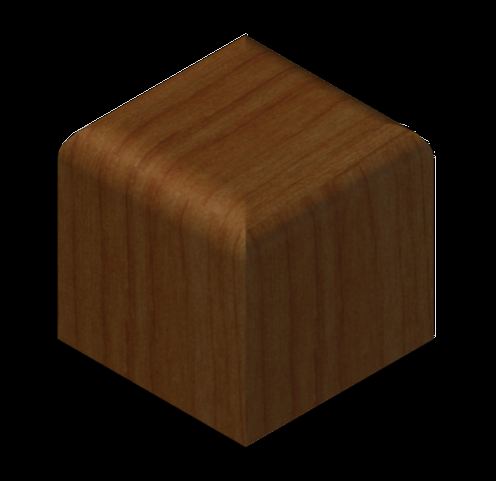 - My results using AutoCAD 2014. ------------- "Humans have a strength that cannot be measured. This is John Connor. If you are reading this, you are the resistance." <<AutoCAD 2015>> |
Posted By: rs_higgins
Date Posted: 17.Dec.2013 at 19:45
|
yes you are correct I am using the 2014 not r-14 I was using Acad2000i and still
have it on another system. I have a problem rendering anything more then twice
if the object that I'm rendering is much larger then a CUBE or has more features
then just the basic shape.
Note: That I have one drawing that has over 300 parts drawn in it that will render in acad2000i fine and will render in 2014 once then not again until you restart 2014. Both system are the same and the programs have swapped between the systems to see if this would help. Both systems are new and have windows 7 with service pack1 installed on them. I sure that the problem is not with the systems mem. or ram. I'm new to this forum and do not know how to attach a pic of the system info.------------- No electrons were harmed in the making of this post. I will admit a few protons were momentarily Inconvenienced |
Posted By: John Connor
Date Posted: 17.Dec.2013 at 19:50
|
Use the Full Reply Editor (should be an icon for it to the right of the text Colour icon). Then use the Image Attach button. Did you experience any problems during the installation of 2014? Did you temporarily disable the UAC? Did you temporarily disable your anti-virus program? Do you have full admin rights to your own computer? Did you try resetting your Profile? I hope you did not try an uninstall / reinstall. ------------- "Humans have a strength that cannot be measured. This is John Connor. If you are reading this, you are the resistance." <<AutoCAD 2015>> |
Posted By: rs_higgins
Date Posted: 17.Dec.2013 at 20:02
 ok that worked. Did you experience any problems during the installation of 2014? NO Did you temporarily disable the UAC? YES Did you temporarily disable your anti-virus program? YES Do you have full admin rights to your own computer? YES Did you try resetting your Profile? YES I hope you did not try an uninstall / reinstall. NO ------------- No electrons were harmed in the making of this post. I will admit a few protons were momentarily Inconvenienced |
Posted By: John Connor
Date Posted: 17.Dec.2013 at 20:03
|
Hmmmm. Well you could try the REPAIR option. What's the file size of this drawing with 300 objects? ------------- "Humans have a strength that cannot be measured. This is John Connor. If you are reading this, you are the resistance." <<AutoCAD 2015>> |
Posted By: rs_higgins
Date Posted: 17.Dec.2013 at 20:46
not to large it showing only 182 mb This is a smaller file and it also is a 1 time render in 2014 Just got a reply back from AutoDesk we are going to try. I thank you and will let you know what we come up with. ------------- No electrons were harmed in the making of this post. I will admit a few protons were momentarily Inconvenienced |
Posted By: rs_higgins
Date Posted: 17.Dec.2013 at 21:04
|
Ok got it we had to change out our materials library Migrate From a Previous Release was compatabile. we were migrating to get our tool bars and that brought the large library over. We will have to reatach some of them and not use others. Thanks for your help. ------------- No electrons were harmed in the making of this post. I will admit a few protons were momentarily Inconvenienced |
Posted By: John Connor
Date Posted: 18.Dec.2013 at 11:16
|
Good to hear you got it fixed. ------------- "Humans have a strength that cannot be measured. This is John Connor. If you are reading this, you are the resistance." <<AutoCAD 2015>> |