How do I turn these 2d shapes into 3d
Printed From: CAD Forum
Category: EN
Forum Name: AutoCAD
Forum Description: Discussion about AutoCAD and AutoCAD LT, viewers, DWG and DXF formats, Design Review, AutoCAD web, Drive, add-ons
URL: https://www.cadforum.cz/forum_en/forum_posts.asp?TID=11130
Printed Date: 05.Sep.2026 at 04:16
Topic: How do I turn these 2d shapes into 3d
Posted By: Aerodynamicguy
Subject: How do I turn these 2d shapes into 3d
Date Posted: 24.Apr.2015 at 05:01
|
Hello, I have created the top view and side view but I cannot combine them to create a smooth 3d shell. If you know of a tutorial on how to do this please share a link. Otherwise how can I get these two 2d shapes to combine into 3d. uploads/554801/How.dwg" rel="nofollow - uploads/554801/How.dwg |
Replies:
Posted By: John Connor
Date Posted: 24.Apr.2015 at 11:58
|
Extrude each shape in the proper direction then run the INTERFERE commnand. ------------- "Humans have a strength that cannot be measured. This is John Connor. If you are reading this, you are the resistance." <<AutoCAD 2015>> |
Posted By: John Connor
Date Posted: 24.Apr.2015 at 12:04
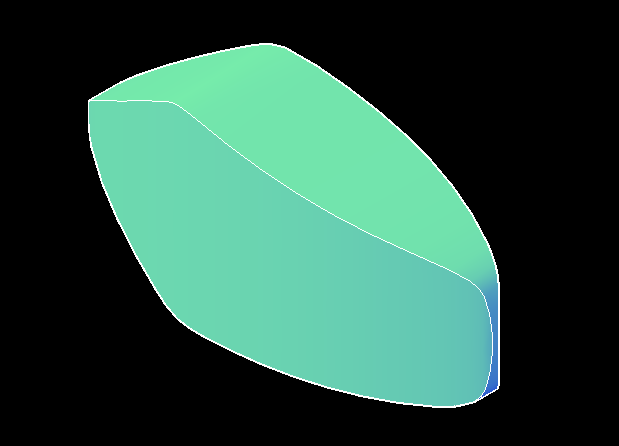 One possible outcome. I had to copy and union one of the 3D objects before running the INTERFERE command. ------------- "Humans have a strength that cannot be measured. This is John Connor. If you are reading this, you are the resistance." <<AutoCAD 2015>> |
Posted By: Aerodynamicguy
Date Posted: 26.Apr.2015 at 09:19
|
I finally figured it out. I had to extrude both shapes then line them up. Then click intersect. What I want to know now is how to make it rounded like a plane's fuselage. Then I can test it with CFD. 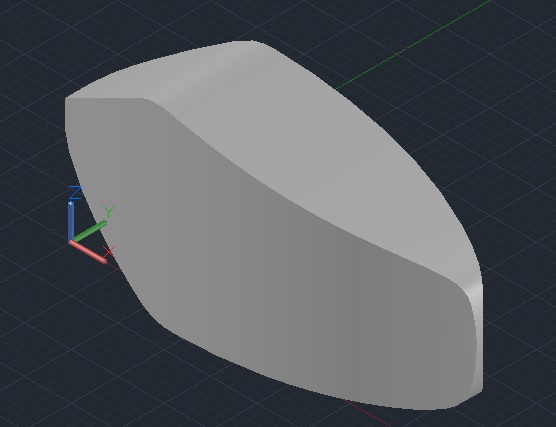 |
Posted By: John Connor
Date Posted: 26.Apr.2015 at 13:19
|
Rounded? You might try the Fillet command with the Chain option. ------------- "Humans have a strength that cannot be measured. This is John Connor. If you are reading this, you are the resistance." <<AutoCAD 2015>> |
Posted By: Aerodynamicguy
Date Posted: 26.Apr.2015 at 14:37
Using the sideline and top line as a guide for the rounding.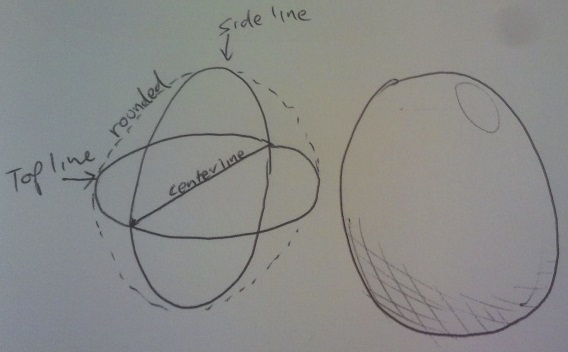 |
Posted By: SEANT
Date Posted: 26.Apr.2015 at 16:48
| It looks like you need to use surfacing techniques to get to that kind of shape. Your original geometry looked symmetrical enough so I limited it to one quadrant. I then used 4 copies with the SCULP command to get the solid. uploads/244286/HowBySurfQuad.dwg" rel="nofollow - uploads/244286/HowBySurfQuad.dwg |
Posted By: Aerodynamicguy
Date Posted: 27.Apr.2015 at 01:24
|
Yes that is what I want. When I typed in "SCULPT" it came up with "SURFSCULPT" I then clicked on the solid and clicked enter. It said "solid creation failed, no watertight volume detected". Have I missed a step? Will this surfsculpt work if the object is flat on the bottom like a a non symmetrical airfoil? |
Posted By: SEANT
Date Posted: 27.Apr.2015 at 09:14
|
Yes, the command name is SURFSCULPT, though the Ribbon icon just says "Sculpt". The command just uses surfaces, and if the surfaces selected enclose a volume then a 3D Solid will be created. It should not matter id one of the surfaces are flat.
|