Problem while working in 3d
Printed From: CAD Forum
Category: EN
Forum Name: AutoCAD
Forum Description: Discussion about AutoCAD and AutoCAD LT, viewers, DWG and DXF formats, Design Review, AutoCAD web, Drive, add-ons
URL: https://www.cadforum.cz/forum_en/forum_posts.asp?TID=7492
Printed Date: 03.Sep.2026 at 09:30
Topic: Problem while working in 3d
Posted By: Mafields
Subject: Problem while working in 3d
Date Posted: 13.Mar.2012 at 08:16
i was making holes in 3d like i allways do whit push tool 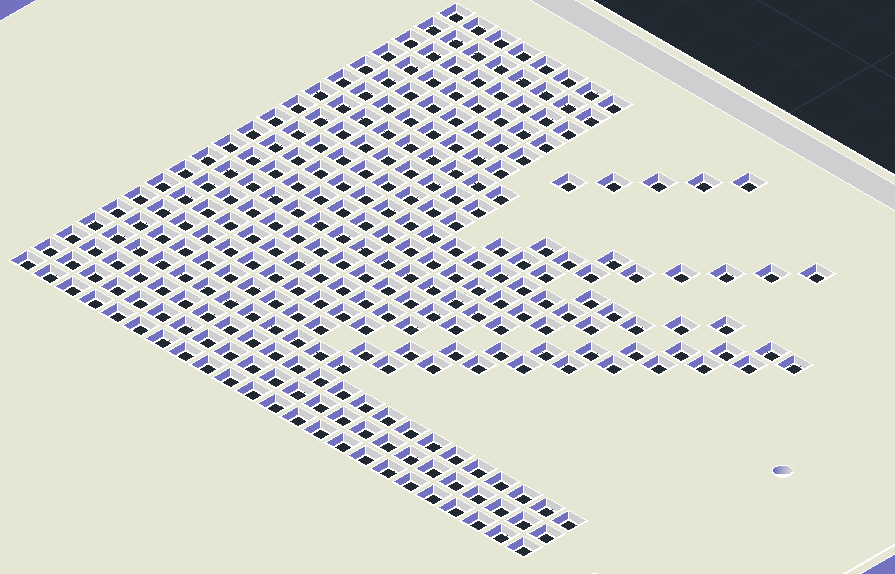 got some done and then it started to do this... 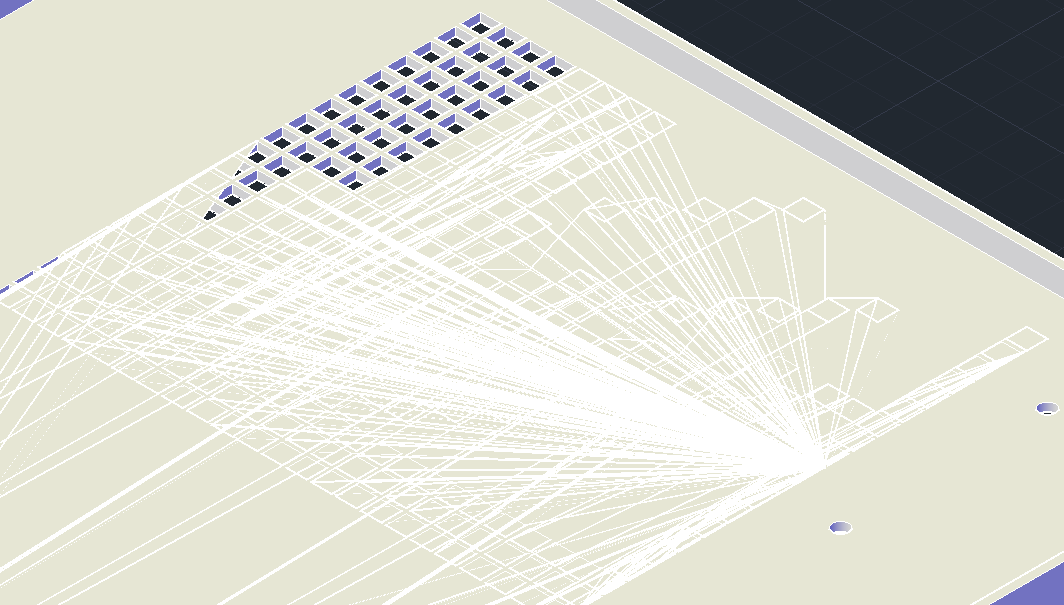 after that i tryed some other methodes like Subtrack... allways same problem... anyone knows how to get it work? |
Replies:
Posted By: John Connor
Date Posted: 13.Mar.2012 at 10:44
|
Looks unusual to say the least. Could it be just a graphics related problem or do you suspect you have some bad geometry? Short of posting the drawing I'm not sure how we would go about solving the problem.
------------- "Humans have a strength that cannot be measured. This is John Connor. If you are reading this, you are the resistance." <<AutoCAD 2015>> |
Posted By: Mafields
Date Posted: 13.Mar.2012 at 11:25
|
i think it is in graphics... surface should be flat so it should not be from that... most likely it is related to positional calculating |
Posted By: Mafields
Date Posted: 13.Mar.2012 at 12:16
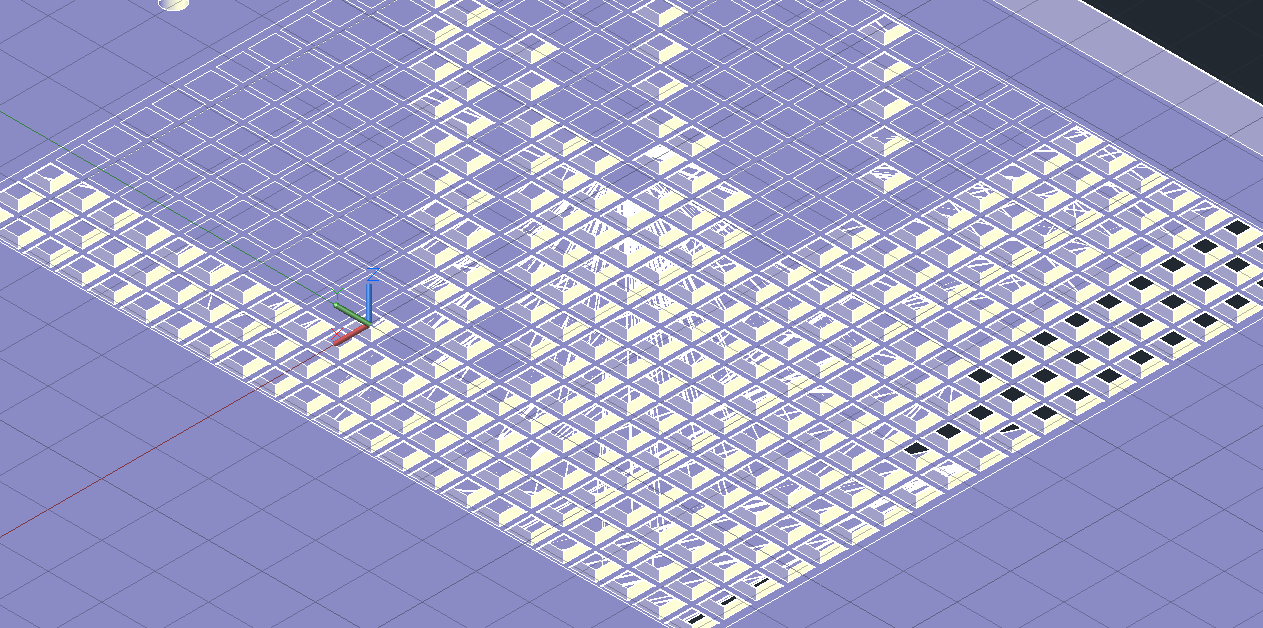 bottom side.... altaslt i got one error out of it: Error analyzing internal islands. Too many holes? |
Posted By: John Connor
Date Posted: 13.Mar.2012 at 17:05
|
How big is the plate? What is the size and spacing of each hole? What is the thickness of the plate. How many holes are there? What are your system specs? How much RAM? What kind of graphics card? ------------- "Humans have a strength that cannot be measured. This is John Connor. If you are reading this, you are the resistance." <<AutoCAD 2015>> |
Posted By: Mafields
Date Posted: 13.Mar.2012 at 23:22
Area to holes is 137mm x 119mm holes are 5mm x 5mm spacing 1mm and thickness 2mm 460 holes total 23x20 + some other holes... ram 8Gb 1600 ddr3, asus EAH4870/HTDI/512M and AMD Phenom II 4x 850 3.3 GHz |
 John Connor wrote:
Posted By: John Connor
Date Posted: 14.Mar.2012 at 11:03
|
What kind of graphics card? How much videoRAM onboard? Unless you are having driver problems or you have some bad geometry this should be a very easy drawing for your system to handle. ------------- "Humans have a strength that cannot be measured. This is John Connor. If you are reading this, you are the resistance." <<AutoCAD 2015>> |
Posted By: adamstuart07
Date Posted: 14.Mar.2012 at 12:37
|
Friend For working on 3D you need advanced quality graphic card with good Video RAM.may you are not full all the requirement if not please friend update your configuration according to your requirement...
------------- http://windows7.igennie.net/windows7-updates.html" rel="nofollow - Updates On Windows 7 || Microsoft Support |
Posted By: John Connor
Date Posted: 14.Mar.2012 at 15:05
|
Until Mafields tells us what he has for a graphics card or graphics chip we won't know now will we if it meets the recommended minimum specs as called for by AutoDesk.
------------- "Humans have a strength that cannot be measured. This is John Connor. If you are reading this, you are the resistance." <<AutoCAD 2015>> |
Posted By: digitalmind
Date Posted: 21.Mar.2012 at 11:34
|
I need to help:one option autoCAD 2006 in when we apply image material on any 3d object there is option fit to object but autocad 2012 is not please Any one help me how can I fit to JPEG image fit on my 3d object in autoCAD 2012 thank u |
Posted By: John Connor
Date Posted: 21.Mar.2012 at 11:53
|
Hey digital, it is impolite to hijack a thread started by someone else and post an unrelated question. Go back to your original thread.
------------- "Humans have a strength that cannot be measured. This is John Connor. If you are reading this, you are the resistance." <<AutoCAD 2015>> |