![CAD Forum - tips, tricks, discussion and utilities for AutoCAD, Inventor, Revit and other Autodesk products [www.cadforum.cz]](../common/arkance_186.png "CAD Forum - ARKANCE Community - tips, tricks, discussion and utilities for AutoCAD, Inventor, Revit and other Autodesk products [www.cadforum.cz]")
CAD FORUM - TIPS & TRICKS | UTILITIES | DISCUSSION | BLOCKS | SUPPORT | HELP & ASSISTANCE

 What is the ARKANCE Community?
Over 1.134.000 registered users (EN+CZ).
AutoCAD tips, Inventor tips, Revit tips, Civil tips, Fusion tips.
See the new Beam calculator, Engineering calculator, Tolerances, Spirograph generator and Regression curves in the Converters section.
New AutoCAD 2027 commands and sys.variables

 CAD tip # 11625:
Question
A
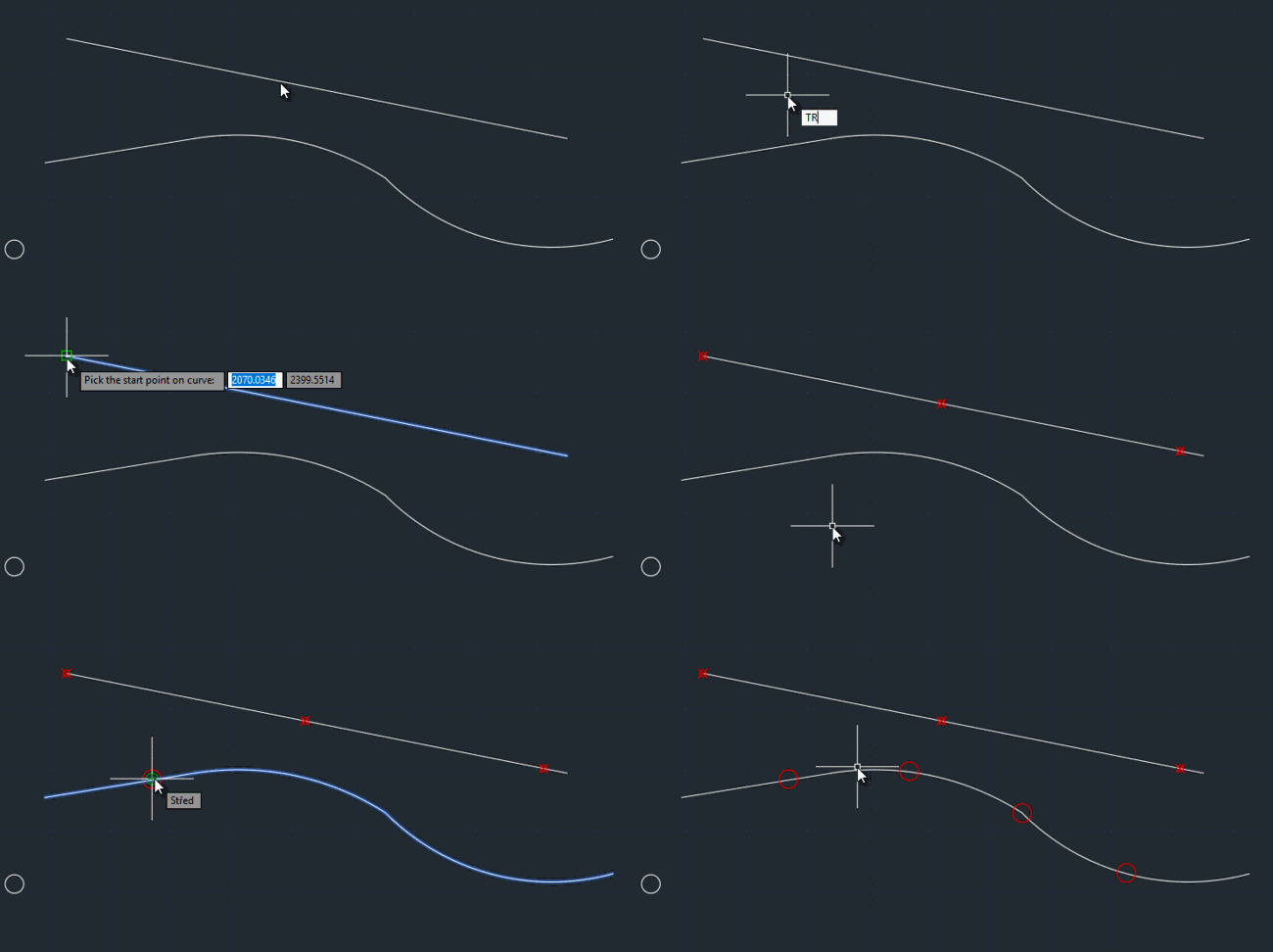
The freeware utility TraceCurve can create points along a selected curve. It marks points on given distances (stations) from the specified origin on a curve. The created point (or block reference) objects may lay in regular distances or in individually specified lenghts from the last point.
 Download, load it with APPLOAD a run by typing the TRACECURVE command. You can specify the distances numerically or by pointing in your drawing.
If you choose a block with attributes, TraceCurve can automatically add labels (to the first attribute) with stations (distances), distances in km, X-cordinate, Y-coordinate or a counter (first point = 1).

Download, load it with APPLOAD a run by typing the TRACECURVE command. You can specify the distances numerically or by pointing in your drawing.
ACAD

 *CAD
*CAD
26.9.2017
26227×
this tip shared by ARKANCE experts applies to: ACAD ·


CADforum
Tips, tricks, utilities, help, how-tos and FAQ for AutoCAD, LT, Inventor, Revit, Map, Civil 3D, Fusion, Forma, 3ds Max and other Autodesk software (community support by ARKANCE). See About CADforum.
Copyright © 2026 | Advertise with us | Online privacy





