![CAD Forum - tips, tricks, discussion and utilities for AutoCAD, Inventor, Revit and other Autodesk products [www.cadforum.cz]](../common/arkance_186.png "CAD Forum - ARKANCE Community - tips, tricks, discussion and utilities for AutoCAD, Inventor, Revit and other Autodesk products [www.cadforum.cz]")

 What is the ARKANCE Community?
 CAD tip # 6074:
Question
You can publish DWFx files from any Autodesk application of the "2009", "2010" or "2011" family (or using an add-on for AutoCAD 2008) or you can use Autodesk DWF Writer 4/2009. Files in the classic DWF format can be converted to DWFx in the Autodesk Design Review 2009 (and higher). See  Download.
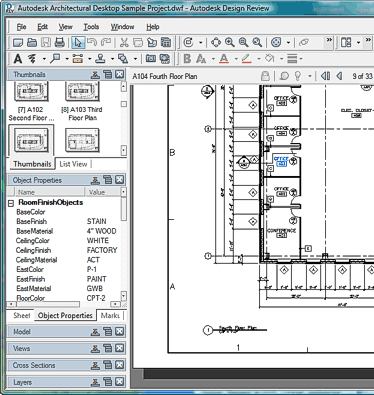
With Autodesk Design Review you can not only view the DWFx and DWF files, but also measure, markup, print, convert and manage such files.
Native support for the Autodesk DWFx format is present in Windows Vista and in newer versions of the .NET FrameWork component (3.x), which is automatically installed as a part of many Windows applications. Thus a substantial part of Windows XP computers can also view DWFx files. E.g. you can have installed Internet Explorer 7 (or MSIE8 or higher). On such computers, youi can just open the .dwfx file (by double-click, entering its URL address in MSIE, etc.) and the system will display it.
You can test the DWFx support on your computer e.g. by opening the file Budweiser2008.dwfx from the CAD Catalog. If you open a multi-sheet DWFx file (see sample), you can switch its individual sheets with the PgDn/PgUp keys. NB: on computers with installed Design Review, this application will be used for viewing, not the possible native support of dwfx..
On Apple MacIntosh computers, in Linux, in older Windows versions and on pocket computers (mobile phones, PocketPC, Windows Mobile) you can view DWF and DWFx files using the online web service Autodesk Freewheel. This service was replaced and enhanced in the new A360 Drive cloud service - you can use it to view any CAD format (see example).

 *CAD
*CAD







