![CAD Forum - tips, tricks, discussion and utilities for AutoCAD, Inventor, Revit and other Autodesk products [www.cadforum.cz]](../common/arkance_186.png "CAD Forum - ARKANCE Community - tips, tricks, discussion and utilities for AutoCAD, Inventor, Revit and other Autodesk products [www.cadforum.cz]")
CAD FORUM - TIPS & TRICKS | UTILITIES | DISCUSSION | BLOCKS | SUPPORT | HELP & ASSISTANCE

 What is the ARKANCE Community?
Over 1.134.000 registered users (EN+CZ).
AutoCAD tips, Inventor tips, Revit tips, Civil tips, Fusion tips.
See the new Beam calculator, Engineering calculator, Tolerances, Spirograph generator and Regression curves in the Converters section.
New AutoCAD 2027 commands and sys.variables

 CAD tip # 13288:
Question
A
Using the freeware application, the reactor LayoutLF, you can automatically switch active layer filters (layer groups) according to the name of the current layout - when you switch layouts, it switches to the filter of the same name (if any).
You can download the LayoutLF application from the  Download page and load it into AutoCAD using the APPLOAD command. The application doesn't need a user interface, the LAYOUTLF command just toggles the reactor on/off.
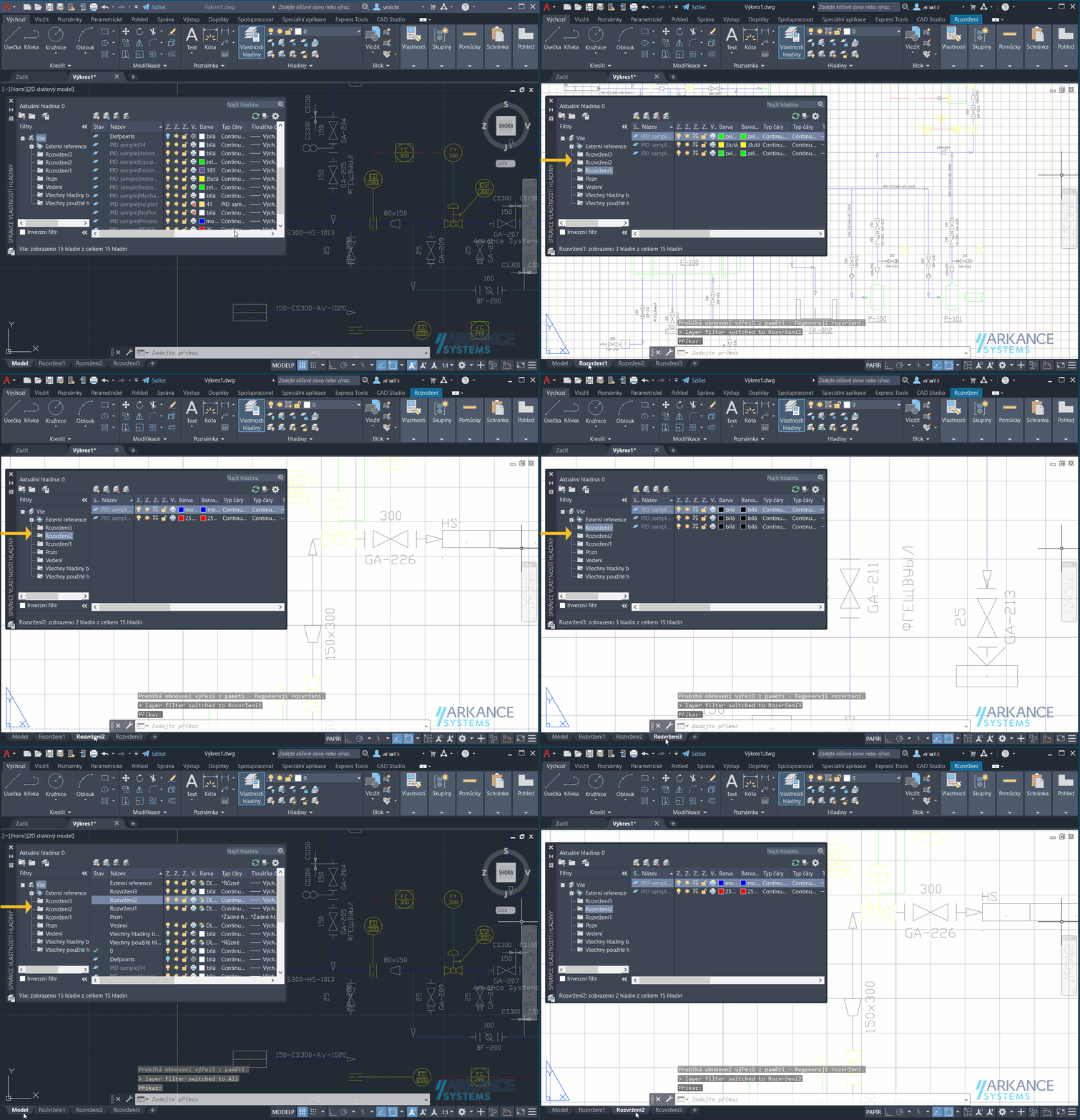
The auxiliar CreateFiltersByLayouts command will generate (pre-generate) empty filters based on the names of all the layouts in your drawing.
ACADADTACADMPlantMapCivil3D

 *CAD
*CAD
12.4.2022
51496×


CADforum
Tips, tricks, utilities, help, how-tos and FAQ for AutoCAD, LT, Inventor, Revit, Map, Civil 3D, Fusion, Forma, 3ds Max and other Autodesk software (community support by ARKANCE). See About CADforum.
Copyright © 2026 | Advertise with us | Online privacy





