![CAD Forum - tips, tricks, discussion and utilities for AutoCAD, Inventor, Revit and other Autodesk products [www.cadforum.cz]](../common/arkance_186.png "CAD Forum - ARKANCE Community - tips, tricks, discussion and utilities for AutoCAD, Inventor, Revit and other Autodesk products [www.cadforum.cz]")
CAD FORUM - TIPS & TRICKS | UTILITIES | DISCUSSION | BLOCKS | SUPPORT | HELP & ASSISTANCE

 What is the ARKANCE Community?
Over 1.124.000 registered users (EN+CZ).
AutoCAD tips, Inventor tips, Revit tips, Civil tips, Fusion tips.
The new Beam calculator, Spirograph generator and Regression curves in the Converters section.
New AutoCAD 2027 commands and sys.variables

 CAD tip # 6893:
Question
A
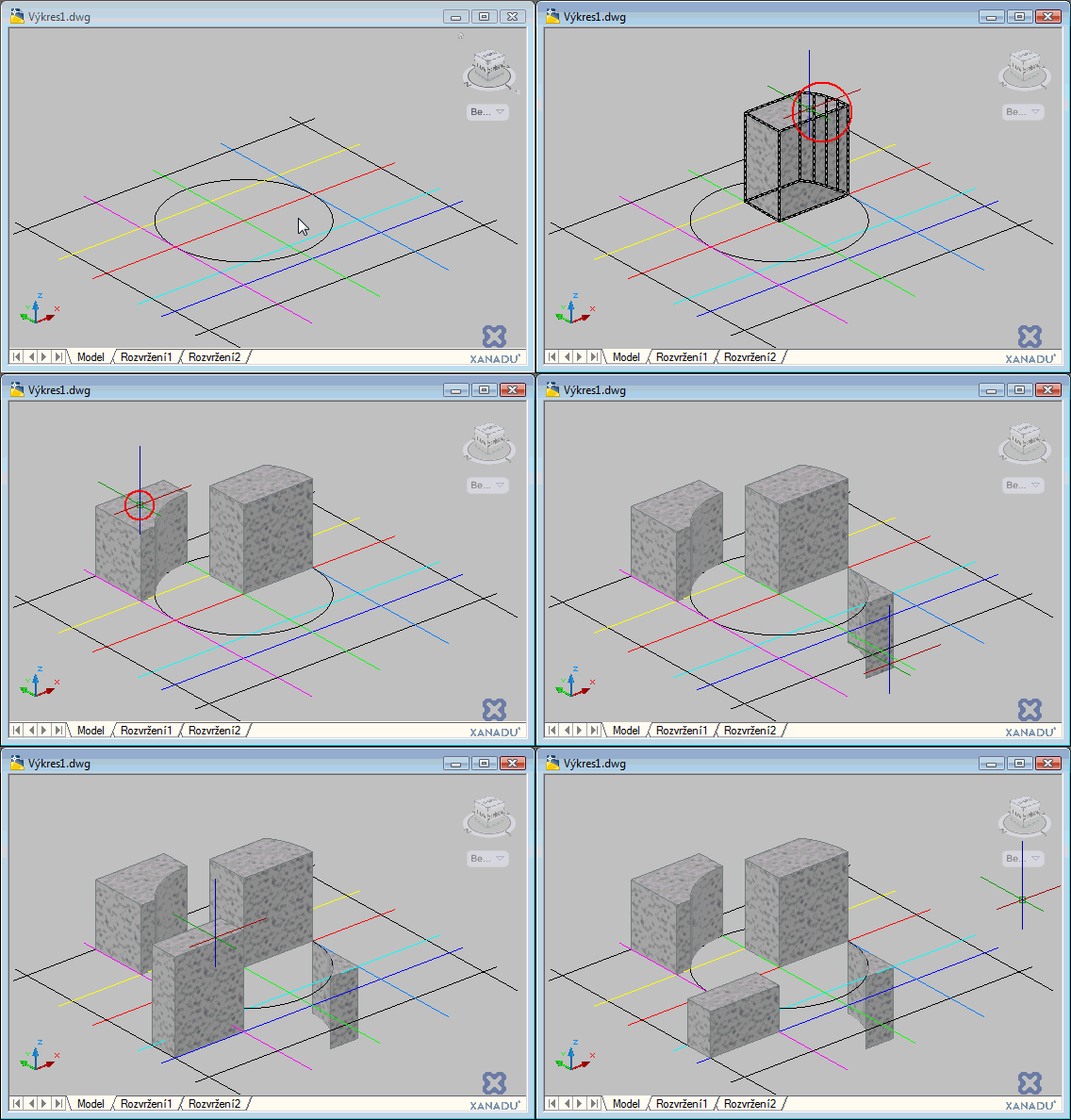
AutoCAD (since version 2007) allows to interactively "pull" a void area bounded by multiple lines to a 3D solid.
The PRESSPULL command prompts to specify a point inside any 2D boundaries in a plan view and then you can move your mouse to pull this new 3D solid upwards or press it downwards.
In the versions 2007, 2008 and 2009 you can invoke this interactive command by pressing Ctrl+Alt keys, in the version 2010 and higher you can use the key combination Ctrl+Shift+E (starts IMPLIEDFACEX).
The resulting object is a 3DSOLID, in the current layer and with the current material settings:
ACAD2010ACAD2009ACAD2008ACAD2007ADTACADM

 *CAD
*CAD
28.8.2009
15173×
this tip shared by ARKANCE experts applies to: AutoCAD 2010 · AutoCAD 2009 · AutoCAD 2008 · AutoCAD 2007 · AutoCAD Architecture · AutoCAD Mechanical ·


CADforum
Tips, tricks, utilities, help, how-tos and FAQ for AutoCAD, LT, Inventor, Revit, Map, Civil 3D, Fusion, Forma, 3ds Max and other Autodesk software (community support by ARKANCE). See About CADforum.
Copyright © 2026 | Advertise with us | Online privacy





