![CAD Forum - tips, tricks, discussion and utilities for AutoCAD, Inventor, Revit and other Autodesk products [www.cadforum.cz]](../common/arkance_186.png "CAD Forum - ARKANCE Community - tips, tricks, discussion and utilities for AutoCAD, Inventor, Revit and other Autodesk products [www.cadforum.cz]")

 What is the ARKANCE Community?
 CAD tip # 7109:
Question
 Our customers are often facing a problem where AutoCAD suddenly works slower, with longer response times or jumpy cursor. This is usually caused by the content of the current drawing (see tips) but the reason may by also in your current AutoCAD settings (its system variables).
For these situations we have developed a small LISP utility - TURBO. This tool reveals the possible internal reasons of performance problems. Its command TURBO will switch AutoCAD (2026-2007, any vertical version, even AutoCAD LT 2024+) to a faster mode by presetting all relevant system variables. The next TURBO command then switches AutoCAD back to its original status (your former settings).
The performance differences depend on your current settings, on the complexity of your drawing and on the PC configuration. You can expect maximum "Turbo" effects on slow PCs with poor existing settings and in emulated/virtualized environments.
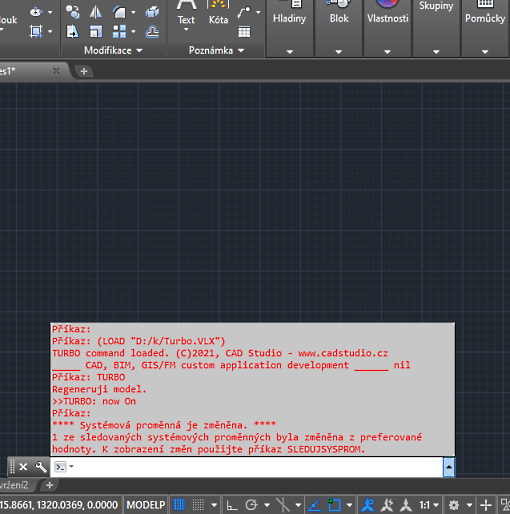
The active "Turbo" mode is indicated by red commandline text and by the "[TURBO]" indicator in the status line. Return back to "normal" mode in the same session to restore the original settings (or use Turbo0 for reset). You can also add your own settings to make AutoCAD work faster.
You can download the TURBO utility from  Download. Load the VLX file with APPLOAD any type the TURBO command. See more information in the attached Readme file.

 *CAD
*CAD







