![CAD Forum - tips, tricks, discussion and utilities for AutoCAD, Inventor, Revit and other Autodesk products [www.cadforum.cz]](../common/arkance_186.png "CAD Forum - ARKANCE Community - tips, tricks, discussion and utilities for AutoCAD, Inventor, Revit and other Autodesk products [www.cadforum.cz]")
CAD FORUM - TIPS & TRICKS | UTILITIES | DISCUSSION | BLOCKS | SUPPORT | HELP & ASSISTANCE

 What is the ARKANCE Community?
Over 1.133.000 registered users (EN+CZ).
AutoCAD tips, Inventor tips, Revit tips, Civil tips, Fusion tips.
See the new Beam calculator, Engineering calculator, Tolerances, Spirograph generator and Regression curves in the Converters section.
New AutoCAD 2027 commands and sys.variables

 CAD tip # 8260:
Question
A
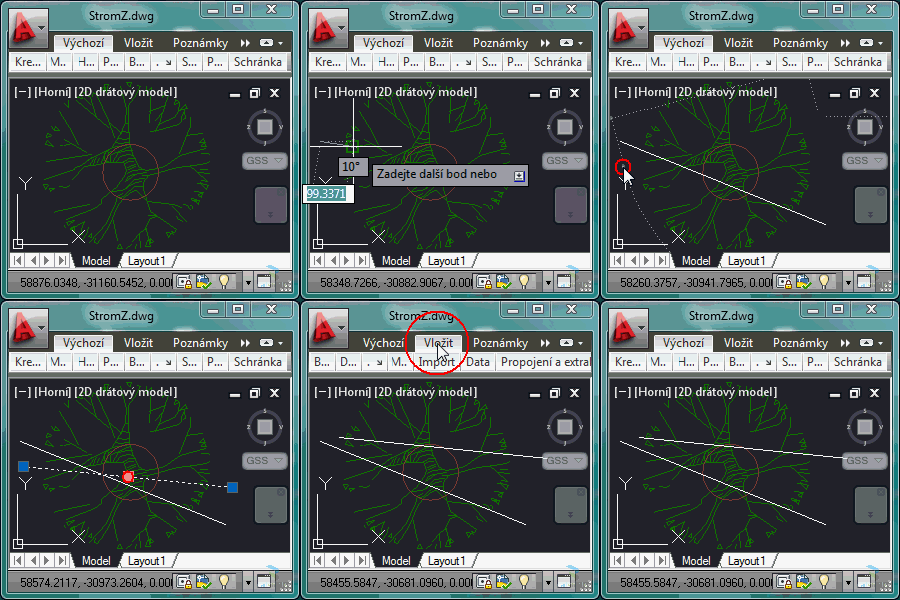
The Windows application AutoCAD 2012 and 2011 can be resized down to a 300x300 pixel window (minimum size). The same limit applies to higher versions.
If you minimize the ribbons and switch off the command line/window (Ctrl+9), you can still use AutoCAD quite well in this spartan resolution - see the recording (full-scale, 1:1):
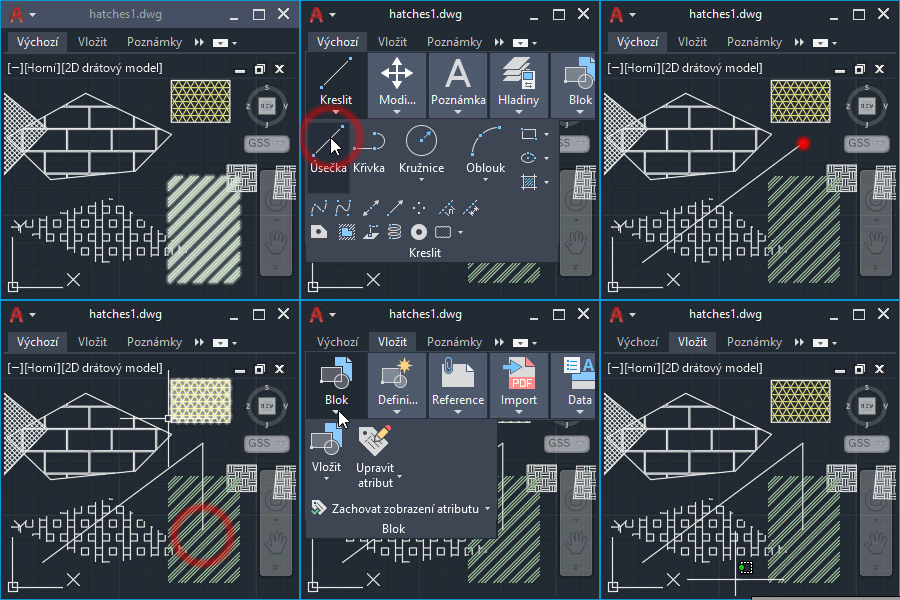
You can also switch off file tabs, layout tabs, status bar and command line to "maximize" the drawing area of this "mini AutoCAD" (version 2022 shown):
ACAD2022ACAD2012ACAD2011

 *CAD
*CAD
12.10.2011
11566×


CADforum
Tips, tricks, utilities, help, how-tos and FAQ for AutoCAD, LT, Inventor, Revit, Map, Civil 3D, Fusion, Forma, 3ds Max and other Autodesk software (community support by ARKANCE). See About CADforum.
Copyright © 2026 | Advertise with us | Online privacy





