![CAD Forum - tips, tricks, discussion and utilities for AutoCAD, Inventor, Revit and other Autodesk products [www.cadforum.cz]](../common/arkance_186.png "CAD Forum - ARKANCE Community - tips, tricks, discussion and utilities for AutoCAD, Inventor, Revit and other Autodesk products [www.cadforum.cz]")
CAD FORUM - TIPS & TRICKS | UTILITIES | DISCUSSION | BLOCKS | SUPPORT | HELP & ASSISTANCE

Over 1.117.000 registered users (EN+CZ).
AutoCAD tips, Inventor tips, Revit tips, Civil tips, Fusion tips.
The new Beam calculator, Spirograph generator and Regression curves in the Converters section.
New AutoCAD 2027 commands and sys.variables
 CAD tip # 10097:
Question
A
When you open a CAD file (DWG, RVT, RFA, etc.) using the context menu, Windows offers multiple applications with the same name - e.g. different types of AutoCAD, different versions of Revit you have installed, etc. How to choose the right program version you want to run?
If you want to assign a fixed version of the launched application for the given file type (e.g. for RFA - Revit Family), assign the proper program in the Registry key - e.g.:
HKEY_LOCAL_MACHINE\SOFTWARE\Classes\Revit.Family\shell\open\command
If you need to dynamically choose which version to run, rename the listed applications to more descriptive names. E.g. change the menu list:
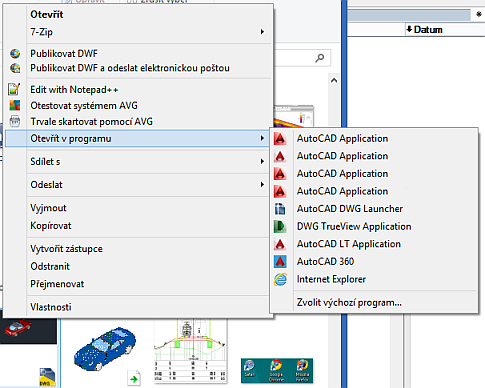
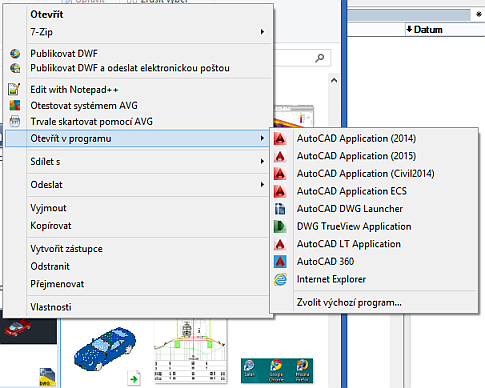
HKEY_CURRENT_USER\Software\Classes\Local Settings\Software\Microsoft\Windows\Shell\MuiCache
E.g. for the above illustrated modification:
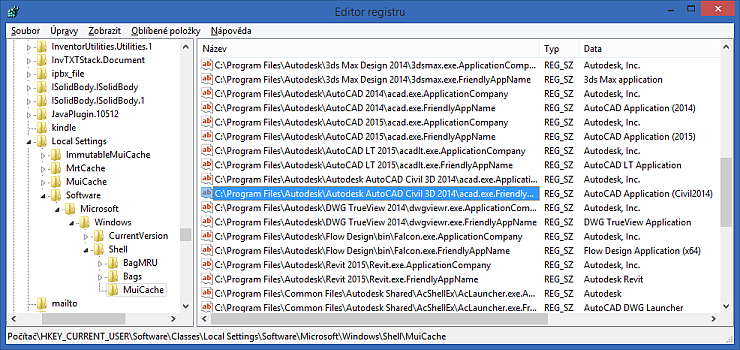
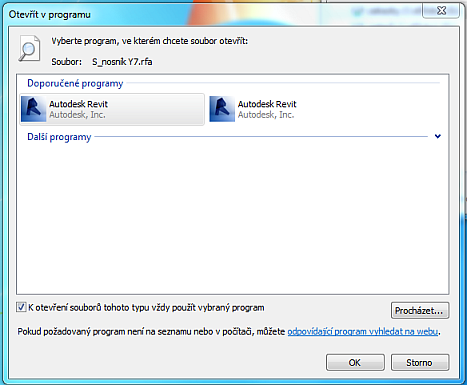
You can use this method also to assign office applications and file types, pictures, videos and other document types.
ACADACLTRevitInvNWDWG

 *CAD
*CAD
14.11.2014
10547×
this tip shared by ARKANCE experts applies to: AutoCAD · AutoCAD LT · Revit · Inventor · Navisworks · DWG ·



CADforum
Tips, tricks, utilities, help, how-tos and FAQ for AutoCAD, LT, Inventor, Revit, Map, Civil 3D, Fusion, Forma, 3ds Max and other Autodesk software (community support by ARKANCE). See About CADforum.
Copyright © 2026 | Advertise with us | Online privacy





