![CAD Forum - tips, tricks, discussion and utilities for AutoCAD, Inventor, Revit and other Autodesk products [www.cadforum.cz]](../common/arkance_186.png "CAD Forum - ARKANCE Community - tips, tricks, discussion and utilities for AutoCAD, Inventor, Revit and other Autodesk products [www.cadforum.cz]")
CAD FORUM - TIPS & TRICKS | UTILITIES | DISCUSSION | BLOCKS | SUPPORT | HELP & ASSISTANCE

 What is the ARKANCE Community?
Over 1.128.000 registered users (EN+CZ).
AutoCAD tips, Inventor tips, Revit tips, Civil tips, Fusion tips.
The new Beam calculator, Spirograph generator and Regression curves in the Converters section.
New AutoCAD 2027 commands and sys.variables

 CAD tip # 12760:
Question
A
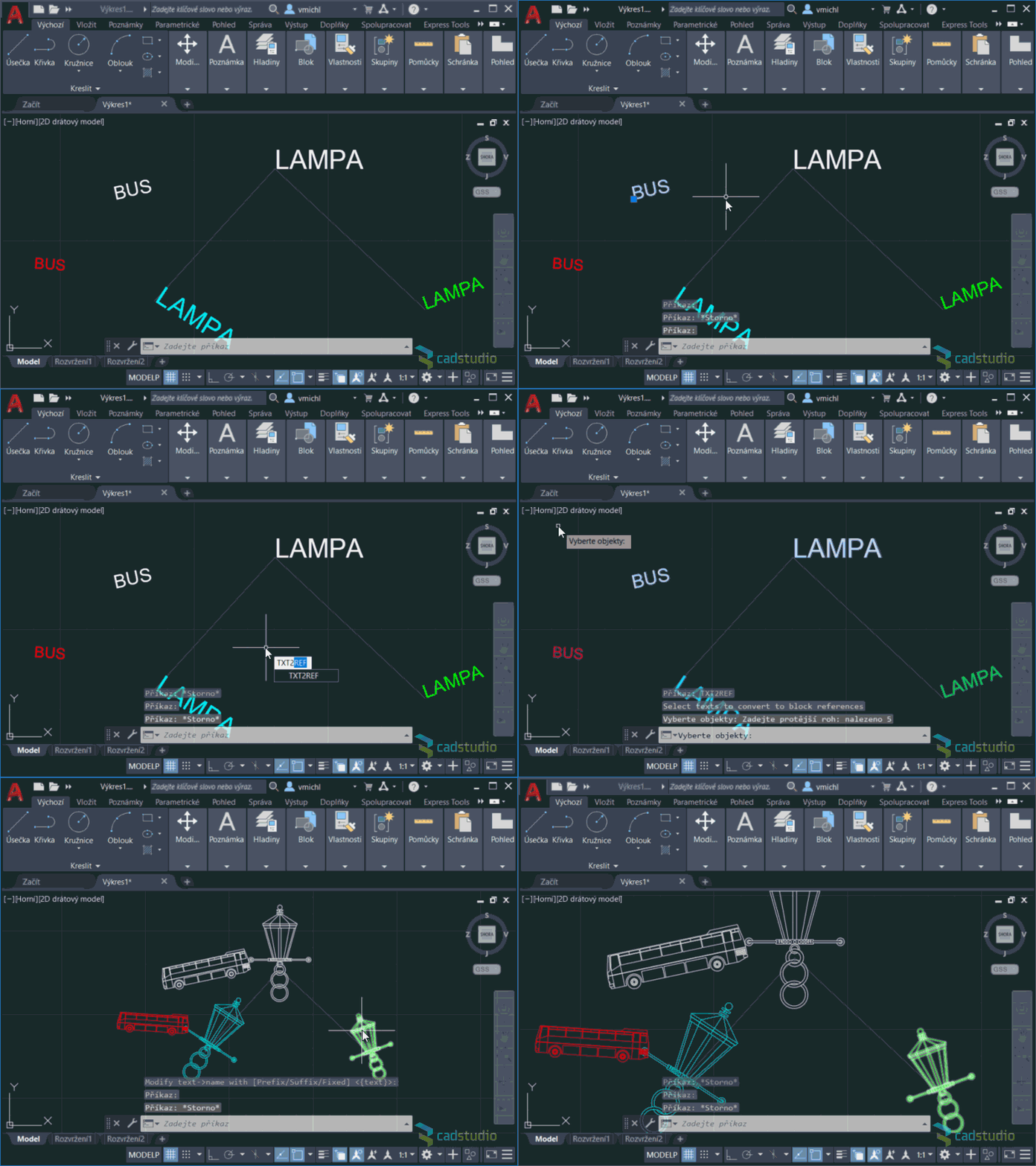
With a simple freeware utility Txt2Ref you can replace selected texts in your DWG drawing by block references of the same name (or of a single block). So e.g. all occurrences of the text "LAMP" in the drawing are replaced by references of the block "Lamp". The replacement honors layers, rotation, scale and color of the "placeholder" texts.
Download the Txt2Ref application from  Download, load it into AutoCAD with APPLOAD and start it by typing the TXT2REF command. Select the replaced texts, enter the scale ratio (text height to block scale) and optionally modify the name (text contents) vs. the block name as defined in the drawing (prefix, suffix, or a fixed name). The blocks of the given name must already exist in the DWG drawing.
Example of usage:
ACAD

 *CAD
*CAD
9.10.2020
19192×
this tip shared by ARKANCE experts applies to: AutoCAD ·


CADforum
Tips, tricks, utilities, help, how-tos and FAQ for AutoCAD, LT, Inventor, Revit, Map, Civil 3D, Fusion, Forma, 3ds Max and other Autodesk software (community support by ARKANCE). See About CADforum.
Copyright © 2026 | Advertise with us | Online privacy





